EN-13
MEASUREMENT CONNECTED WITH A PERSONAL COMPUTER
1. Remove the device's USB port cap.
2. Connect the device's USB port to the personal computer's USB port with a USB cable.
3. Turn on the personal computer and the device.
4. The tongue pressure is measured and the tongue pressure value is displayed and stored on a
personal computer.
AUTO SAVE FUNCTION
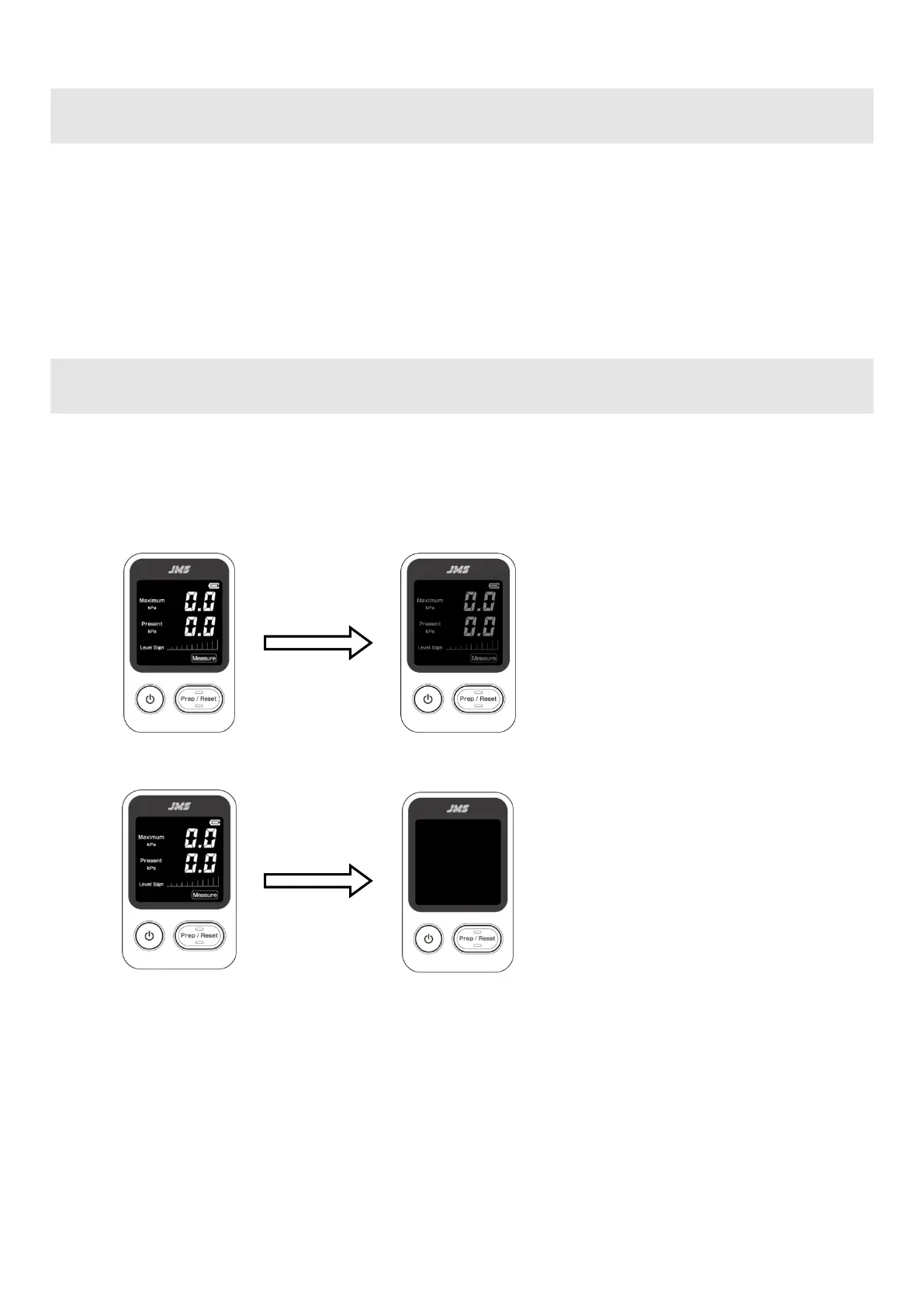
The device changes to the following status if no operation is performed after the power is turned ON or if the
pressure fluctuation of 1.0 kPa or more is not detected.
1) 10 seconds later ⇒ Backlight dimming
2) 3 minutes later ⇒ Power OFF
※ Measurement is possible even when the backlight is
dimmed. When a pressure fluctuation of 1.0 kPa or
more is detected, the brightness returns to the
original level.
※ When the Prep/Reset button is pressed to enter the
internal pressure adjustment mode, the brightness
also returns to the original value.


 To Next Page