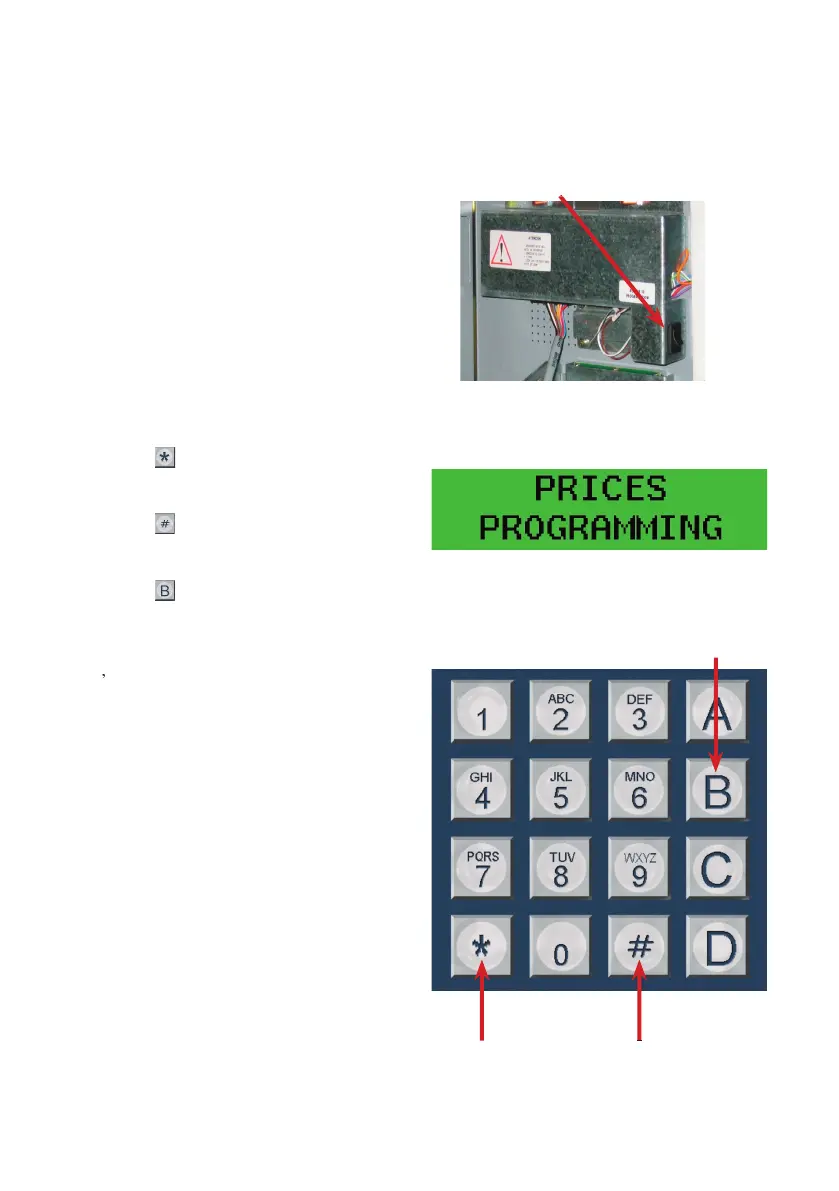
Elements of the programming system:
Press this button to get into the
It’s recommended to close the door
once it’s on the programming mode in
order to avoid any loss of
This element allows you to visualise
the programming option that the ma-
chine is in and its status
he programming options in
gets out of the programming
mode and into vending mode
On each of the programming options
ll be able to visualize and change
them with the numbered buttons.
On the union of the channels and the
assignation of the selection numbers, you
can use the selection buttons to program
Detail of the programming button
on the interior of the door
on the interior of the door
In the programming mode, the display will
display the different options


 To Next Page