Page 9 of 20
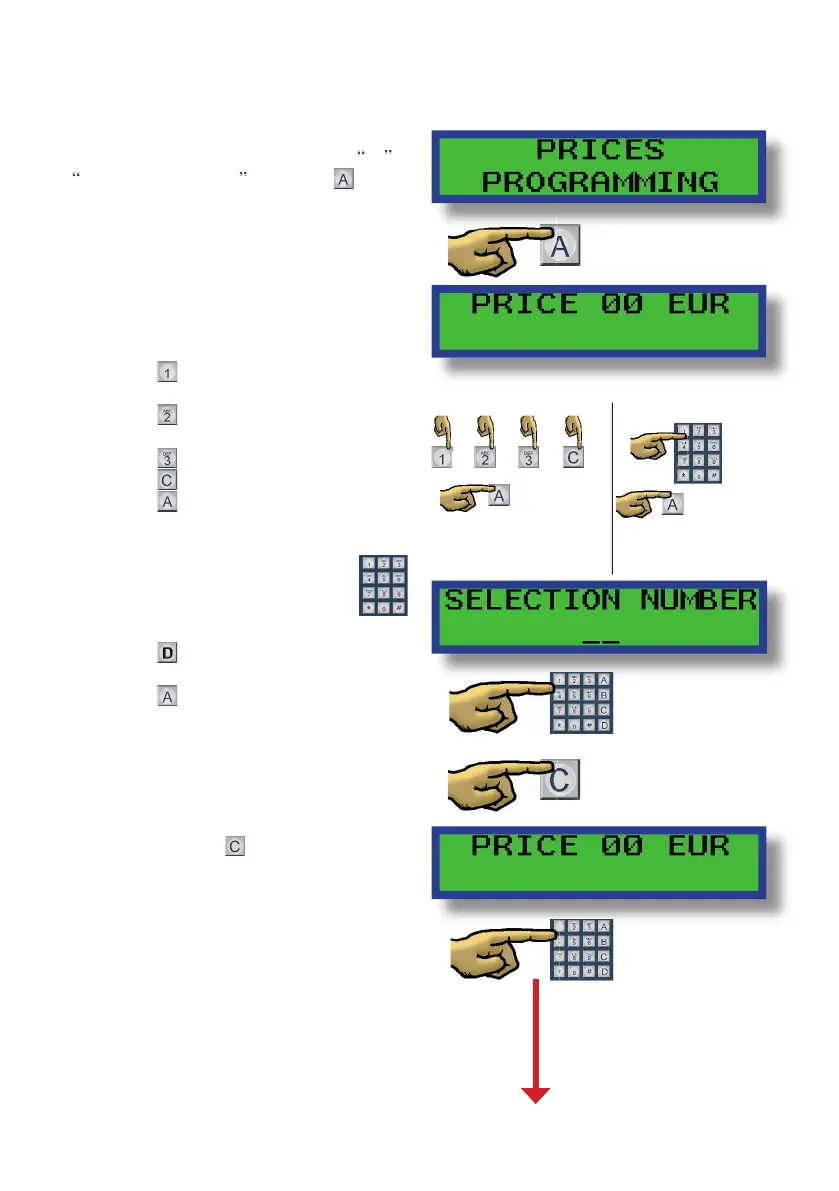
Pricing the selections:
Scroll through the programming options
until you reach programming option
The display will read price $ 0.00
Depending on the machine program we
can nd two di erent modes to program
increases the price in 5 cent
increases the price in 25
decreases the price 5 cents
decreases the price to zero
Use the buttosn as numeric pad
erases the latest introduced
When you con rm the price, the display
will ask you to enter the selection
numbers that correspond to that price
Once you enter all the selection numbers
Once you enter all the selection numbers


 To Next Page