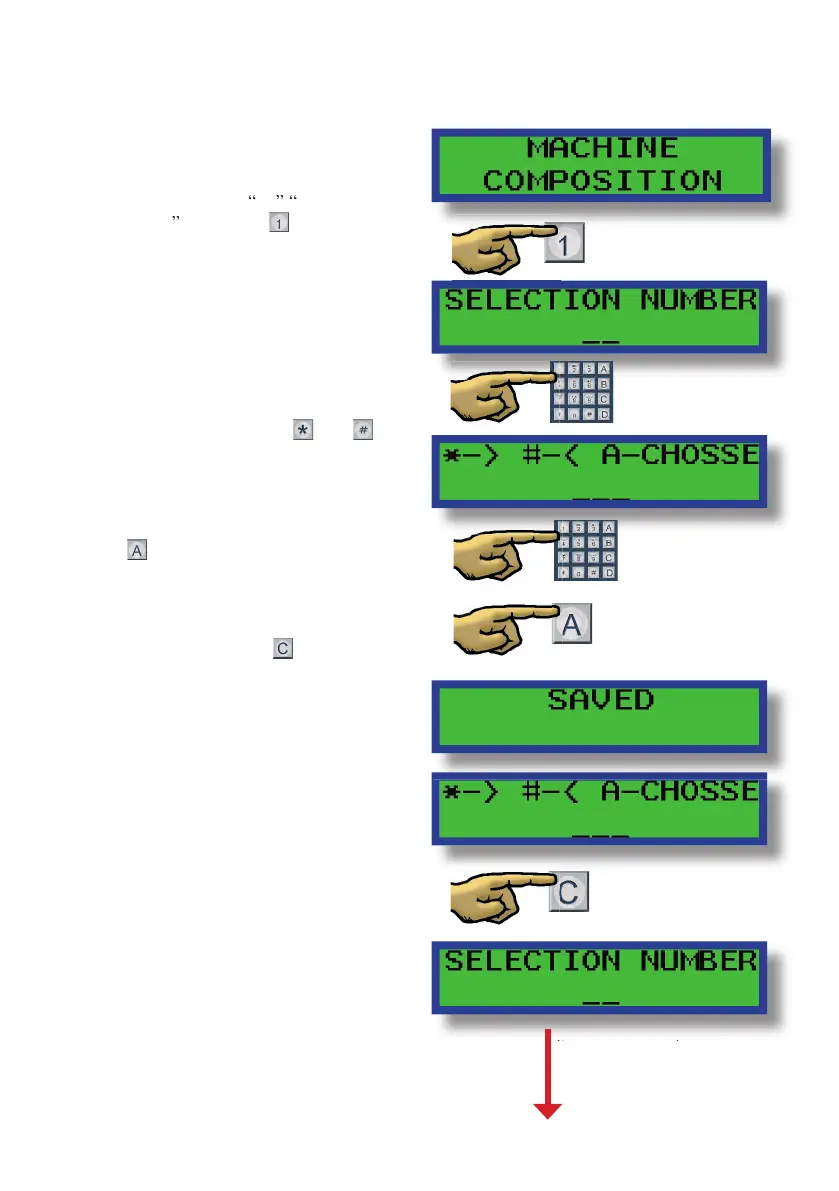
Assigning the channels to the selection numbers:
(Only change the con guration if necessary)
Scroll through the programming options
At that moment, the machine will ask you
Once you enter the selection number for
that product, the machine will ask you for
the channel number for that product.
You can set the channel numbers with the
buttons, or with the buttons
through the di erent channels that there
Every time you’ve selected the right
channel for that selection number, press
and on the display will display
a message saying “Saved” and then you
to enter another channel number for that
same selection number if you choose to.
to the next selection number


 To Next Page