26
5.2.2-1
4
10
Operation
5.2.3 Shutting down
Always shut down properly when work is complete:
• Remove the wheel from the balancer.
• Remove the cones and hub nut from the stub shaft.
Check the surfaces (internal and external) of the
cones for damage. The condition of the cone is
very important for a good balance quality.
• Check the thread of the hub nut and stub shaft.
• Clean all threads and surfaces with a dry, soft cloth.
• Store the cones and the hub nut in the correct place.
• Unplug the mains cable from the power outlet.
• Check the power cable for damage or wear.
• Tidy up the storage areas.
• Clean the display and input panel with a soft, dry
cloth.
• Remove old wheel weights and other material from
under the balancer. The balancer must rest on its
three feet only.
5.2.4 Settings
After switching on the unit, a default weight mode is
shown. If the unit then shows another weight mode,
refer to Chapter 5.3.2.
The unit of measurement indicated at power up is
inches, but the setting selected before switching off
for grams / ounces remains.
5.2.4.1 Changing the Weight Unit
Default weight unit setting:
grams.
Proceed as follows to change the weight unit, whether
you have already spun the wheel or not.
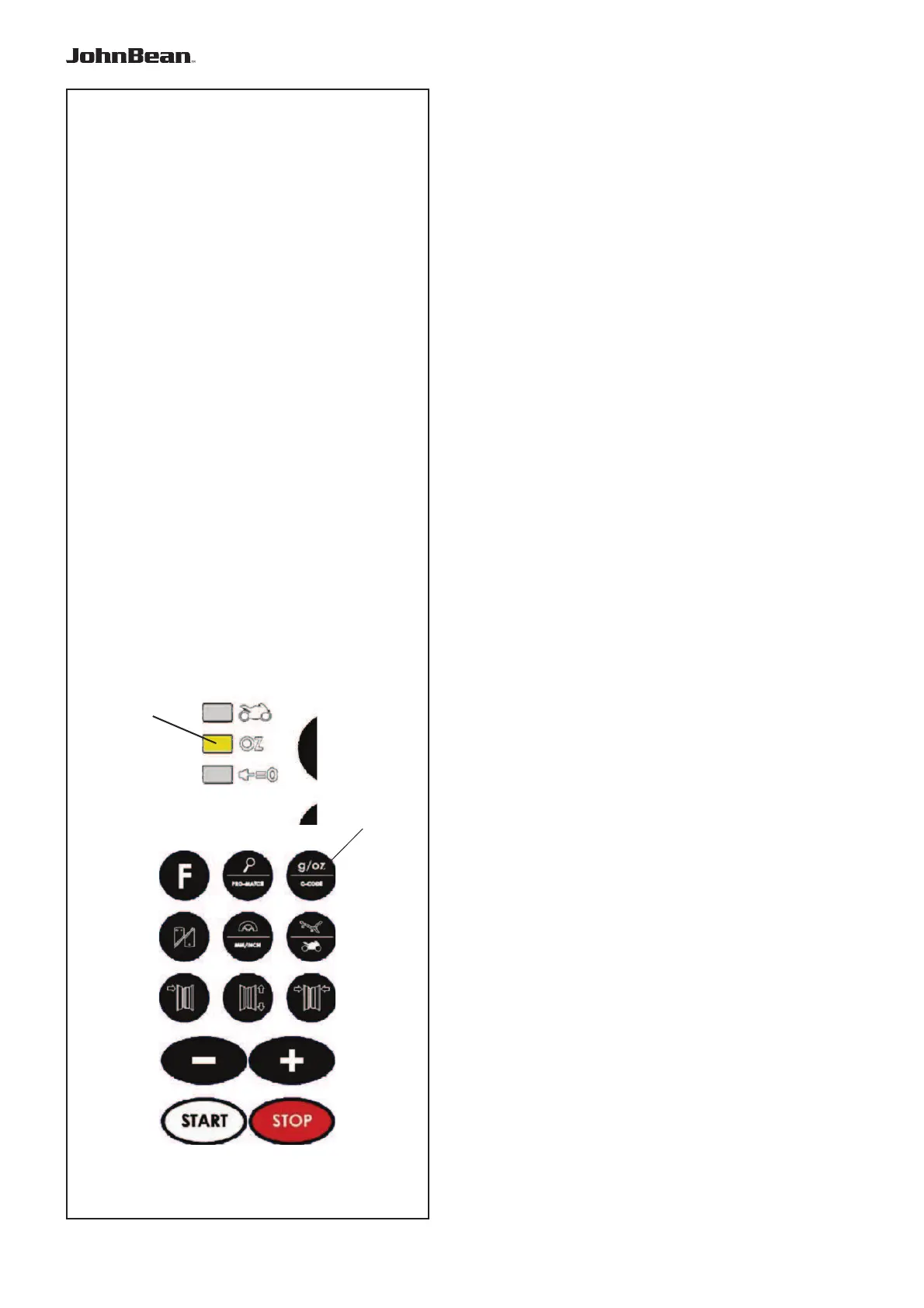
Refer to Figure 5.2.1-1.
• Press the key “g/oz” (10).
When oz is applied, the indicator (4) is bright
• Repeat the procedure to return to the previous unit
displayed.
5.2.4.2 Changing the Dimensions Unit
Default diameter and width unit setting: inches.
• Press and hold down the “F” key and then press
“-mm-inch”.
Repeat the procedure to return to the previous unit
displayed.
.



 To Next Page