64
5.7-2
5.7-1
* = Preset by the manufacturer
Operation “MODE”
5.7 Selecting the operating mode
To use the balancer normally you do not need to
change the operating mode and the relative states set
by the manufacturer. In special cases, however, or if
working conditions require it, the operating modes and
states can be changed by entering the appropriate
codes.
Operating mode settings and values
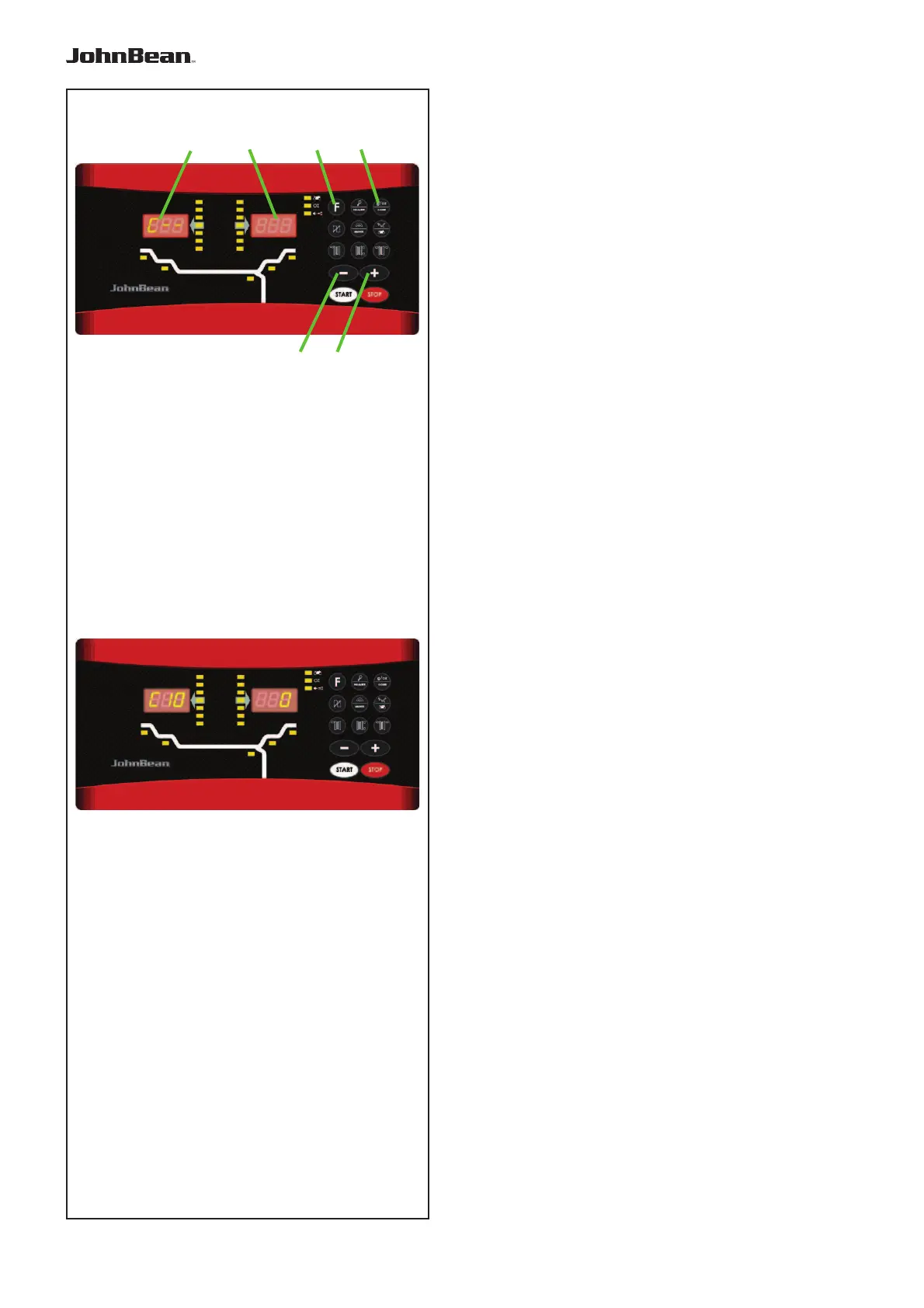
• Press F (1, Fig. 5.7-1) + C-Code (2) to enter the
C-Code mode.
• Use the + and – keys (3) e (4) to select the relevant
C-Code, displayed on the left indicator (5).Press the
C-Code to confi rm.
• Use the + and – keys to select the relevant operating
state, displayed on the right indicator (6). Press the
C-Code to confi rm and return to the base value.
This changes the operating mode which is then saved
until a new setting is entered or until the machine is
turned OFF.
The operating modes that are changed in this way can
be saved permanently using the
C10 code (Fig. 5.7-2).
Now if the machine is turned OFF these modes are not
lost and every time the machine is turned ON they are
reinserted until they are changed again.
C4 Code. Clamping device compensation
This cannot be saved permanently.
• At the end press STOP to exit the function.
The editing codes and the key combinations for enter-
ing them are listed below.
.
.
2
4
1
3
6
5



 To Next Page