10
LP69910 (12/07/2020) 3 CU FT GATOR FERTILIZER SPREADER
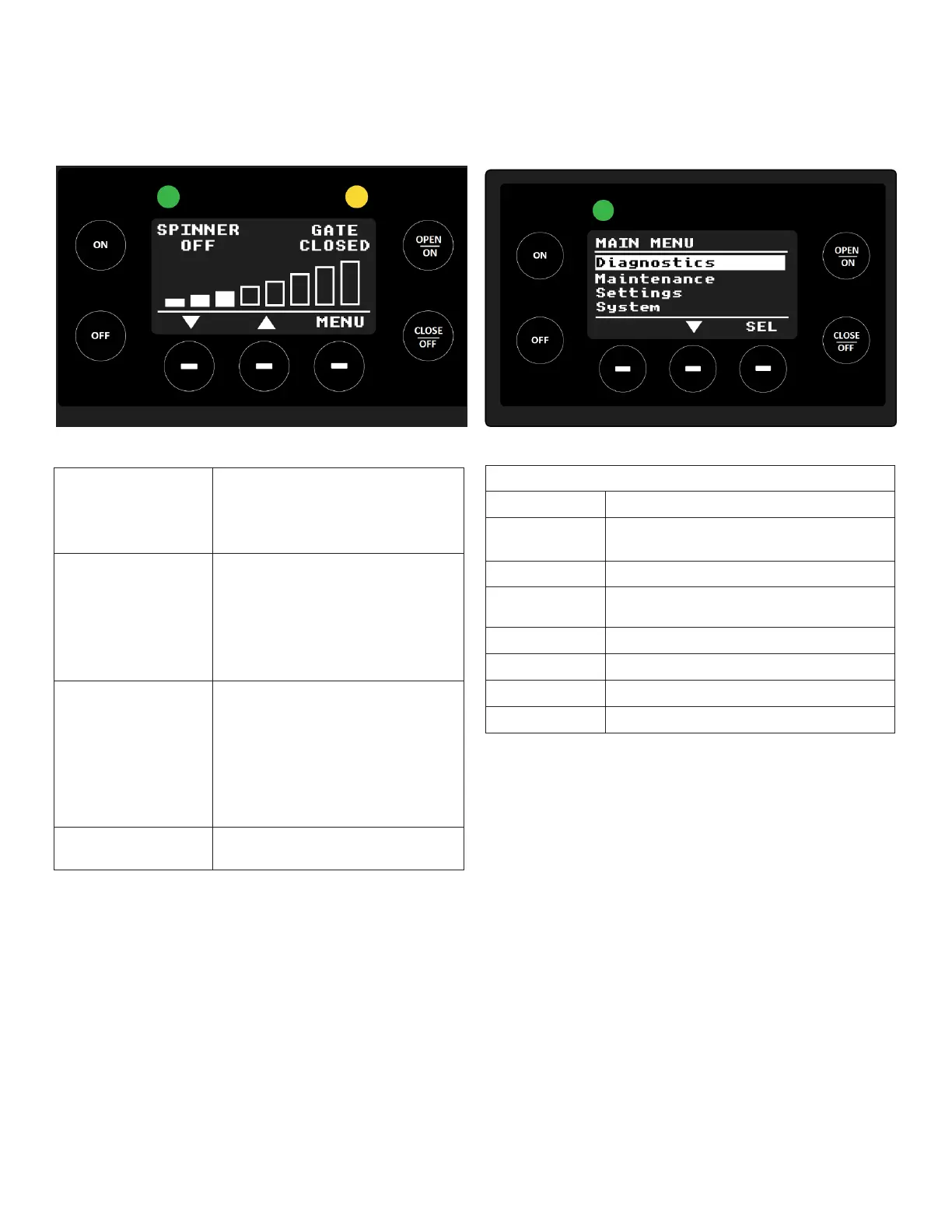
From the operation page, an operator can power on the
spreader, enter the menu, or spinner speed.
NOTE: In order to control the Gate/Vibe motor the
Spinner/Auger must be active, if it is not active the
Gate/Vibe label state will blink indicating the motor is
disabled.
Operation
Default Motor Controls
Starting and
Stopping Spreader
Press the ON button to turn on
the spinner/auger.
Press the OFF button to turn off
the spinner/auger
Gate/Vibe Control Press the OPEN/ON button to
open the gate or to turn on the
vibe.
Press the CLOSE/OFF button to
close the gate or to turn off the
vibe.
Adjusting Motor
Speed
Press the bottom left button
(down arrow) to decrease the
speed of the motor in 11%
increments.
Press the bottom mid button (up
arrow) to increase the speed of
the motor in 11% increments.
Entering the Menu Press the bottom right button
(menu) to enter the menu.
Menu Options
Diagnostics Review the warning and fault list.
Maintenance Displays maintenance menu with
options to reverse auger.
Settings Adjusts the parameters of the display.
System Display system’s voltage and
temperature.
Support Displays support information.
Controller Info Displays controller information
Display Info Displays system information.
Exit Returns to the home page.
Main Menu
Pressing the menu button will enter the main menu.
Settings Menu
Selecting settings from the main menu will enter the
settings menu.
From the settings menu, the user can select the following:
• Display to select the brightness level.
• CAN, to enable/disable the CAN terminator resistor.
• Exit, go back to main menu.
Once in the main menu, the user can select the following:



 To Next Page