M4-CV Series VAV Box Controllers Installation
Guide
Application
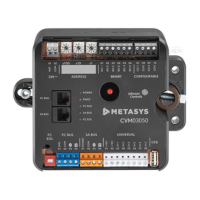
The CV series controllers are designed for variable air
volume (VAV) box applications.
CV series controllers feature 14 preloaded standard
applications to allow this controller to operate
standard VAV box equipment with a proven energy-
efficient sequence of operation, without the need for
programming. For information on configuring a CV series
controller to use a preloaded application, see Setting a
preloaded application. These controllers are also fully
programmable, using the Controller Configuration Tool
(CCT), providing the flexibility to create custom control
sequences.
CV series controllers feature an integral damper actuator,
a digital Differential Pressure Transmitter (DPT) sensor,
and a 32-bit microprocessor. The CVM03050-0P and
CVE03050-0P models feature an integral potentiometer
to sense actual VAV box damper position. For information
on configuring an application with integrated actuator
feedback, refer to the M4-CV Series Actuator Feedback
Application Note (LIT-12013631).
CV series controllers also include an integral real-time
clock, which enables the controllers to monitor and
control schedules, calendars, and trends, and operate
for extended periods of time as stand-alone controllers
when offline from the Metasys system network. These
controllers connect easily to the wired and wireless
network sensors for zone and discharge air temperature
sensing. Their small package size facilitates quick
field installation and efficient use of space without
compromising control performance.
Communications protocols
CV series controllers can communicate using multiple
communication protocols depending on model and
configuration. The CVE controllers communicate using
the BACnet/IP communication protocol. CVM controllers
communicate using the BACnet MS/TP, N2, or wireless
Zigbee
®
communications protocols, with the addition
of ZFR183x Pro Wireless Field Bus Routers. Equipment
Controllers in BACnet/IP or BACnet/MSTP communication
mode are BACnet network-compliant devices. The
BACnet protocol is a standard for ANSI, ASHRAE, and the
International Standards Organization (ISO) for building
controls.
Controllers running in N2 mode can be used to maintain
or modernize sites with installed legacy Johnson Controls
®
controllers. For installation and commissioning support,
and tips for efficient and safe replacement, refer
to the Modernization Guide for Legacy N2 Controllers
(LIT-12012005) and the controller-specific documentation.
For information about mapping N2 Objects in controllers
with switchable communications protocols, refer to the
N2 Compatibility Options chapter of the Controller Tool Help
(LIT-12011147).
To configure CVM controllers to communicate using
the N2 communications protocol, see Configuring N2
communications (CVM models only).
To configure CVM controllers to communicate using
the wireless communications protocol, see Configuring
wireless communications (CVM models only).
North American Emissions Compliance
United States
This equipment has been tested and found to comply
with the limits for a Class A digital device pursuant to
Part 15 of the FCC Rules. These limits are designed
to provide reasonable protection against harmful
interference when this equipment is operated in a
commercial environment. This equipment generates,
uses, and can radiate radio frequency energy and, if not
installed and used in accordance with the instruction
manual, may cause harmful interference to radio
communications. Operation of this equipment in a
residential area may cause harmful interference, in which
case the users will be required to correct the interference
at their own expense.
Canada
This Class (A) digital apparatus meets all the
requirements of the Canadian Interference-Causing
Equipment Regulations.
Cet appareil numérique de la Classe (A) respecte toutes
les exigences du Règlement sur le matériel brouilleur du
Canada.
Installation
Observe the following guidelines when installing the
controller:
• To minimize vibration and shock damage to the
controller, transport the controller in the original
container.
• Verify that all parts shipped with the controller.
• Do not drop the controller or subject it to physical
shock.
Parts included
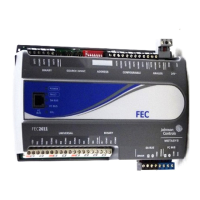
• One CVM/CVE controller with removable terminal
blocks (Input/Output, Power, FC, and SA terminal blocks
bus are removable)
Note: The FC terminal block is only available with
the CVM model
• One installation instructions sheet
• One self-drilling No. 10 x 25 mm (1 in.) screw
*241014301590D*
Part No. 24-10143-01590 Rev. D
11.0
2022-02-07
(barcode for factory use only)
M4-CVM03050-0x, M4-CVE03050-0P


 To Next Page
 General