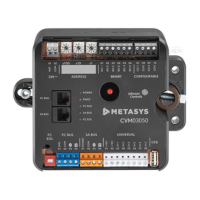
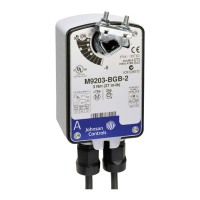
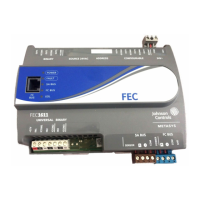
FEC26 Field Equipment Controllers Installation Instructions
MS-FEC2611-x, MS-FEC2621-x, MS-FEC2611-xET
Part No. 24-10143-144, Rev. L
Issued November 2017
Refer to the QuickLIT website for the most up-to-date version of this document.
Application
The FEC26 controllers are part of the Metasys® system
Field Equipment Controller (FEC) family. These
controllers run pre-engineered and user-programmed
applications and provide the inputs and outputs required
to monitor and control a wide variety of HVAC and other
facility equipment.
The FEC controllers operate on an RS-485 BACnet®
Master-Slave/Token-Passing (MS/TP) Bus as BACnet
Application Specific Controllers (B-ASCs) and integrate
into Johnson Controls® and third-party BACnet systems.
The FEC26 controller is available with or without an
integral LCD and push button user interface.
Important: In Metasys system smoke control
applications, use only the MS-FEC2611-0U
and MS-FEC2621-0U at Metasys Release
8.1 that are UL 864 UUKL/UUKLC 10th
Edition Smoke Control Listed. For Metasys
system smoke control applications, you
must refer to the Metasys System UL 864
UUKL Tenth Edition Smoke Control System
Technical Bulletin (LIT-12012487) for
detailed requirements and procedures for
installing, commissioning, and operating UL
864 UUKL Listed Metasys system devices.
The UL 864 UUKL listing for Smoke Control
Equipment is voided if (1) you do not use
the required software tools at the required
versions; or (2) you do not meet the
requirements or do not follow the
procedures as documented in the Metasys
System UL 864 UUKL Tenth Edition Smoke
Control System Technical Bulletin
(LIT-12012487).
Switchable Communications
Protocols
By default, the Metasys® system FEC Family Controllers
and network sensors communicate using either the
standard BACnet protocol based on the ANSI/ASHRAE
135-2004, or the BACnet/IP protocol.
The BACnet protocol is a standard for ANSI, ASHRAE,
and the International Standards Organization (ISO) for
building controls.
FEC, VMA16, VMA18, and most IOM field controllers are
BTL-listed as BACnet Application Specific Controllers
(B-ASCs). FAC Field Controllers and the VMA1930 Field
Controller are BTL-listed as BACnet Advanced Application
Controllers (B-AACs). The NS Series Sensors are
BTL-listed as BACnet Smart Sensors (B-SSs).
Release 10.1 and later of the Controller Configuration
Tool (CCT) can be used to switch the Field Bus
communications protocol in supported FEC Family Field
Controllers to be either the standard BACnet MS/TP or
the N2 protocol. All new controllers use BACnet MS/TP
as the default communications protocol. Switchable
communications protocols in the MS/TP models provide
a cost-effective upgrade and modernization path for
customers with existing N2 controllers.
The N2-capable FEC Family Controllers can be used as
functional replacements for legacy N2 controllers. The
N2-capable FEC Family Controllers:
• have the input and output (I/O) quantities and
characteristics of the FEC Family Controllers
• must be programmed with CCT, which has similar,
but not identical programming capabilities as
HVACPro, GX9100, GPL, and other legacy tools
• support SA Bus devices
• support WRZ wireless sensors from the controller
using the WRZ-7860 receiver (most models)
• are available in Buy American versions (most models)
• are listed for UL864 UUKL/UUKLC (some models).
N2 is supported as part of the Metasys® Tenth Edition
listing for Smoke Control System Equipment. For
details, refer to the Metasys System UL 864 10th
Edition UUKL/ORD-C100-13 UUKLC Smoke Control
System Technical Bulletin (LIT-12012487).
The N2-capable controllers:
• do not support Zone Bus (for example, TMZ sensors
and M100 actuators) or XT-Bus (System 91) devices
(for example, XT, XTM, and XP modules)
• do not support a wireless connection to the N2 bus
• do not support NxE passthrough
1FEC26 Field Equipment Controllers Installation Instructions


 To Next Page
 General