Network Control Module 300 Series Technical Bulletin 84
Making the MIFN Connection: Fiber-Optic Cable
To install fiber optic cable into the MIB-OWS, use a cable terminated
with an ST connector. The ST connector has a bayonet locking system
connected using the steps below:
1. Line up the peg on the fiber optic cable connector with the slot on
the top of the MIB-OWS receptacle (Figure 31).
2. Twist the spring-loaded fiber-optic cable collar to line up the slots
with the two pegs on the receptacle.
3. Push the fiber-optic cable into the MIB-OWS receptacle and twist
the spring collar so the receptacle pegs lock into place.
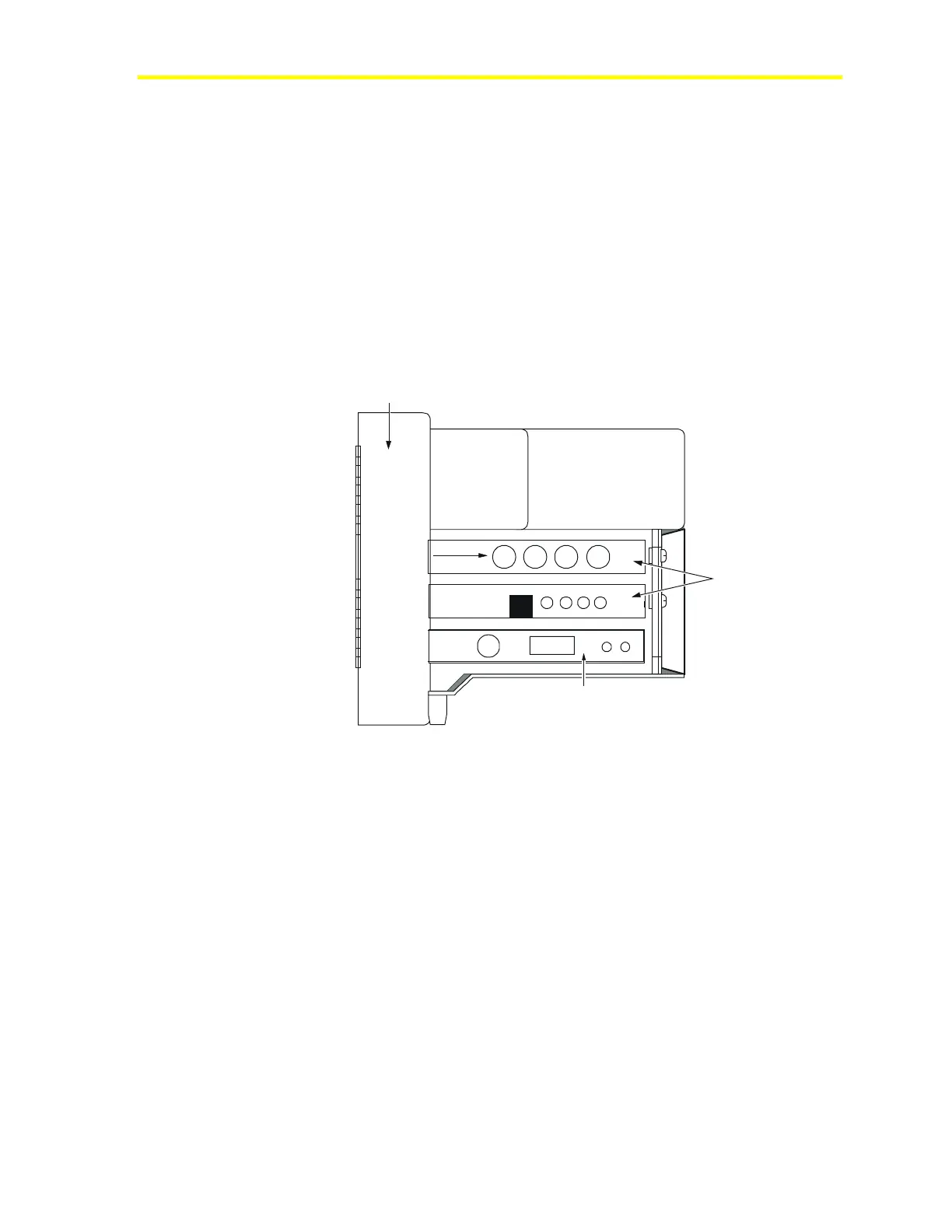
Top View
Battery Power Supply
Fire-Net NCM
Board
N1 LAN ARCNET Board
fiber
MIB-OWS-F-0
Connect
Fiber Optic
Cable Here
Figure 30: Fiber-Optic Cable Ports on MIB-OWS




 To Next Page