TEC2664Z-3 BACnet® MS/TP Rooftop Controller for Stand-Alone and Networked Zoning Systems
Installation Instructions
19
Operation
Main User Menu Access Modifications
Each of the sections in the Main User Menu are
accessed and programmed using the five keys on the
cover of the TEC2664Z-3 Rooftop Controller. See
Rooftop Controller User Interface Keys
on page 7 for a
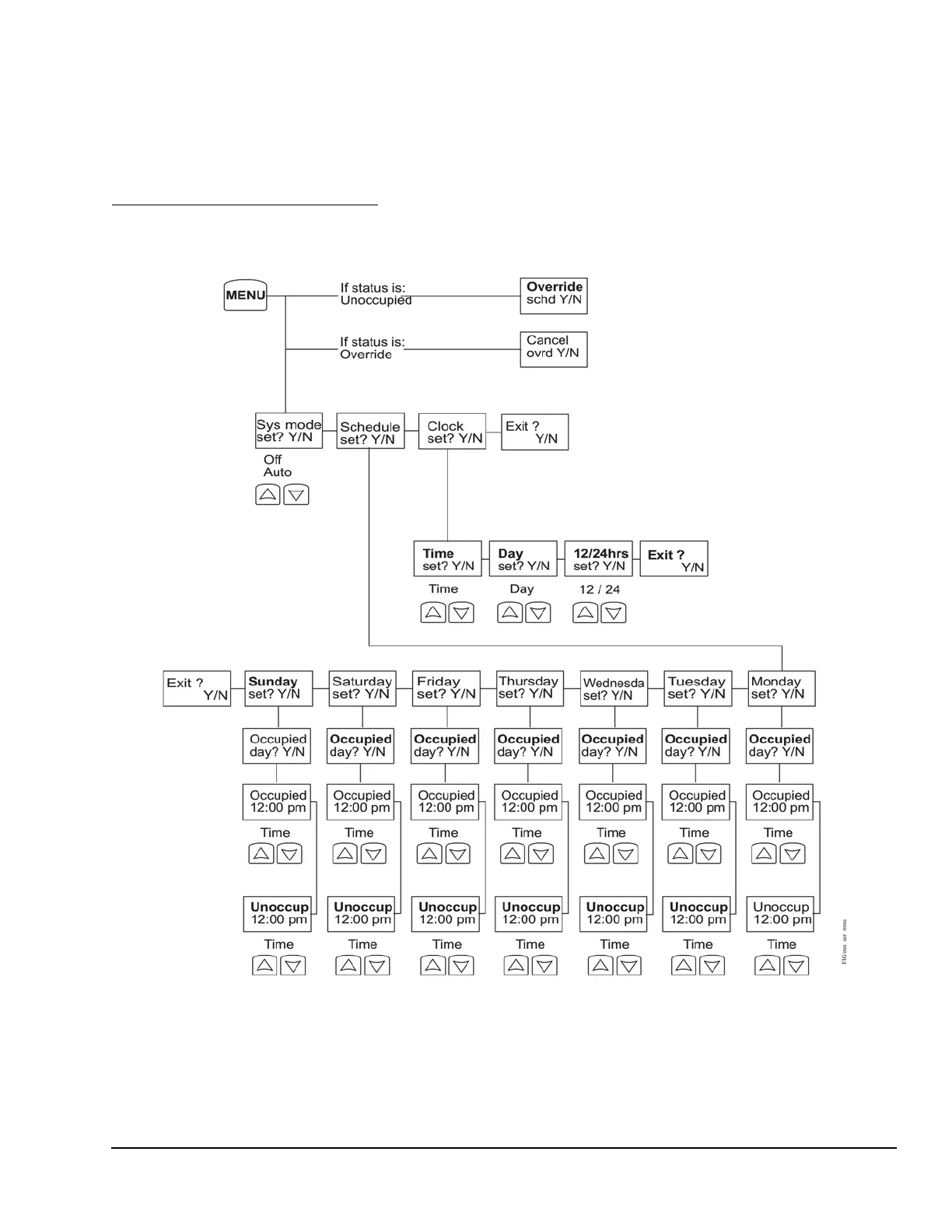
description of the five user interface keys. Figure 19
shows a flow chart of the Main User Menu.
The system mode can be set to either Off or Auto. The
Auto mode allows the rooftop controller to determine,
from the average PI demand (if a network is detected)
or from the return air sensor PI demands (if a network
is not detected), if the rooftop unit is in heating mode or
cooling mode.
Figure 19: Main User Menu






 To Next Page