EasyManua.ls Logo

Johnson 40-6532 - User Manual

Johnson 40-6532
2 pages
Print Icon
To Next Page IconTo Next Page
Loading...
1. Fully charge the NiMH battery or insert fresh alkaline batteries
into the laser.
2. Mount the laser on a tripod or other stable mounting surface in
either the horizontal or vertical position.
3. For horizontal operation, unlock the pendulum and press
. The
laser will self-level and rotate. If the laser is out of its self-level-
ing range, it will stop rotating and beep. NOTE: The laser will
NOT operate in the horizontal position if the pendulum lock is
engaged.
To disengage it, rotate the knob counterclockwise.
4. For vertical operation, keep the pendulum in the locked position
and adjust the manual leveling foot until the level vial indicates
that the laser is level, then power on the laser by pressing .
5. Adjust your rotational speed by pressing
or . High speeds
are recommended for use with a laser detector; low speeds
improve visibility when working indoors without a detector.
6. When finished, power o the laser by pressing
and ensure the
pendulum lock is engaged.
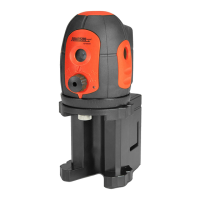
Thank you for purchasing this Johnson long-range rotary laser!
These lasers are ideal for large jobsites, both indoor and out. With up
to a 2,000’ working diameter, these rotaries can provide complete
coverage of commercial buildings, industrial complexes and small
subdivisions with ease.
This tool features:
Long-range laser – Class IIIa
1/8” @ 100’ accuracy
Scan mode for simulated line and
dot laser output
Manual vertical mode
1,200’ range green beam
(Model 40-6543)
2,000’ range red beam (all other models)
Some models include a remote control
and laser detector
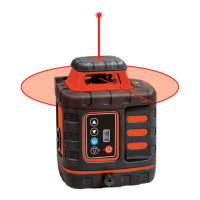
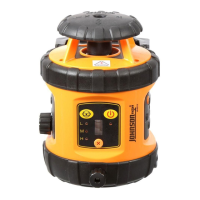
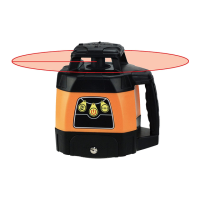
Long-Range Rotary Lasers: Models 40-6532, 40-6539, 99-027K & 40-6543
www.johnsonlevel.com/manuals
We want to get you up and running as quickly as possible - but this quick start guide is not a replacement for reading and understanding your
operator’s manual! For complete safety & operating instructions, refer to the operator’s manual included with your rotary laser, or scan the QR code.
GETTING STARTED
SCAN MODE
Scan mode simulates a laser line or dot laser; it is especially useful
when working indoors without a detector, since it makes the beam
more visible to the naked eye.
To enable scan mode:
1. With the laser powered on, press
.
2. Repeated presses of
will change the beam angle (narrow/
wide/dot). The narrower the angle, the more visible your laser
beam will be when not using a detector.
3. The position of the laser beam can be rotated by using
and .
4. Return to normal rotation by pressing
.
USING THE REMOTE CONTROL
Models 40-6532, 40-6539 and 40-6543 come equipped with an
infrared remote control to operate your laser from a distance.
1. NOTE: The laser must be initially powered on using the lasers
control panel. After 30 minutes of inactivity, the laser will stop
receiving remote signals. Power it on again from the lasers panel
by pressing
.
2. Position the remote within 200’ of the laser. The laser has infrared
receivers on all four sides for convenience.
3. The buttons on the remote are identical to the buttons on the
laser. Aside from the initial power-on, operation via the remote is
identical to operation via the lasers operation panel.
USING THE PENDULUM LOCK
The pendulum lock is located on the left side of the laser. Rotate it
clockwise to lock the pendulum (for transport or vertical operation)
or counterclockwise to unlock the pendulum (for horizontal operation).
LOCK the pendulum for transportation
and vertical operation.
UNLOCK the pendulum for horizontal
operation.
Note that UNLOCKED is also called “ON,
indicating the laser can be powered on in
horizontal operating mode.
Question and Answer IconNeed help?

Do you have a question about the Johnson 40-6532 and is the answer not in the manual?

Summary

Getting Started

Scan Mode

Using the Remote Control

Using the Pendulum Lock

Using the Laser Detector

How to Use the Laser Detector

Common Applications

Fencing, Post Setting & Excavation

Set fence post heights, determine excavation depth, and complete square alignment using the laser's 90° split beam.

Drop Ceilings

Mount a rotary below the ceiling and use a magnetic laser target to find the beam for drop ceiling installation.

Plumb & Align Walls

Use the 90° split beam to lay out walls at right angles, plumb walls, or set drywall track.

Grading

Level or slope large land areas for drainage using a grade rod and detector for large grading jobs.

Cabinets, Wainscoting & Finish Work

Lay out kitchen cabinets, shelving, wainscoting, chair rails, and transfer layout lines from floor to ceiling.

Summary

Getting Started

Scan Mode

Using the Remote Control

Using the Pendulum Lock

Using the Laser Detector

How to Use the Laser Detector

Common Applications

Fencing, Post Setting & Excavation

Set fence post heights, determine excavation depth, and complete square alignment using the laser's 90° split beam.

Drop Ceilings

Mount a rotary below the ceiling and use a magnetic laser target to find the beam for drop ceiling installation.

Plumb & Align Walls

Use the 90° split beam to lay out walls at right angles, plumb walls, or set drywall track.

Grading

Level or slope large land areas for drainage using a grade rod and detector for large grading jobs.

Cabinets, Wainscoting & Finish Work

Lay out kitchen cabinets, shelving, wainscoting, chair rails, and transfer layout lines from floor to ceiling.

Overview

The Johnson Long-Range Rotary Laser is a versatile and robust tool designed for a wide range of leveling and layout tasks on large jobsites, both indoors and outdoors. It offers comprehensive coverage for commercial buildings, industrial complexes, and small subdivisions, ensuring accuracy and efficiency in various applications.

Function Description:

The primary function of this device is to emit a rotating laser beam for precise leveling, alignment, and layout. It features a long-range capability, allowing for extensive coverage. The laser can operate in both horizontal and vertical modes, accommodating different project requirements. A key feature is the scan mode, which simulates a laser line or dot, enhancing visibility indoors without the need for a detector. This mode allows users to adjust the beam angle from narrow to wide or a single dot, making the beam more visible to the naked eye. The position of the scanned beam can also be rotated.

For remote operation, certain models (40-6532, 40-6539, and 40-6543) are equipped with an infrared remote control, allowing users to operate the laser from a distance of up to 200 feet. The remote control mirrors the functions available on the laser's control panel. The laser also includes a pendulum lock mechanism, crucial for both transport and vertical operation. When unlocked, the pendulum enables self-leveling for horizontal operation.

The device is designed to be used in conjunction with a laser detector, especially for outdoor work, in high ambient light, or over long distances where the laser beam might not be visible to the naked eye. The detector helps locate the laser beam, indicating its position relative to "on grade" with visual and auditory cues.

Important Technical Specifications:

  • Laser Class: Class IIIa
  • Accuracy: 1/8" @ 100'
  • Range (Red Beam): 2,000' working diameter (Models 40-6532, 40-6539, 99-027K)
  • Range (Green Beam): 1,200' working diameter (Model 40-6543)
  • Battery: NiMH rechargeable battery or alkaline batteries
  • Remote Control Range: Up to 200' (infrared)
  • Laser Detector Compatibility:
    • Models 40-6532, 40-6539, 99-027K are compatible with Johnson's 40-6715, 40-6700, and accessory detectors like the 40-6791 machine-mounted detector.
    • Model 40-6543 (green laser) is only compatible with Johnson's 40-6763 green laser detector.

Usage Features:

  • Powering On: Fully charge the NiMH battery or insert fresh alkaline batteries.
  • Mounting: Can be mounted on a tripod or other stable surface in horizontal or vertical positions.
  • Horizontal Operation: Unlock the pendulum (rotate knob counterclockwise). The laser will self-level and rotate. If out of range, it will stop rotating and beep. The pendulum lock must be disengaged for horizontal operation.
  • Vertical Operation: Keep the pendulum locked. Manually level the laser using the leveling foot and vial, then power on.
  • Rotational Speed Adjustment: Users can adjust the rotational speed. High speeds are recommended for use with a laser detector, while low speeds improve visibility indoors without a detector.
  • Scan Mode Activation: Press the scan button with the laser powered on.
  • Beam Angle Adjustment (Scan Mode): Repeated presses of the scan button cycle through narrow, wide, and dot beam angles. Narrower angles increase visibility without a detector.
  • Beam Position Rotation (Scan Mode): Use the left and right arrow buttons to rotate the position of the laser beam.
  • Remote Control Usage: For models with a remote, the laser must be initially powered on via its control panel. The remote can then be used within 200' of the laser. The laser has infrared receivers on all four sides for convenience. Note that after 30 minutes of inactivity, the laser will stop receiving remote signals and must be powered on again from the laser's panel.
  • Pendulum Lock: Located on the left side of the laser. Rotate clockwise to lock (for transport or vertical operation) and counterclockwise to unlock (for horizontal operation). "UNLOCKED" is also referred to as "ON" for horizontal operating mode.
  • Laser Detector Use:
    1. Power on/off the detector.
    2. Adjust volume and accuracy settings. Higher accuracy is for critical work, lower accuracy for rough work or faster grade location.
    3. Pass the detector window through the laser beam. The detector will beep and display an arrow indicating the direction to move it.
    4. When "on grade," the detector emits a solid tone, and a solid line appears in the center of the LCD.

Maintenance Features:

  • Battery Management: Ensure the NiMH battery is fully charged or fresh alkaline batteries are inserted for optimal performance.
  • Pendulum Lock for Transport: Always engage the pendulum lock when transporting the laser to prevent damage to the internal leveling mechanism.
  • Operator's Manual: Refer to the included operator's manual for complete safety and operating instructions, as this quick start guide is not a replacement for detailed information. A QR code is provided for easy access to the manual online.

Johnson 40-6532 Specifications

General IconGeneral
BrandJohnson
Model40-6532
CategoryLaser Level
LanguageEnglish

Related product manuals