3. INSTALLATION METHOD
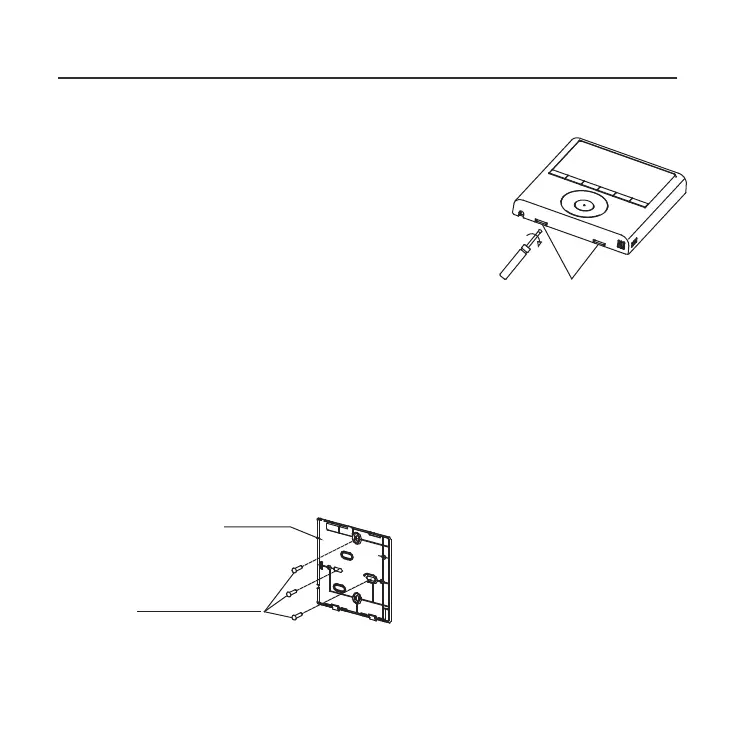
Fig 3-4
Fig 3-5
4. Wire controller upper part Remove
Insert a flat screwdriver into the
slots in the lower part of the wire
controller (2 places).
Remove the upper part of the wire
controller (Fig.3-4)
For surface mounting, fasten the back plate on the
wall with the 3 screws (M4x20) and plugs. (Fig.3-5)
Slots
NOTE: The PCB is mounted in the
upper part of the wired controller. Be
careful not to damage the board with
the screwdriver.
5. Fasten the wire controller back plate
Back plate
Screws (M4×20)



 To Next Page