4. APPENDIX
INSTALL THE WIRE CONTROLLER KIT
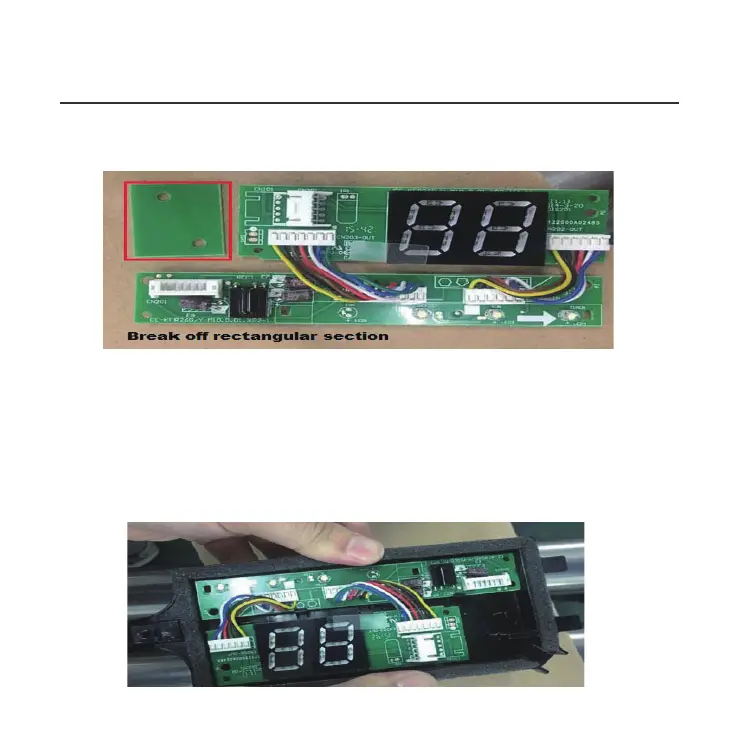
6. Carefully bend and break off the rectangular section (upper
left section with two diagonal holes) from the display board.
NOTE: Break off the upper left hand rectangle (section with
the two holes marked with a red rectangle).
7. Replace the old display board (for the New Display board
provided) and secure with the clips. To uninstall the clips,
push the clips inward. NOTE: There are 4 clips just above the
numeric display (88) which run the length of the holder.



 To Next Page