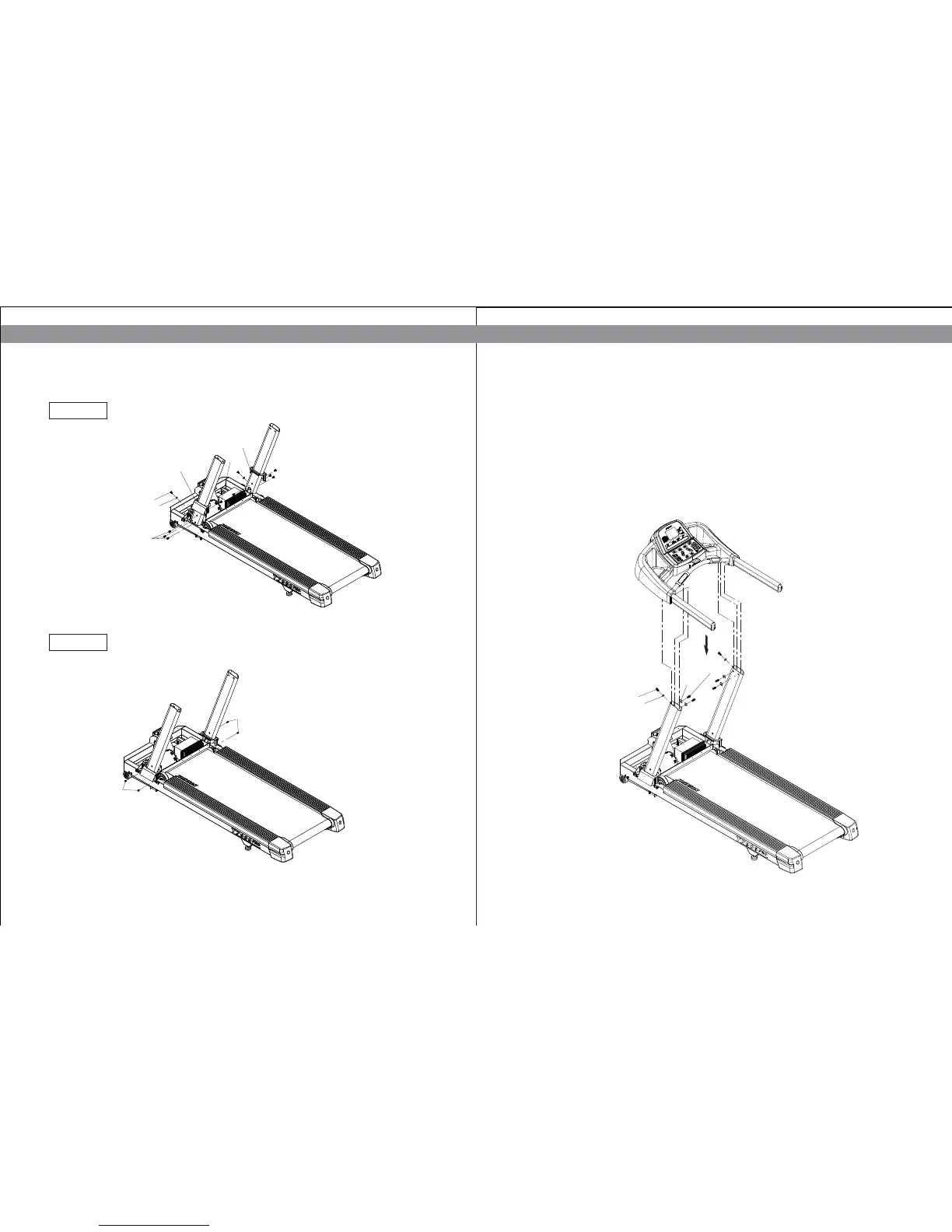
STEP 3: Attach The Console To The Console Mast
a.Route the display cable through the right console mast and pull it out of the hole on the
side of the console mast near the frame. Ask an assistant to hold the console in place while
you route the cable through the console mast.
b.Attach the console to the right and left console mast using six screws (Z54) and washers
(Z55)(Z56) to secure.
c.Plug the cable connector into its receptacle on the lower b
oard near the motor.
1312
T R E A D M I L L T 7 0 0 0 P R O T R E A D M I L L T 7 0 0 0 P R O
Diagram 2
Diagram 3
Z50
Z50
Z50
Z51
Q05
Q04
Z53
Z53
Z54*2
Z56*2
Z54*4
Z55*4


 To Next Page