9
Touch the button will start automatic page-turning mode
Touch the button to return
Touch the button button enter to the ebook settings menu a
related list will show as follows:
Play Settings
Delete Book
Bookmark Select
Delete Bookmark
Add Bookmark
Page Select
Font size
Book Background
Remark : This mp3 player can only supported TXT files.
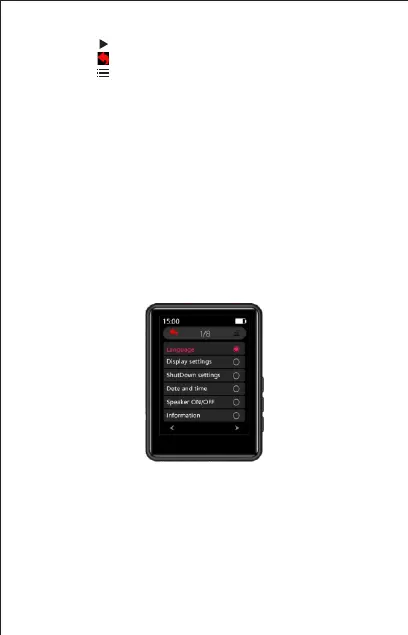
6 Settings
Touch the “Setting” on main interface to access to its function.
A related list will show as follows:
Display setting:
1. Brightness: Touch the option "Brightness" to access to the
brightness adjustment interface, touch the button up or down to
adjust the brightness, touch "OK " Button to save the brightness
setting
2. Backlight timer: Set the backlight timer for 10s/20s/30s/Always on.
3. Screensaver: None / Digital clock / Digtal clock 2.
Language: there have 28 kinds of languages



 To Next Page