4
Touch button to play / Pause
Touch / button to start to play the last song/Next song
Hold / button to Rewind / Fast forward the currently playing
song
Touch Play mode icon (Sequential Play / Repeat One / Repeat
all /Shuffle + Repeat ) to change the play mode
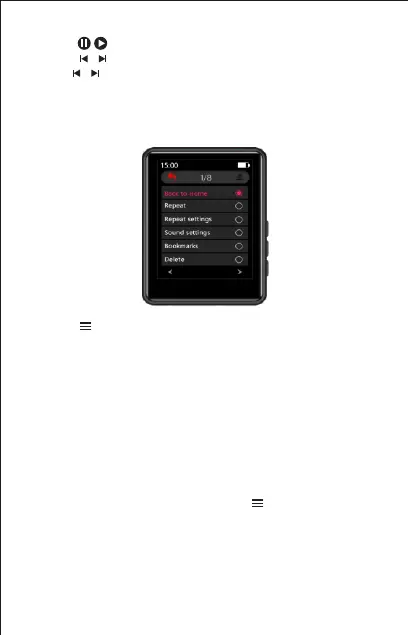
Touch button enter to playing settings menu a related list will
show as follows:
Back to Home
Repeat
Repeat settings
Sound settings
Bookmarks
Delete
Add to playlist
Remove from playlist
How to start A-B repeat play ?
On the music playing interface, touch the button enter to the
playing setting menu then choose the "Repeat settings" and then
choose the "Repeat Mode". After that you will see the letter "A"
begins to flashing, then touch the letter B to confirm the repeat
start point (Point A ), on the same time the point "B" will start to
flashing, touch the letter B again to confirm the end point (Point B)
than it will start to repeat play music from A point to B.



 To Next Page