we know what‘s cooking
31/69
Document 10000028013-DOC-000-00-EN
Programs
Only applies to AutoTemp 56
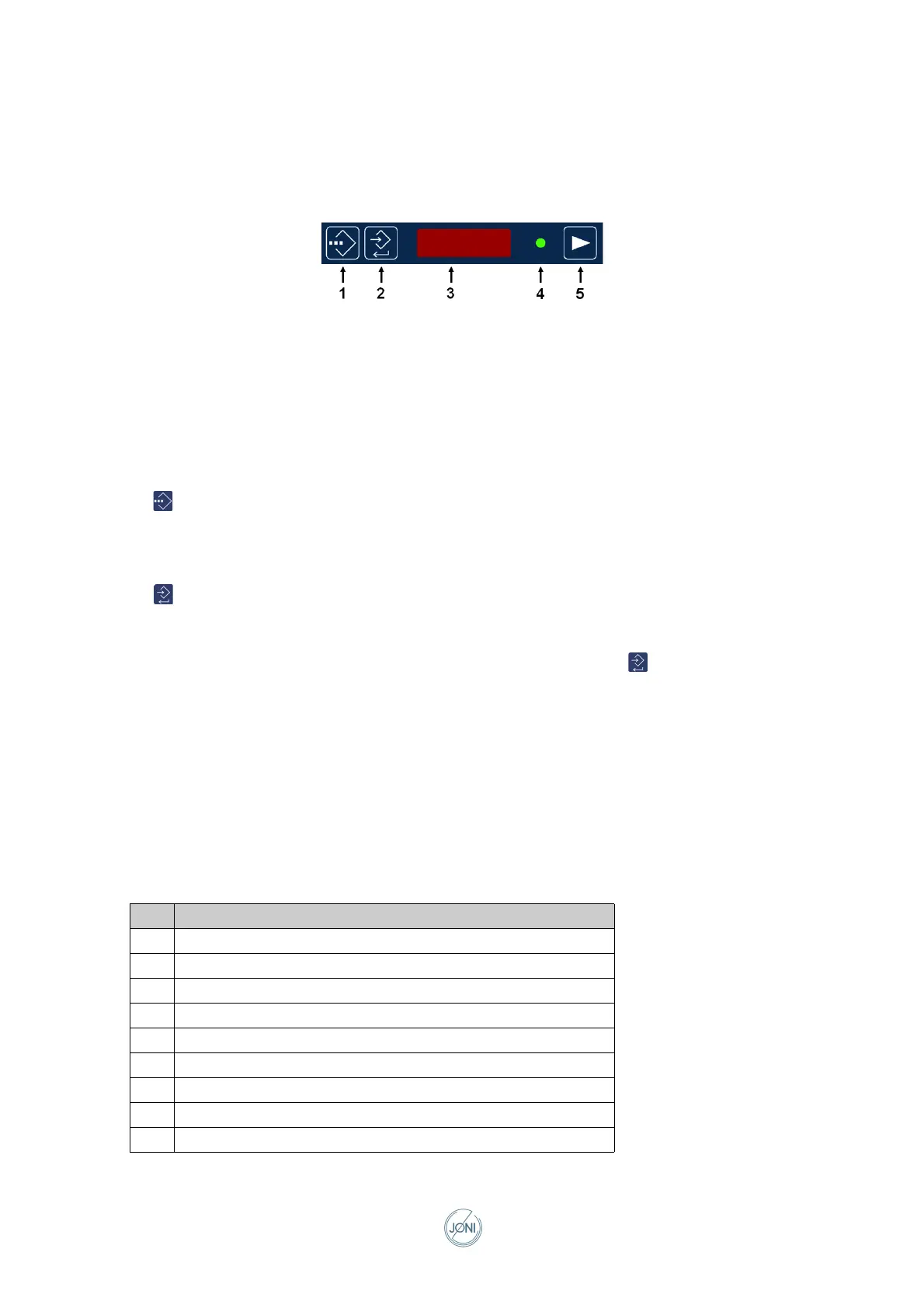
Fig. 0-23 Programs
1 Key for program selection/interruption
2 Key for correct program/confirm value
3 Display for program and variant
4 LED for program on
5 Key for program start
Selecting the program and variant
Press so that the display flashes and select the program using the large arrows and the variant using
the small arrows.
Changing the variant
Press to alter the program and the variant shown in the program display.
The water display now shows that the first parameter is being set. The program display shows the asso-
ciated value that is being set with the arrow keys.
When the value has been set correctly, the value is confirmed by pressing . The water display then
switches to the next parameter. When the value of the last parameter has been confirmed, the new val-
ues are saved and the program display flashes ‘----’.
The Program function is used when the kettle is to carry out a series of processes automatically. This
could, for example, be cooking at a given temperature for a given period of time and then keeping the
contents warm at a lower temperature
The word Pause in the tables below indicates that the control system is waiting for the next action to be
performed. One or more functions can be active in this period.
A program is pre-defined through a series of actions, e.g. program 4:
Step Action
1 Switch to heating mode
2 Pause until the required time
3 Add water to the kettle
4 Set the set point for food temperature and heating power
5 Switch on heating
6 Set stirring pattern and stirring RPM. Switch on the stirrer
7 Pause for the required time
8 Set new food temperature and new heating power
9 Set new stirring pattern and new stirring RPM



 To Next Page