English - 33 -
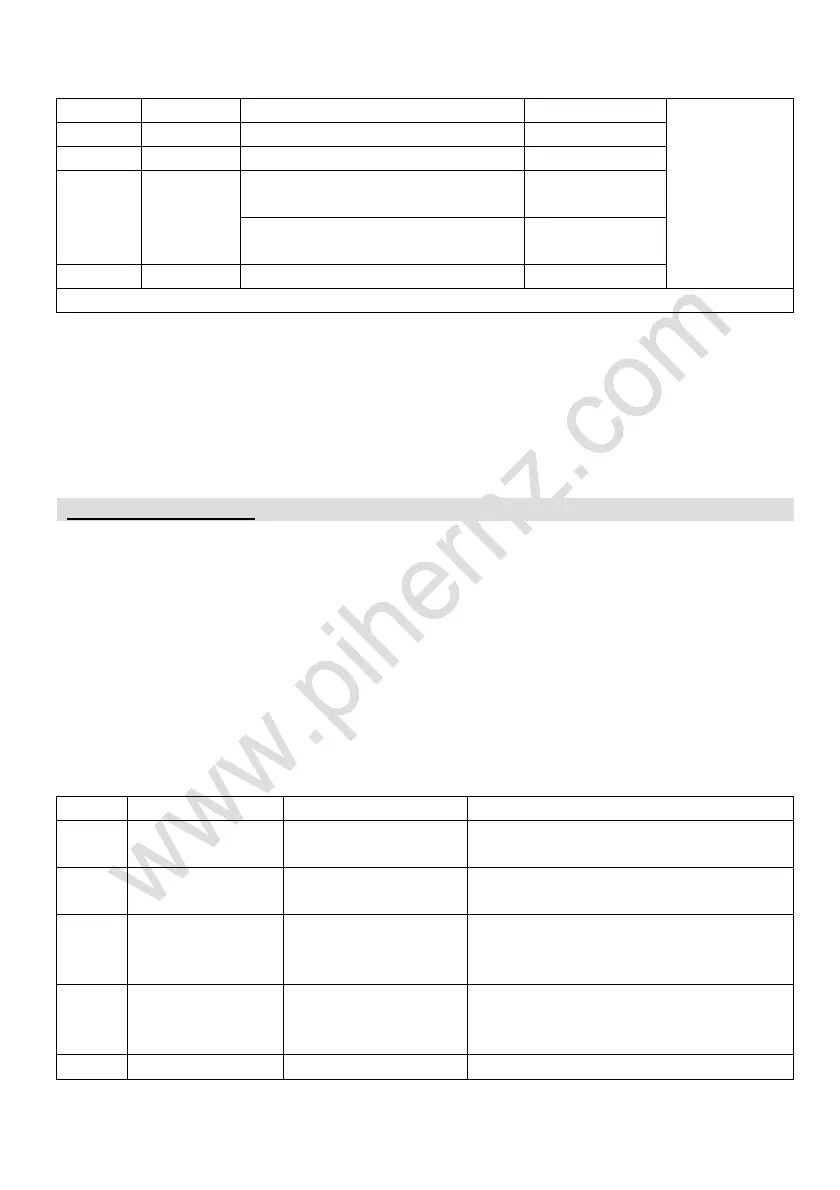
PL 40 CH 26.960 – 27.400 MHz AM/FM/SSB
I 40 CH 26.965 – 27.405 MHz AM/FM/SSB
I2 34 CH 26.875 – 27.265 MHz AM/FM
DE 80 CH
CH 01 ~ 40:
26.965 – 27.405 MHz
AM/FM/SSB
CH 41 ~ 80:
26.565 – 26.955 MHz
FM
IN 27 CH 26.965 – 27.275 MHz AM/FM
**SSB modulation is not available in this radio.
External speaker installation:
If you desired to install an external speaker, choose speaker with 8 Ω and 3.5 mm
mono plug (two-conductor).
1. Install the external speaker in an appropriate position.
2. Plug the speaker connector into the rear jack of the radio.
Press and hold the [VOL/PUSH] knob to enter “SELECT MENU” list, rotate the
[VOL/PUSH] knob to select the “FUNC MENU” function.
Press the [VOL/PUSH] knob to enter the “FUNC MENU” function menu list, rotate
the [VOL/PUSH] knob to select the function options.
Press the [VOL/PUSH] knob to enter the selected function, rotate the
[VOL/PUSH] knob for setting, and press the [VOL/PUSH] knob again to save the
setting.
Short press [EMG] key to exit the function setting menu step by step.
1. FUNCTIONS MENU SETTINGS:
1.1
DISPLAY
BACKLIGHT
LCD backlight.
5 levels to choose: 1~5.
Default: 5.
1.2
KEYPAD
BACKLIGHT
Keypad backlight.
5 levels to choose: 1~5.
Default: 5.
1.3
KEYPAD
TONE
Keypad Beep.
OFF: Turn off the beep function.
ON: Turn on the beep function.
Default: ON.
1.4
AUTO
POWER ON
Power on
settings.
OFF: Turn off the function.
ON: Turn on the function.
Default: ON.
1.5 SCAN MODE Scan type. SQ: SQ scan function.



 To Next Page