EasyManua.ls Logo

Jorvik JMT3 - User Manual

Jorvik JMT3
48 pages
Print Icon
To Next Page IconTo Next Page
Loading...
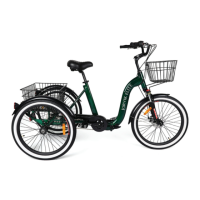
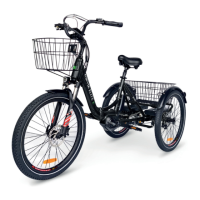
Jorvik JMT Mid Drive Electric Mountain Trike

Questions and Answers

  • D
    Donald BurkeSep 23, 2025
    What should I do if my Jorvik Tricycle got very wet and won’t turn on?
    • A
      Angela GuerreroSep 23, 2025
      If your Jorvik Tricycle got very wet and won’t turn on, there may be water in the connections or components. Unplug the battery and towel dry the outside. Spray contact cleaner or water disperser on the connection port. Leave it in a dry, warm place for 24 hours.
  • K
    kimberly57Aug 25, 2025
    What to do if screen plugged in but won’t turn on Jorvik JMT3 Bicycle?
    • L
      Laurie RogersAug 25, 2025
      If the screen on your Jorvik Bicycle won't turn on, there may be a loose connection or the battery isn't turned on. First, check that the battery is turned on and seated correctly. Also, inspect the connection under the bottom bracket, as these can come loose when the bicycle is folded or the cable is pulled.
  • S
    simonkristinAug 25, 2025
    Why assist system is showing as working but not engaging on Jorvik Bicycle?
    • B
      bakersheliaAug 26, 2025
      If the assist system on your Jorvik Bicycle appears to be working but isn't engaging, it might be a brake sensor issue. With the system on and lights off, check if the rear brake light is on. If it is, the brake sensors in the brake levers need adjusting, which can be done with an 8mm spanner and a 2.5mm hex key.
  • R
    Rachel AdamsAug 27, 2025
    What to do if wheels do not spin freely on Jorvik JMT3 Bicycle?
    • D
      Derek KingAug 27, 2025
      If the wheels of your Jorvik Bicycle aren't spinning freely, it could be due to the front wheel not being correctly seated in the dropouts or the brakes dragging. Check that the wheel is straight in the dropout. Undo the Quick Release while the front wheel is on the ground, lift the fork slightly (just enough to take the weight off the axle), and let it drop gently fully down on the wheel axle. Look from the front and tighten the Quick Release correctly.
  • E
    Erica ClaytonAug 27, 2025
    What to do if error 21 appears on screen of Jorvik Bicycle?
    • N
      Nancy EvansAug 27, 2025
      If error 21 appears on the screen of your Jorvik Bicycle, it indicates a speed sensor issue. Check that the magnet is correctly positioned on the rear drive side wheel. Also, inspect the sensor (attached to the frame above the right brake caliper) and its cable for any loose connections.
  • F
    fwilliamsSep 13, 2025
    What to do if the assist system on my Jorvik Bicycle is showing as working but not engaging?
    • T
      Thomas JonesSep 13, 2025
      If the assist system on your Jorvik Bicycle shows as working but isn't engaging, there might be a brake sensor issue. With the system on and lights off, check if the rear brake light is on. If it is, the brake sensors in the brake levers need adjusting, which can be done with an 8mm spanner and a 2.5mm hex key.
  • T
    Tim OlsonSep 12, 2025
    How to fix handlebars that move while riding on my Jorvik Bicycle?
    • T
      Teresa WalkerSep 12, 2025
      If the handlebars on your Jorvik Bicycle move while riding, the securing nut may be loose. Tighten the 5mm hex bolt under the Quick Release cover on the stem by turning it half a turn. Check if it's secure, and repeat if necessary.
  • Z
    zhangnicholeSep 12, 2025
    Why is the motor on my Jorvik Bicycle engaging intermittently?
    • J
      josephhutchinsonSep 12, 2025
      If your Jorvik Bicycle experiences intermittent motor engagement, the pedal sensor may be loose. Check that the pedal sensor, located on the non-drive side of the frame behind the crank, is secure. If it's loose, push it firmly against the frame. Also, verify that the pedal sensor cable is fully connected.
  • M
    michelle29Sep 4, 2025
    What to do if when pressure is applied the chain becomes slack on Jorvik Bicycle?
    • B
      Brian WattsSep 4, 2025
      If the chain on your Jorvik Bicycle becomes slack when pressure is applied, it's likely due to loose or worn fixings on the hub assembly or frame. Remove the nuts and hub guide plates (one may be yellow, the other brown) on the non-drive side of the hub axle. Check that they have a serrated surface; if they are smooth on the inside, replace them with new ones. Tension the chain and reassemble the parts onto the axle, then tighten.
  • P
    Paul WhiteSep 2, 2025
    What to do if my tricycle got very wet and won’t turn on Jorvik JMT3 Bicycle?
    • A
      Andrea MurphySep 2, 2025
      If your Jorvik Bicycle tricycle got very wet and won’t turn on, it's likely due to water in the connections or components. Unplug the battery and towel dry the outside. Spray contact cleaner or water disperser on the connection port. Leave it in a dry, warm place for 24 hours. Undo all connections, spray water disperser into each connection, and leave them unplugged. Towel dry all cables, plugs, and the tricycle itself. Store the tricycle in a dry area.

Summary

Warning

Product Overview

Assembly and Setup

Assembly Instructions

Step-by-step guide for assembling the pre-assembled tricycle.

Fitting the Stem

Instructions for fitting and adjusting the handlebar stem.

Fitting the Pedals

Guidance on applying grease and tightening pedals correctly.

Fitting the Saddle

Instructions for greasing, inserting, and securing the seat post.

Maintenance and Upkeep

Pre-ride and Weekly Checks

Routine checks for tyre pressure, bolts, and brake levers.

Monthly Checks

Monthly maintenance tasks like checking brake pads and tyre tread.

Servicing Recommendations

Recommendations for annual servicing by a qualified mechanic.

Battery Management

Charging the Battery

Procedure for charging the battery, including LED indicators and time.

Battery and Charger Care

Guidelines for proper care and storage of the battery and charger.

Removing the Battery

Steps for safely removing the battery using keys.

Operation and Controls

How to Start Up the Tricycle

Powering on the system and basic controls.

Throttle and Walk Assist

Operation of the throttle and walk assist modes.

Gears Operation

Information on the 7-speed nexus hub gear system and shifting.

Disc Brake System

Operation, best practices, and warnings for disc brake system.

Safety Guidelines

Helmets and Legal Compliance

Importance of wearing approved helmets and adhering to local laws.

Mechanical Safety Checks

Pre-ride checks for loose parts, tyre pressure, and brakes.

Riding and Weight Capacity

Advice for first rides, passenger limits, and maximum weight.

Troubleshooting

Power and Display Issues

Solutions for the screen not powering on or displaying errors.

Motor and Drivetrain Problems

Troubleshooting intermittent motor engagement and chain issues.

Brake and Control Issues

Diagnosing and fixing issues with brakes, levers, and assist systems.

Jorvik JMT3 Specifications

General IconGeneral
FrameAluminum
SuspensionFront suspension fork
Wheel size26 inches
Maximum Load120 kg
Gears21-speed
Color OptionsBlue, Red

Related product manuals