F1/F2/F3/F4: Multi function key, in each menu mode, is responsible for selecting
corresponding menu items in the screen.
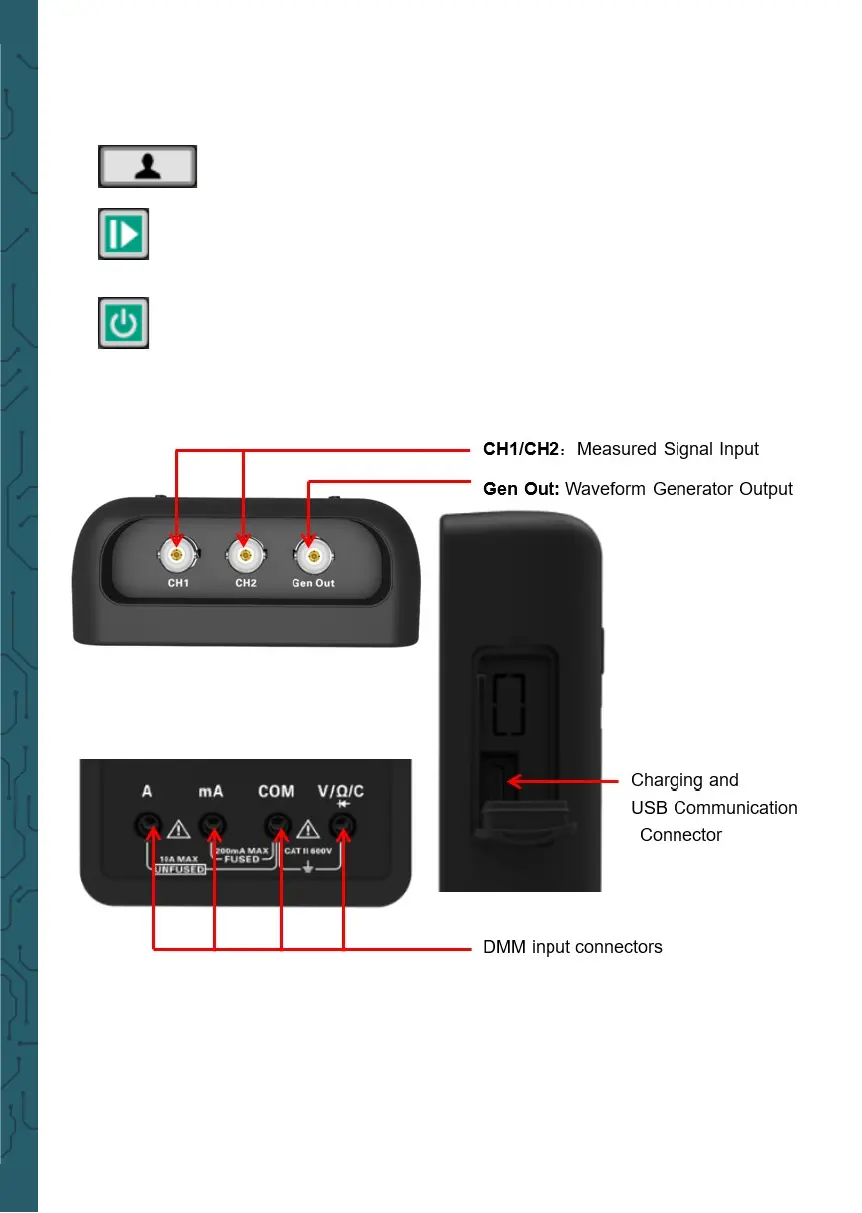
• Connectors
Gen Out: The Gen Out terminal of the oscilloscope without signal genera-
tor function always outputs 2V @ 1KHz square wave.
Shortcut keys. Long press this button to enter the menu, and
choose shortcut key function; Aer setting, press this button sin-
gle time to respond to the corresponding function.
In scope, stop or run the waveform acquisition;
In DMM, hold the measuring data or update data;
In generator, turn on or o the waveform output.
Power key.


 To Next Page