• Automatic set
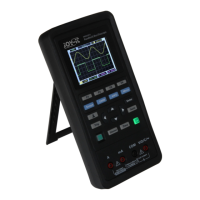
Auto set is one of the advantages digital oscilloscopes have. When you push the Auto
button, the oscilloscope will identify the type of waveform (sine or square wave) and
adjust controls according to input signals so that it can accurately display the wave-
form of the input signal.
The Auto function examines all
channels for signals and displays
corresponding waveforms.
Auto determines the trigger
source according to the following
conditions :
If multiply channels get signals,
the oscilloscope will use the
channel with the lowest frequen-
cy signal as the trigger source.
If no signals are found, the oscil-
loscope will use the lowest-
numbered channel displayed in Auto Scale as the trigger source.
If no signals are found and no channels are displayed, the oscilloscope will display
and use Channel 1 as the trigger source.
• Default settings
Functions Settings
Cursor O
Display Format Set to YT
Horizontal Position Adjusted
SEC/DIV Adjusted
Trigger Level Set to 50%
Trigger Mode Auto
Trigger Source Adjusted
Trigger Slope Adjusted
Trigger Type Edge
Vertical Bandwidth Full
Vertical Coupling Unchanged
VOLTS/DIV Adjusted
Menu or Sys-
Option, Button or Default Setting
Cursor
Type Off
Source CH1
Horizontal (amplitude) ±4div
Vertical (time) ±4div
Display Format YT
Horizontal
Position 0.00s
SEC/DIV 500μs
Measure On or Off Off
Trigger (Edge)
Source CH1
Slope Rising
Mode Auto
Level 0.00v
Vertical Sys-
tem,
All Channels
Bandwidth Limit Unlimited
Coupling AC
Probe Attenuation 1X
Position 0.00div (0.00V)
VOLTS/DIV 1V


 To Next Page