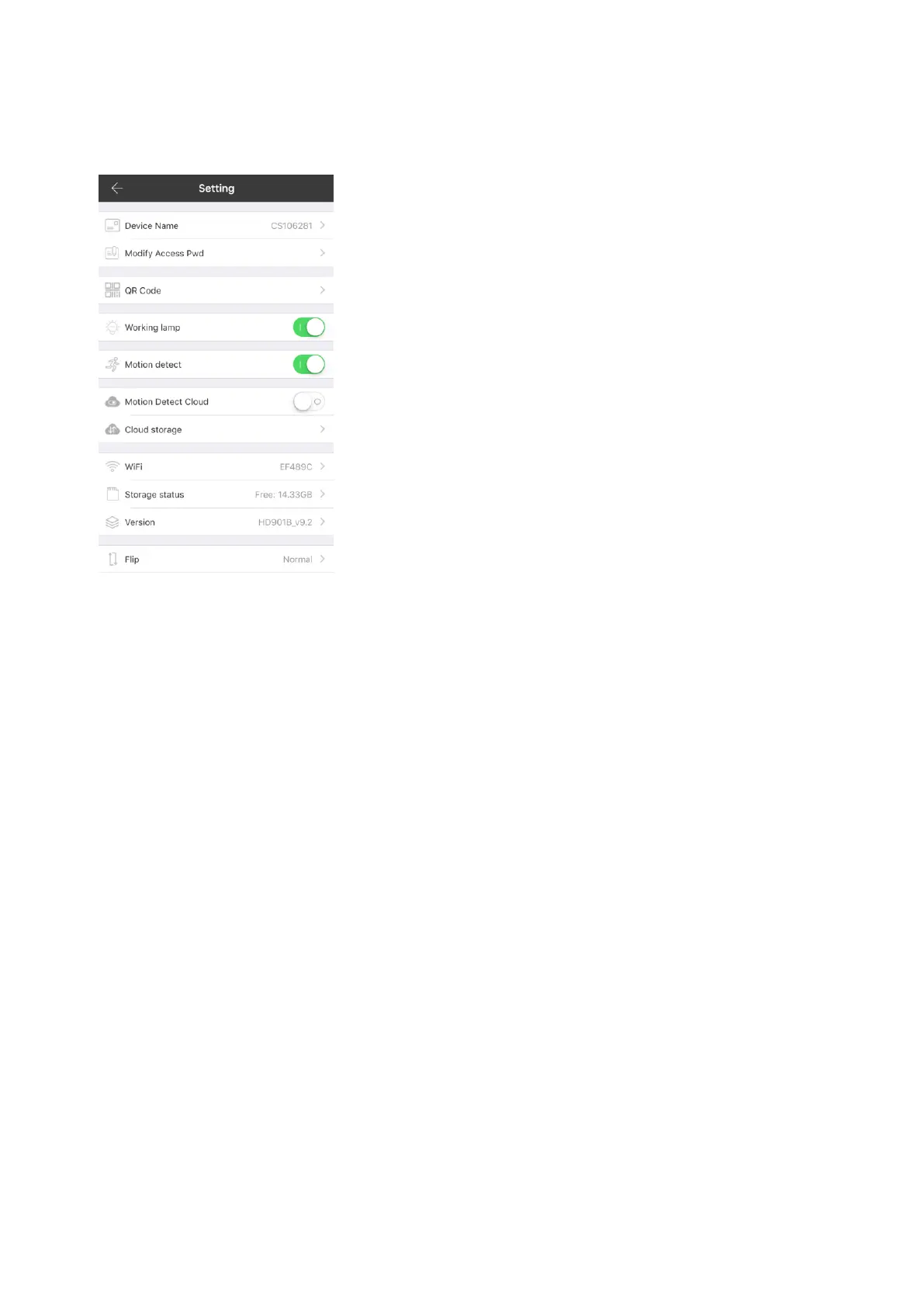
七、Setting page
(figure 6)
八、Enable/disable infrared night vision
• Click the sun and moon icon under the real-time picture to enable and disable infrared lamp.
• When the infrared night vision is enabled, the picture is white and black(figure 7).
Note:
When the infrared is enabled, no object should block the front of the camera lens. Otherwise,
the emitted infrared light will be reflected by objects to generate the effect of strong light and
backlight, which results in that remote scenery become dark. Please remove the blocking
objects or adjust the position of the camera.


 To Next Page