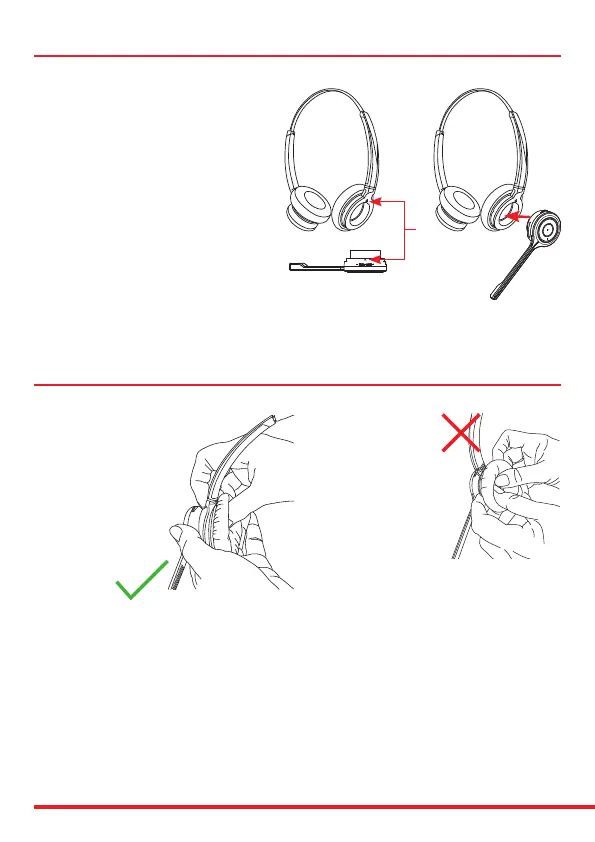
Attaching the headband
To attach the microphone boom arm to the
headband, align the triangle shape on the
microphone boom arm with the triangle shape
on the headband and push to click into place.
The microphone boom arm will then rotate to
your required position.
Align
Detaching the headband
How to detach the microphone
boom arm from the headband
correctly:
Supporting the neck of the
headband with your index and
middle ngers, gently push the
microphone speaker with your
thumb from inside the ear
cushion to detach the
microphone boom arm
from the headband.
DO NOT push on the
microphone boom arm
through the ear cushion
without supporting the
neck of the headband
to detach it the boom
arm from the headband.
Doing this may cause the
ear cushion and gimbal
mechanism to come away
from the headband.


 To Next Page