EasyManua.ls Logo

JR PCM9X II - Page 26

JR PCM9X II
26 pages
Print Icon
To Previous Page IconTo Previous Page
Loading...
www.modelflight.com.au – World’s best source of JR products
Step
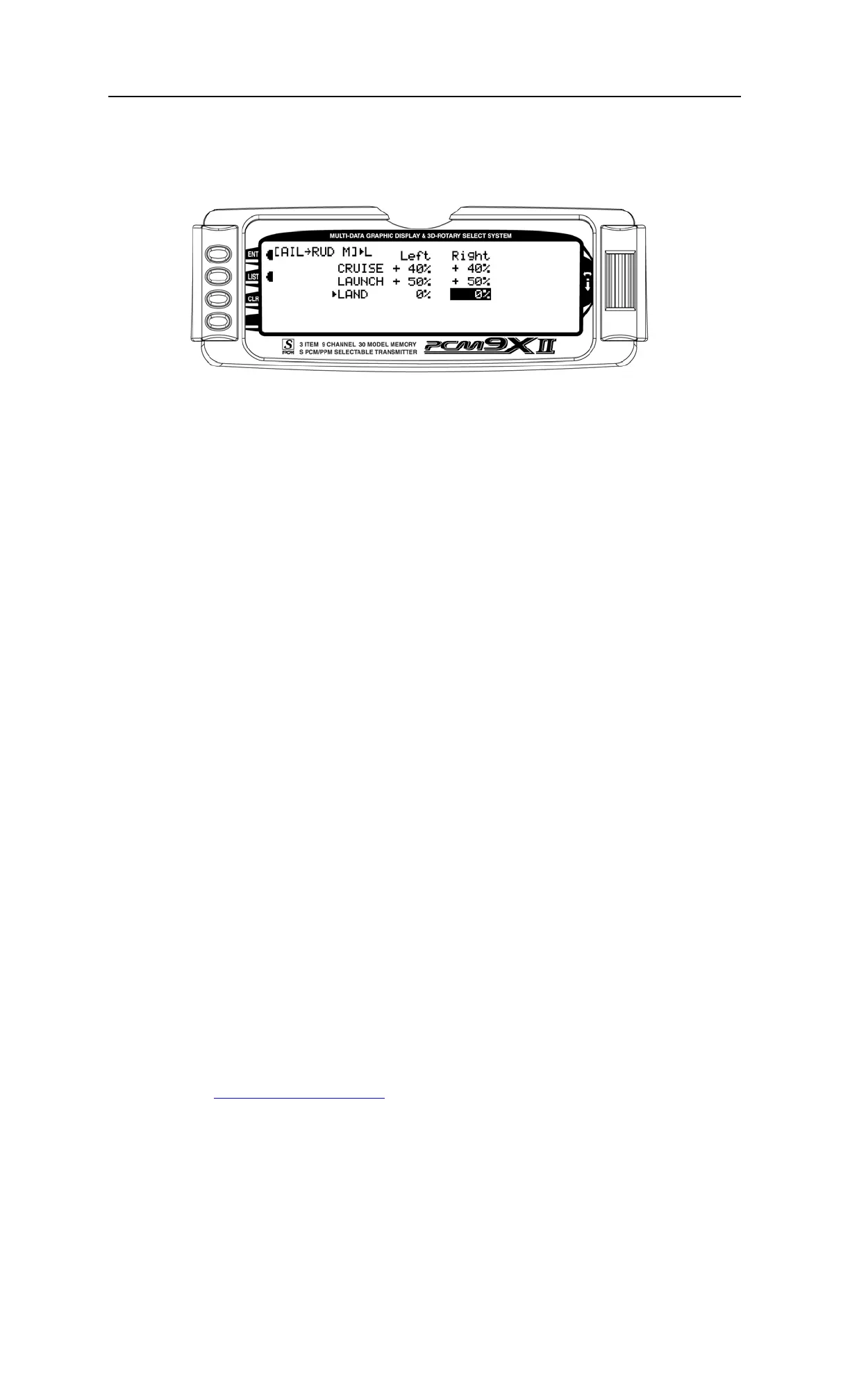
#36-
A
ile
r
on-
t
o-
R
udde
r
Mix
L
and Mode
In
FUNC.
L
IST
rotate
the
Selector
until
A
I
L
RUD
M
is
highlighted.
Press
the
Selector
to
access
the
Aileron-to-Rudder
mix
menu.
Rotate
the
Selector
to
highlight
the
land
left
value
then
press
the
Selector
to
access
that
value.
With
the
flight
mode
switch
in
the
lower
land
mode,
give
a
full
left
aileron
command
and
rotate
the
Selector
to
achieve
the
desired
left
rudder
throw.
Pressing
the
Selector
will
store
the
value.
Now
rotate
the
Selector
to
highlight
the
land
right
value
and
adjust
it
to
the
desired
position.
Press
the
LIST
button
to
return
to
the
Function
Mode
screen.
Sail
p
lane
P
r
o
g
r
ammin
g
Guide
26

Other manuals for JR PCM9X II

Related product manuals