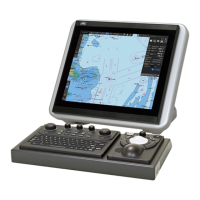
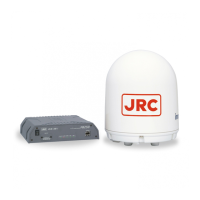
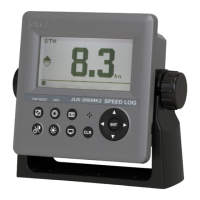
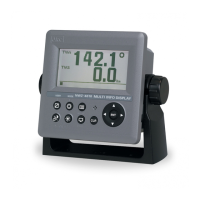
This document describes the JAN-7201S/9201S Simple ECDIS (Electronic Chart Display and Information System), an instruction manual providing comprehensive details on its operation, maintenance, and specifications.
Function Description
The ECDIS is designed for navigation, offering features such as route planning, route monitoring, and target tracking with AIS (Automatic Identification System). It allows users to create and update charts, manage logbook data, and adjust various system settings. The system supports both relative and true motion modes, with bearing indications for North UP, Course UP, Head UP, and Waypoint UP.
Key Navigational Tools:
- Route Planning (Section 7, B.1.1): Enables the creation, editing, saving, importing, and exporting of routes. Users can define waypoints, set parameters like XTD (Cross Track Distance), arrival radius, turning radius, and planned speed.
- Route Monitoring (Section 8, B.1.2): Monitors the vessel's progress along a planned route, displaying information up to the next target waypoint. It also includes voyage information and calculation features.
- Monitoring a Dragging Anchor (Section 9, B.1.3): Provides functionality to monitor anchor dragging, alerting the user if the ship is being swept away after the anchor has been lowered.
- Automatic Sailing (Unsupported) (Section 10, B.1.4): While listed, this function is not available for the JAN-7201S/9201S models due to function restrictions.
- Operating a Chart (Section 11, B.1.5): Allows for manual updates, selection of S-57 charts, search functions, and date-dependent views. It also supports graphical index and datum transformation.
- Creating a User Map/Updating a Chart Manually (Section 12, B.1.6): Users can create custom maps with symbols, lines, areas, and text, and perform manual updates to S-57 charts.
- Logbook (Section 13, B.1.7): Records ship's position, speed, direction, wind data, and other events at specified intervals. It also allows for event detail information display.
- Setting Up Screen View (Section 14, B.1.10): Configures various display options, including multi-view modes, own ship display (heading, beam line, vectors), track display (past track, plot color), route display (ETA, XTD limit line), and user chart elements.
- Setting Up Alerts (Section 15, B.1.11): Configures alert parameters for new target warnings, depth/safety contour, look-ahead, special condition areas, track control, position integrity, and AMS (Alert Management System).
- Setting Up the Operation Mode (Section 16, B.1.12): Adjusts signal processing (gain, sea, rain, IR, target enhance), video noise rejection, auto dynamic range control, fast target detection, TT/AIS priority, ship's dynamic trait (reach, turning mode, acceleration/deceleration), and filter settings (sector, ring).
- Adjusting and Setting Up Equipment (for Services) (Section 17, B.1.17): This section is intended for service staff and covers radar adjustment (tune, bearing, range, antenna height, MBS), installation verification (CCRP, serial port settings, system function), and maintenance.
- Playing Back Data Recorded During Navigation (Section 18): Allows playback of recorded own ship, other ship, route, and alarm information.
- Maintenance & Inspection (Section 19): Provides functions for system information (software, H/W key, specifications), operating time, voyage distance, sensor source, route plan exchange log, performance checks (monitor, key, sound, light, memory, DVD drive cleaning), major parts replacement, software/firmware/help data updates, and maintenance info confirmation.
- Failures and After-Sale Services (Section 20): Details failure detection, alert descriptions, error message lists, fuse inspection, troubleshooting, and after-sale service information.
- About Disposal (Section 21): Provides guidelines for equipment disposal, including Chinese Version RoHS information.
- Specifications (Section 22): Lists detailed technical specifications for the JAN-9201S and JAN-7201S models, display unit, central control unit, power supply unit, trackball operation unit, keyboard OPU, display unit mount kits, sensor LAN switch unit, and junction box.
Important Technical Specifications (JAN-9201S / JAN-7201S)
- Display:
- JAN-9201S: 26-inch Wide LCD (NWZ-208)
- JAN-7201S: 19-inch LCD (NWZ-207 / NWZ-214)
- Resolution: 1920 x 1200RB (26-inch), 1280 x 1024 (19-inch)
- Brightness: 400cd/m² (26-inch), 500cd/m² (NWZ-207 19-inch), 1000cd/m² (NWZ-214 19-inch)
- Operation: Cursor and keys
- External Media: General purpose USB port x 1 and DVD drive
- Ambient Conditions:
- Operating Temperature: -15°C to +55°C (Scanner Unit: -25°C to +55°C for JAN-7201S)
- Relative Humidity: +40°C, 93%
- Vibration: 2 to 13.2Hz: Amplitude ±1mm ±10%; 13.2 to 100Hz: Acceleration 7m/s²
- Power Supply Input: 100 to 115VAC, 50/60Hz 1φ; 220 to 240VAC, 50/60Hz 1φ; 24VDC
- Power Consumption: Approx. 240VA (JAN-9201S), Approx. 220VA (JAN-7201S)
- Central Control Unit (NDC-1590E/AE): Intel Core i5/i3 CPU, 2GB/4GB DDR3/DDR4 RAM, SSD 256GB, DVD drive.
- Trackball Operation Unit (NCE-5605): 2-inch trackball, 2-buttons (Left and Right), USB I/F, Speaker, SILENCE/ALERT ACK/ZOOM IN/OUT keys, Multi Function Knob.
- Junction Box (NQE-1143): Serial LAN Interface Circuit (CMH-2370) with 8 input/8 output IEC61162-1, 2 input/2 output IEC61162-2, 1 (100BASE-TX) IEC61162-450. Gyro Interface Circuit (CMJ-554).
- Sensor LAN Switch Unit (NQA-2443/A): 16 ports, 10/100/1000BASE-T(X) auto negotiation speed.
Usage Features
- User-friendly Interface: The menu structure is organized into logical sections (Overview, Name and Function, Operations, Planning, Monitoring, Charting, Logbook, Settings, Maintenance, etc.) for ease of use.
- Password Protection: Access to service menus and certain functions (e.g., AIS password, license import) requires a password to prevent unauthorized changes.
- Data Management: Supports importing/exporting of route files, user map files, and logbook files in various formats (CSV, RTM, RTZ, UCHM).
- System Synchronization: Common settings across RADAR, ECDIS, and Conning task stations are synchronized when active.
- Alert System: Provides alarms, warnings, and cautions with different priorities, display colors, and audible signals, including escalation mechanisms for unacknowledged alerts.
- Display Customization: Users can adjust display styles, date/time formats, and various chart elements.
Maintenance Features
- Service Menu (Section 17): Accessible only by specialized service personnel, this menu allows for critical adjustments and verifications during installation and maintenance.
- Performance Checks (Section 19.4): Includes self-test functions for monitor, keys, sound, light, and memory, as well as DVD drive lens cleaning.
- Software/Firmware Update (Section 19.6, 19.7): Provides procedures for updating system software, firmware, and help data using CD/DVD or USB flash memory.
- Data Backup/Restore (Section 19.10): Allows for backing up and restoring user data, including chart data, to external media.
- Recovery of Images (Section 19.11): Details the process for recovering the operating system images in the C drive from the D drive, including SSD recovery and C-MAP re-setting.
- Periodic Replacement Parts (Section 19.5.1): Lists major components with their expected life expectancy and replacement kit types, such as monitor fans, power supply unit fans, DC UPS batteries, and central control unit fans.
- Troubleshooting Guide (Section 20.3): Offers a comprehensive list of symptoms, causes, and actions for common operational issues, from power supply problems to sensor communication failures.
- Maintenance INFO (Section 19.9): Provides a detailed log of maintenance information, including cause, time, and resolution status, which can be exported for analysis.

 Need help?
 General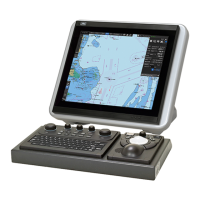

 To Next Page