8
The Zone Status is displayed as blocks of 8 zones labelled with a letter; The Zone Numbers in
the display may be replaced by other characters depending on the status of the Zone as follows:-
* Zone Manually Omitted
F Zone has a Standing Detector Fault
Use the Scroll keys to select the required zone block, then press the number on the keypad
which corresponds to the zone you wish to isolate; the zone number will change to a * and the
number at the top right hand side of the display showing the total number of Omitted zones will
increment by 1. If the number key appears to have no effect the Zone will have been identified as
non-omittable . When you have finished isolating the zones press the [FULL], [PART] or
[0/CHIME] button as appropriate to set the system.
Using Zone Omit on 24 Hour Zones
You can use Zone Omit to obtain temporary access to a 24 Hour Zone (i.e. a Gun Cabinet) by
pressing the [NO/QUIT] key after selecting the Zone to be omitted.
WARNING. If there is a Standing Fault on an omitted 24 Hour Zone when the Zone
Omit is auto-cleared you will get an immediate alarm.
Zone Omit
This is useful if you need to remove one or more Detection Zones on a temporary basis because
you are unable to set the system; operation is similar for both Single Area and Split systems. The
Zone Omit function can also be used to omit Zones which operate in Day or Chime mode. You
can use Zone Omit on any Zone for which you have Area Authorisation provided that the
Installation Engineer has not programmed the Zone as Non Manually Omittable (this may have
been done because that particular Zone is a vital element of the system ) or the Zone is part of
an area which is already Set (either on Guard or Chime). The Zone Omit information for a
particular Area is automatically cleared next time you open that Area.
To Omit Zones prior to setting a Guard System
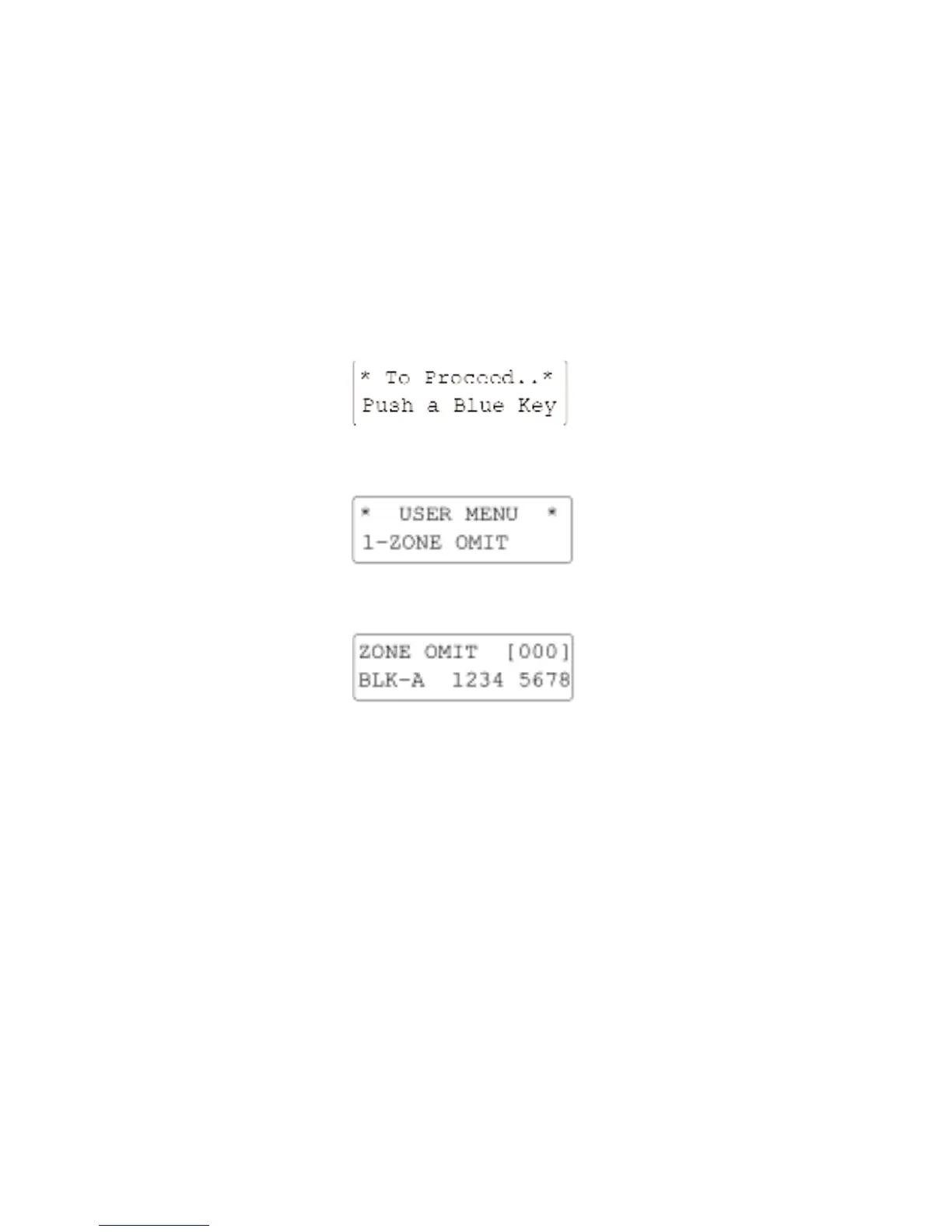
Starting from the normal System Open display enter your Access Code. The display will show:-
Press [YES/OPTION]. The Text Window will change to show the Zone Omit Display:-
Press [YES/OPTION]. The display will show:-


 To Next Page
 Loading...