12
Chime
Chime is used to give a local audible warning from the Guard Zones in Areas which are Unset.
The Chime System may have been set up by your Alarm Company to operate on pre-selected
Guard Zones (e.g.the Door Contacts used on the Exit/Entry route). This is useful when the
premises are occupied and you wish to be notified if other persons have entered a particular
Area within the building. The system may have been programmed to automatically turn Chime
on when the system is Fully Opened. You can Set and Unset Chime yourself in individual
Areas subject to your Area Authorisation and you can use Zone Omit to temporarily exclude
Zones from the Chime system. In a Split System it is possible to have some Areas operating in
Chime mode while other Areas are Set.
Setting Chime when no Areas are Set
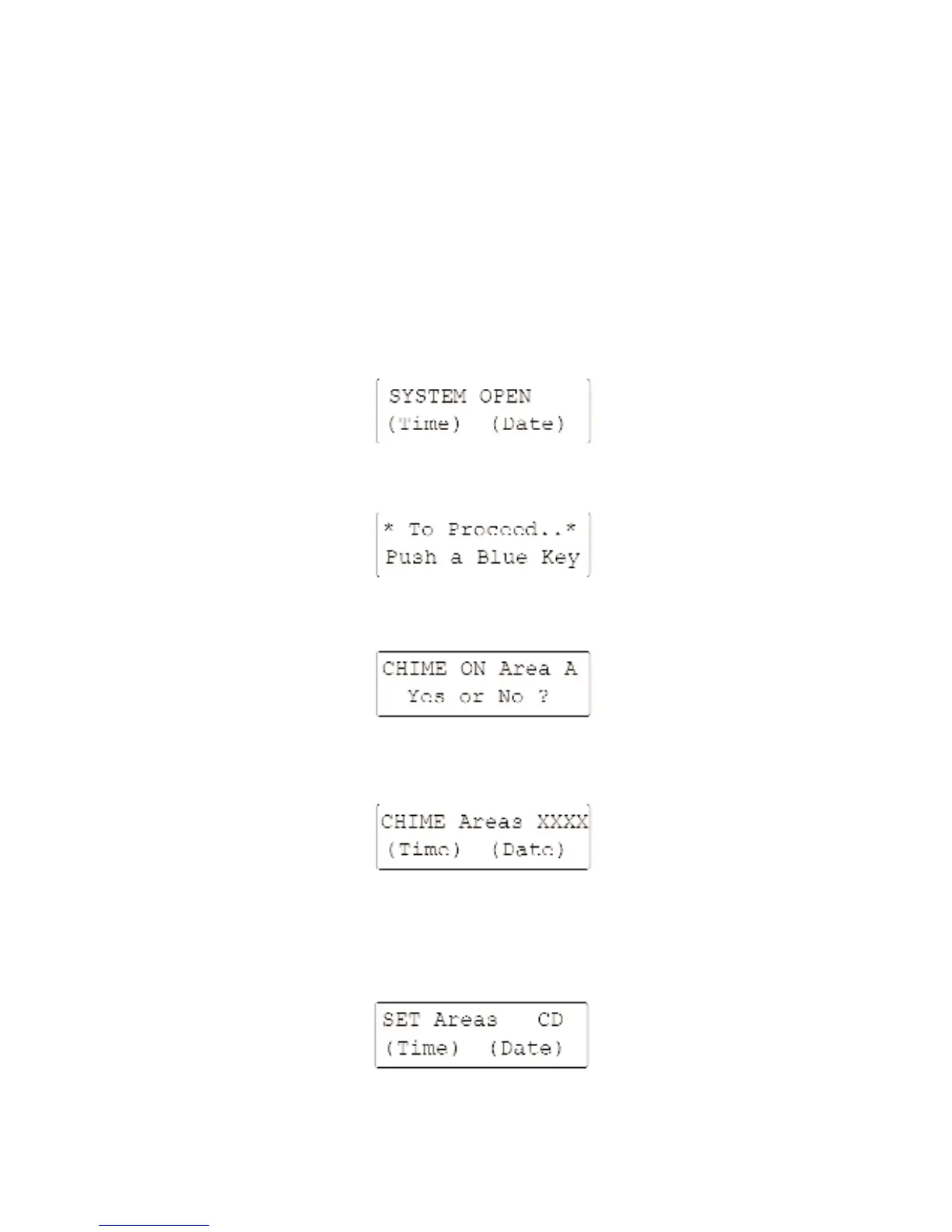
To set Chime Mode starting with:-
Enter your Access Code. The display will read:-
Press the [0/CHIME] key. The display will read:-
This indicates which areas are set to Chime.
Proceed as above until you have covered all available Areas; the display will then read:-
Setting Chime when some Areas are Set
If you have a Split system which is Part Set the display will be of the form:-
Answer using the [YES/OPTIONS] or [NO/QUIT] keys. Continue until you have covered all
available Areas; the display will then read:-



 To Next Page