6
Full Set
You will need to use Full Set when leaving the premises unoccupied. Starting with:-
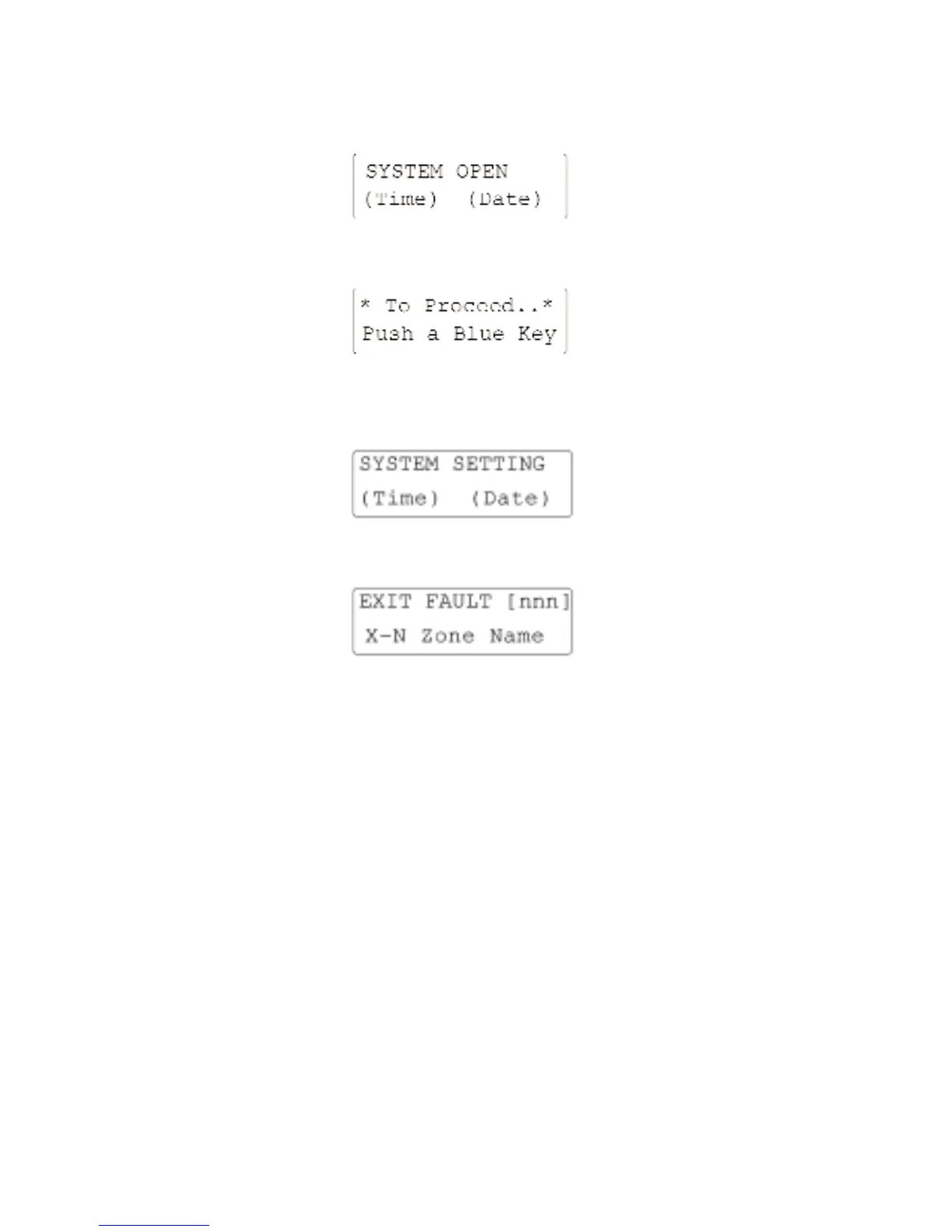
Press the [FULL] key, providing the system is OK the Exit Tone will sound and the display will
read:-
Enter your 4-Digit (or 6 Digit) Access Code. The display will normally read:-
If the system has a Setting Fault the Fault Tone will sound and the display will read:-
The fault may clear automatically if the fault is temporary (e.g. due to a movement detector
settling down), in that case the Exit Tone will start automatically with the “SYSTEM SETTING”
display after a short period. If, on the other hand there is a Standing Fault you will need to
review the Fault Display using the [SCROLL] keys and abandon setting by pressing the
[NO/QUIT] key.
The system will revert to “SYSTEM OPEN”. You will need to investigate the fault and either
remove it or use an Omit procedure to set the system with reduced security.
Once the Exit Tone is established, leave the area via the designated Exit Route then close the
Final Exit. It may be necessary to terminate the Exit Procedure manually using an external Push
to Set system (this depends on how the installation was configured). The Exit Tone should stop
2 seconds after the Exit Procedure has been terminated.
If there is a Fault Tone immediately after you have terminated the Exit Procedure you may have
a fault in the Exit/Entry Route ; if this does not clear after a few seconds you will need to re-
enter the premises, go to the nearest Remote Keypad, review the Fault Display and abandon
setting by pressing the [NO/QUIT] key. If the system has reverted to Exit Tone then enter your
Access Code to revert to “SYSTEM OPEN”.



 To Next Page