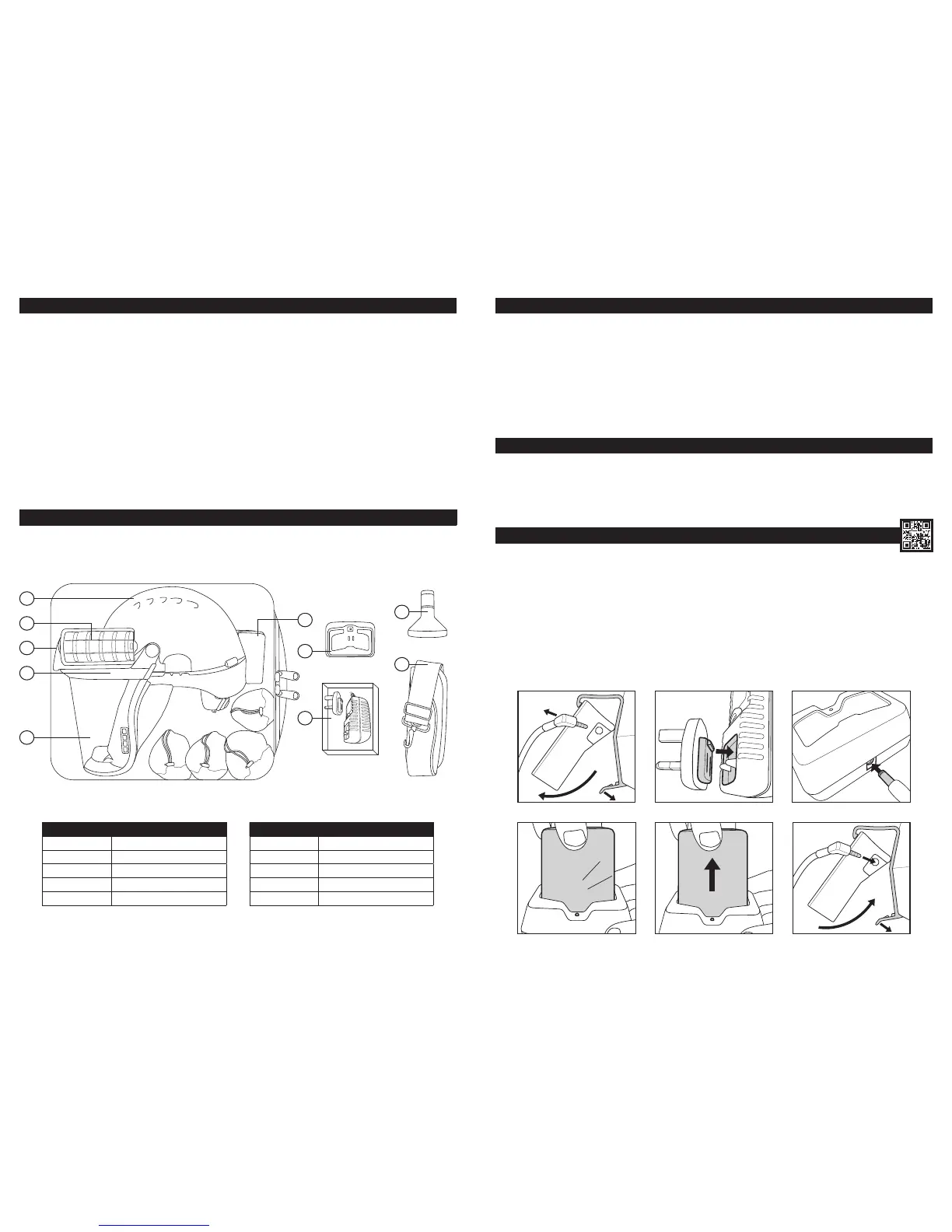
CHARGING THE BATTERY:
APPLICATIONS:
PowerCap
®
Innity
®
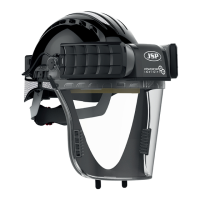
is intended for use in areas where respiratory protection from dust, spores, mist and fumes, head protection from falling objects and
eye/face protection from high-speed particles is required.
PowerCap
®
Innity
®
provides respiratory protection to the requirements of EN12941 as a TH3P R SL device. PowerCap
®
Innity
®
has a nominal
protection factor of 500 and a UK assigned protection factor (APF) of 40. Note that in EU states the APF varies, UK is the lowest.
PowerCap
®
Innity
®
provides head protection to the requirements of EN397, ANSI Z89.1, CSA Z94.1 and GB2811. The head protection offers
protection from falling objects. As part of the PowerCap
®
Innity
®
, some aspects of the performance of the helmet are affected. It should not be used in
sub 5°C temperatures.
PowerCap
®
Innity
®
provides eye protection to the requirements of EN166 against high speed particles, Grade B. The PowerCap
®
Innity
™
comes
with a visor seal to ensure both respiratory protection and also to provide Field of Use Class 4 protection against dust particles.
PowerCap
®
Innity
®
also has the facility to be able to accept the JSP Sonis
®
helmet mounted hearing protection to provide protection against the
harmful effects of noise.
UNPACKING & INSPECTION:
The carry case contains:
NO. ITEM NO. ITEM
1 EVO5
®
Safety Helmet 6 Battery Pack
2 Filters 7 Charging Dock
3 Drive Unit 8 6v 2.5A Power Supply
4 Visor Carrier 9 Flow Test Unit
5 Visor 10 Strap for Carry-Case
1
2
3
4
5
6
9
10
7
8
STORAGE:
• Store in the carry case provided.
• Store away from direct sunlight.
• Avoid contact with solvents and solvent atmospheres.
• Avoid physical contact with abrasive or hard surfaces.
• Store at temperatures between +5°C and +40°C.
• Store at relative humidity not greater than 75%.
• Disconnect the cable from the battery pack during storage.
• Do not stack objects on top of carry-case.
BEFORE USE:
• Fully charge batteries for 8 hours before rst use. (See Charging the Battery).
• Check charge level by pressing the power button momentarily. (See Battery and Airow Check).
• Read the adjacent LED charge level indicator. (See Battery and Airow Check).
1. Remove the battery pack. Unplug the power cable from the socket, release the clasp at the base of the battery pack and pull the bottom of the
battery pack away from the helmet.
2. Attach the correct adaptor for your region to the 6v 2.5A power supply. Only ever use the power supply unit provided.
3. Plug the power supply cable into the rear of the PowerCap
®
Innity
®
charging dock. Plug the power supply into the mains socket and switch on.
(The dock LED will glow green).
4. Charge the battery pack. Insert the battery pack into the charging dock until it clicks (the dock LED turns from green to red.) The battery is now
charging. Once charging is complete, the dock LED will glow green.
5. To remove, hold the dock down and pull the battery upwards.
6. Replace the battery pack. Hook the top of the battery pack into the top of the helmet clip, rotate the battery pack fully into the helmet clip and lock
in place with the bottom clasp. Plug the power cable into the socket. The battery has an expected life of 500 cycles when charged in accordance with
these instructions.
1


 To Next Page