5
The Quality Connection
6. Operation
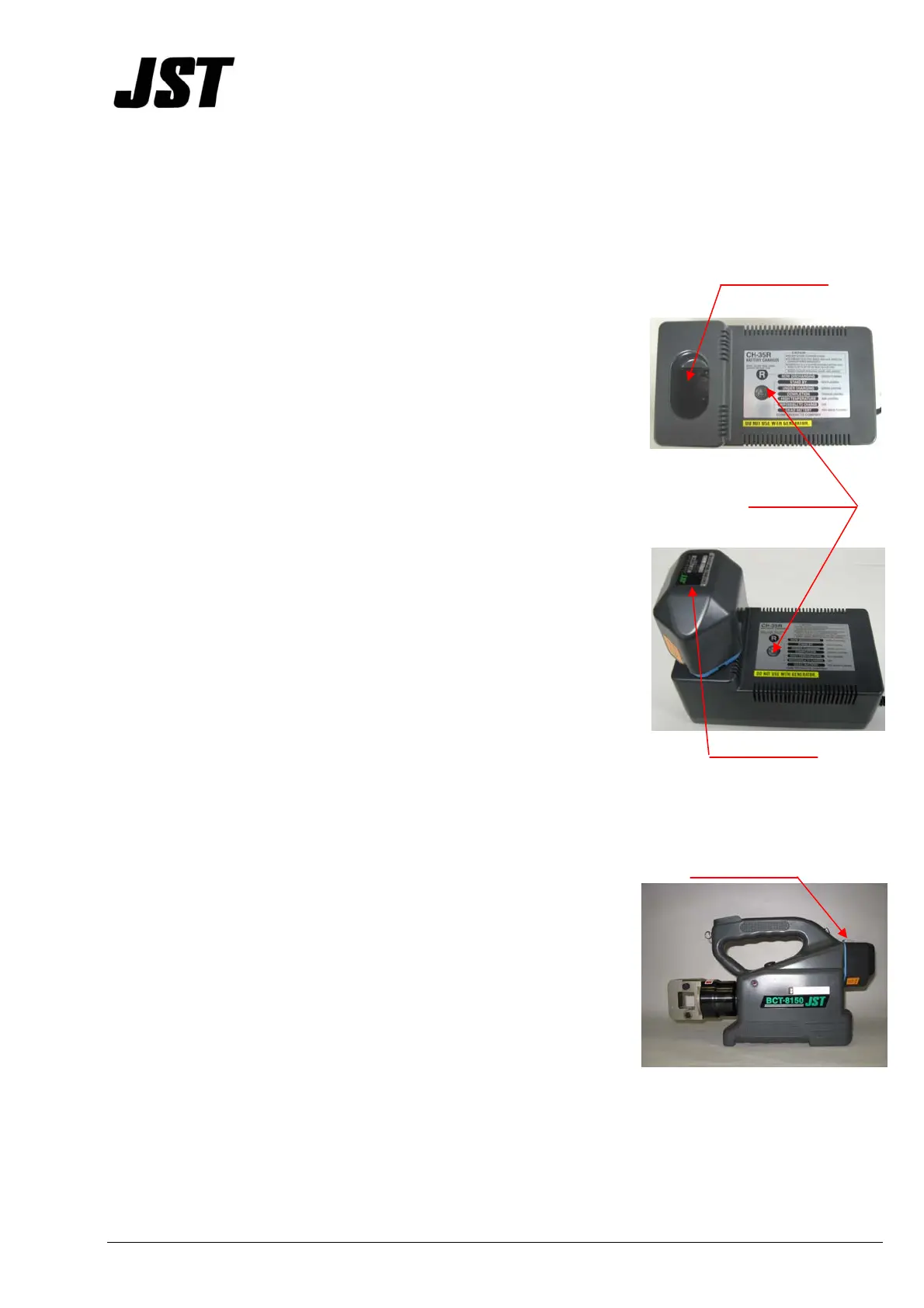
Charging
Cavity
1. Insert the AC plug of the battery charger into a wall outlet.
LED Indicator
CAUTION: MAKE SURE THE INPUT VOLTAGE IS 120VAC.
IF THE VOLTAGE SUPPLIED IS MORE THAN 130VAC THE
CHARGER AND THE BATTERY CARTRIDGE MAY BE
DAMAGED.
2. Insert the battery cartridge into the cavity of the charger.
CAUTION: KEEP THE CAVITY OF THE BATTERY CHARGER
FREE OF FOREIGN MATERIALS, ESPECIALLY METAL
OBJECTS.
Battery Cartridge
3. Time needed for a full recharge is 1 hour. The LED indicator
will be green when charging and turn orange when charging
is complete.
CAUTION: BE SURE TO FULLY RECHARGE THE BATTERY
WHEN THE TOOL IS DELIVERED OR AFTER A LONG TIME
OF STORAGE. IT IS RECOMMENDED TO FULLY
DISCHARGE THE BATTERY BEFORE RECHARGING.
Battery Cartridge
1. Depress the latch on the battery when detaching.
2. Slide the battery into the tool to install. Be sure the battery
is fully inserted and securely latches.
Latch


 To Next Page