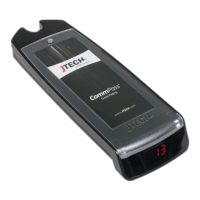
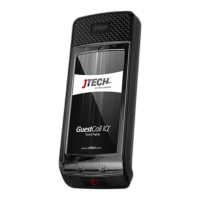
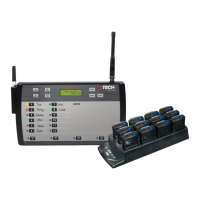
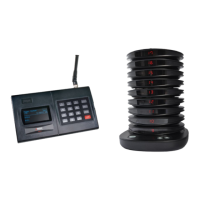
GuestCall Paging, Coaster Pagers
Model Number: J1707, J1708
Connecting with Host Concepts™ Waitlist Application
(Applies to ISTATION transmitter only)
Paging with Host Concepts™ Waitlist Application
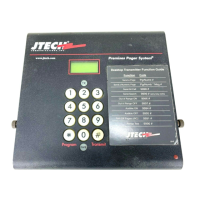
Users of Host Concepts can page JTECH branded pagers directly within the application by adding an ISTATION
connected transmitter to the Wi-Fi network that Host Concepts is connected to, such as a Guest Network in the
restaurant.
To enter networking mode, on the transmitter, press SETUP, use password 6629 and press ENTER.
Use the */MENU button to scroll and the # / SELECT button to choose the menu option.
Once you have saved your changes, press CANCEL until you return to the main PAGER # screen.
Assign Static IP Address
> Scroll to the IP ADDRESS menu screen.
> Press the ENTER key to edit the field.
> Enter the IP ADDRESS desired using all 12 digits; i.e. 010.010.031.005
> Set the address then press ENTER key.
> Scroll to the SUBNET MASK menu and press ENTER key.
o SUBNET MASK must match the address for the Wi-Fi router Host Concepts is connected to.
> Set the address then press ENTER key.
> Scroll to the GATEWAY IP menu and press ENTER key.
> Set the GATEWAY IP to match the address for the Wi-Fi router Host Concepts is connected to.
> Set the address then press ENTER key.
> Press CANCEL to Exit.
Assigning Pagers and IP Address in Host Concepts.
> Access your account via www.hostconcepts.com.
> Once you have logged in, select PAGERS from the menu on the left-hand side.
> Enter pagers in the fields. CommPass pagers would be entered as Numeric.
> Enter the IP Address assigned in the above steps under STATION IP ADDRESS.
o Do not use leading 000’s as above; i.e. 10.10.31.5
o Ensure that Local Paging Enabled is checked.
> Click SAVE SETTINGS


 To Next Page