– 15 –
❻
❼
❹
❸
❷
❽
❾
❶A
❶B
❶
❶B
❹
❺
❻
❹
❺
❻
❹
❺
❻
Table
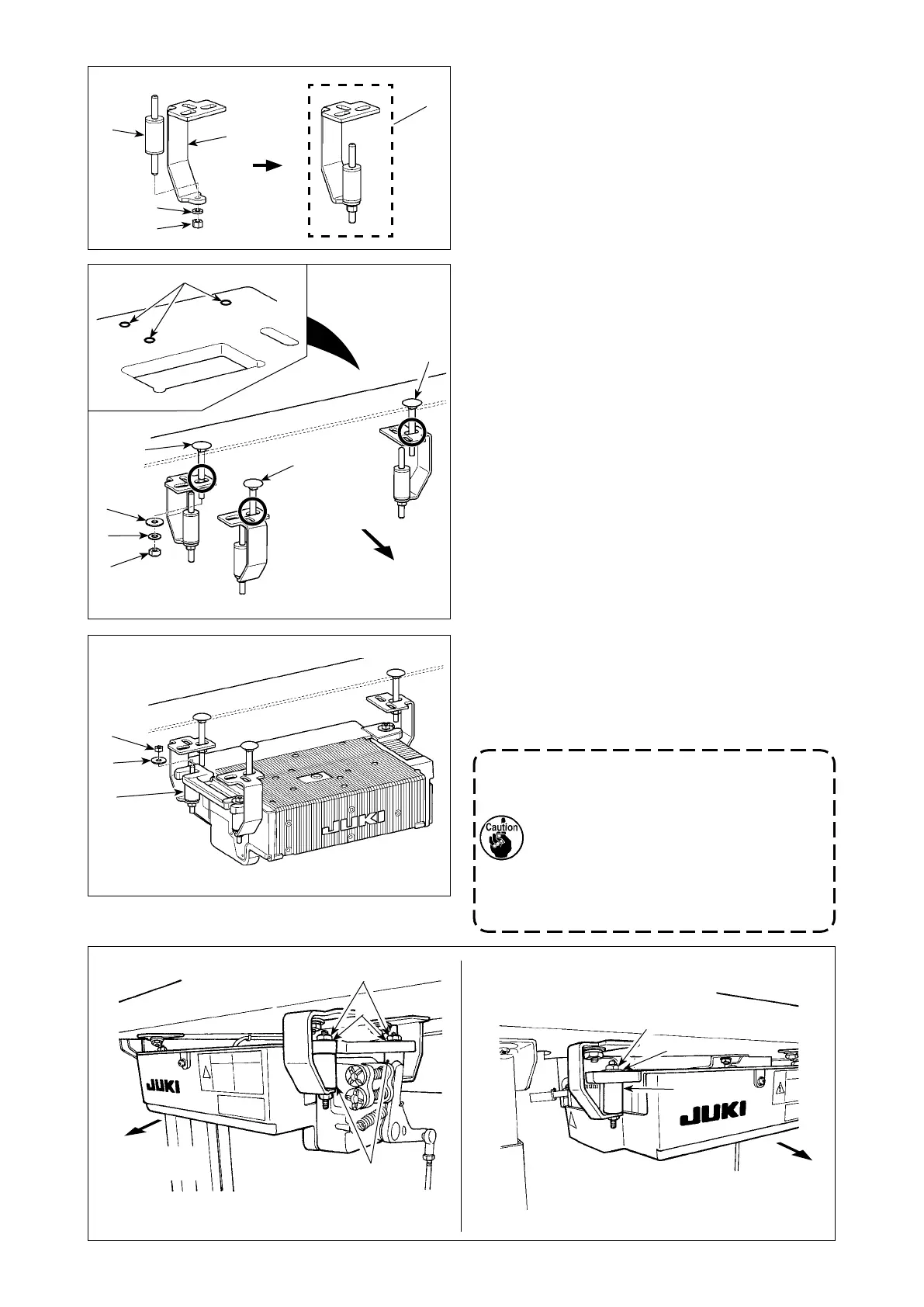
2)
Fix rubber cushion
❻
on control-box mounting plate
❸
with nut
❹
and spring washer
❼
. Three sets of
❷
are required.
4) Place the SC-920 on rubber cushions
❻
and x
with nuts
❹
and washers
❺
.
Install the control box while carefully changing the
position of the temporarily-xed control-box mounting
plate (right one as observed from the worker).
1. If you use the decoration bolt supplied
with the SC-920, the control box cannot
be installed since the bolt interferes with
the control box.
2. If the control-box mounting plates are
xed on the table in a wrong installing
direction or with the hole located at a
wrong position, the control box cannot
be installed.
Away from the
operator side
Away from the
operator side
3) Fix control-box mounting plates
❷
assembled
in step 2) on the table with decoration bolts
❶
,
washers
❽
, spring washers
❾
and nuts
.
Screw
❶A
at one location this side as observed
from the operator should be securely tightened,
and two screws
❶B
at two locations far side
from the operator should be temporarily tight-
ened.
* Install control-box mounting plate
❸
as illustrat-
ed in the gure, carefully checking the installing
direction and the location of holes.
* The washers, spring washers and nuts supplied
with the SC-920 should be used.
Operator side



 To Next Page