– 16 –
(3) Setting procedure of the machine head
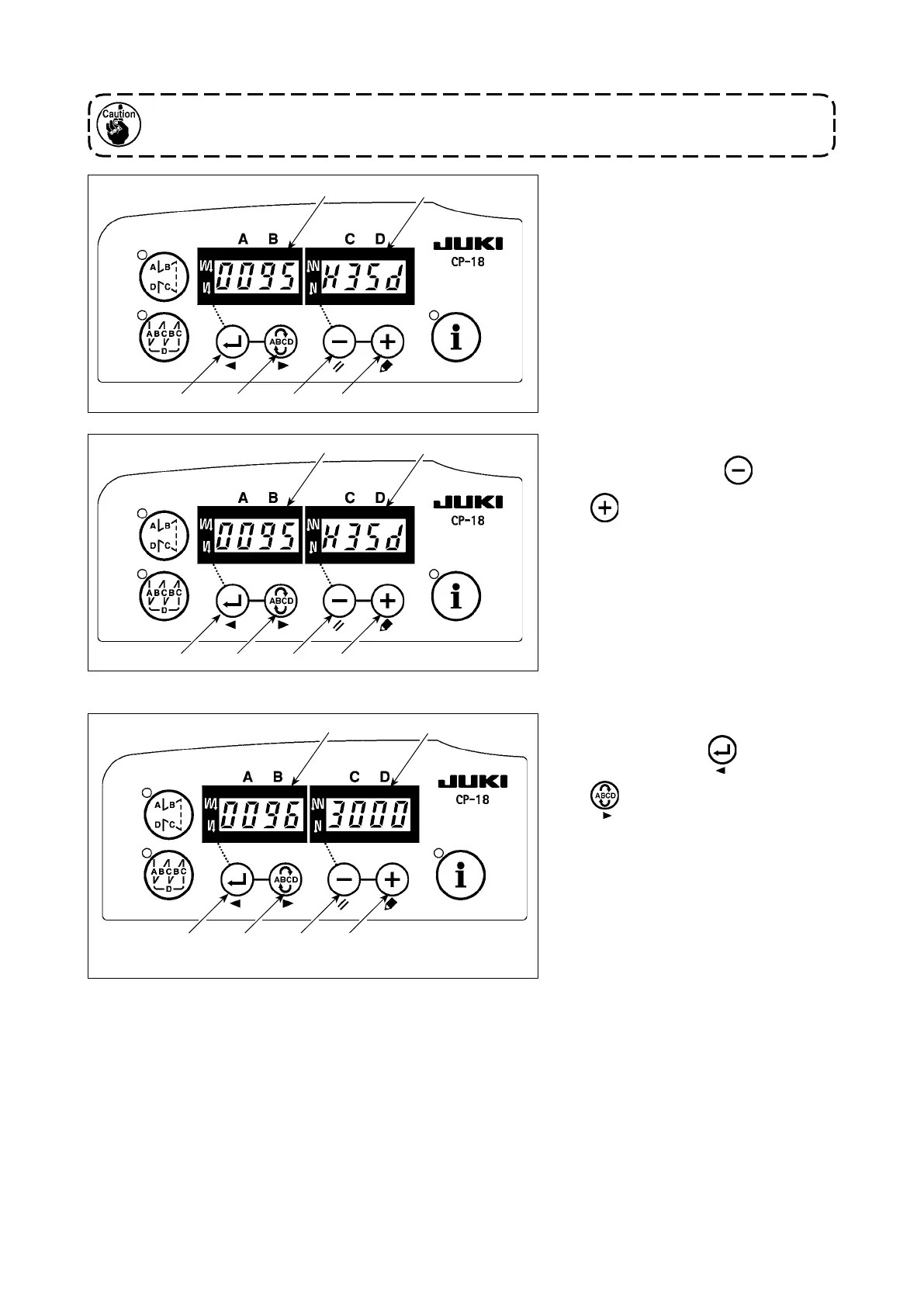
1) Call function setting No. 95 referring
to
"#-6. Setting functions of SC-
920"
in the Instruction Manual for the
SC-920.
2) The type of machine head can be
selected by pressing switch
❸
( switch
❹
).
* Refer to "CAUTIONS WHEN SET-
TING UP THE SEWING MACHINE"
or "Machine head list" on the sepa-
rate sheet for the types of machine
heads.
3) After selecting the type of machine
head, by pressing switch
❶
( switch
❷
), the step proceeds
to 96 or 94, and the display automat-
ically changes to the contents of the
setting corresponding with the type
of machine head.
❺
❻
❶
❷ ❸ ❹
❺
❻
❶
❷ ❸ ❹
❺
❻
❶
❷ ❸ ❹
For the operation panel other than CP-18, refer to the Instruction Manual for the operation panel
to be used for the setting procedure of the machine head.



 To Next Page