45
6-10. Production support function
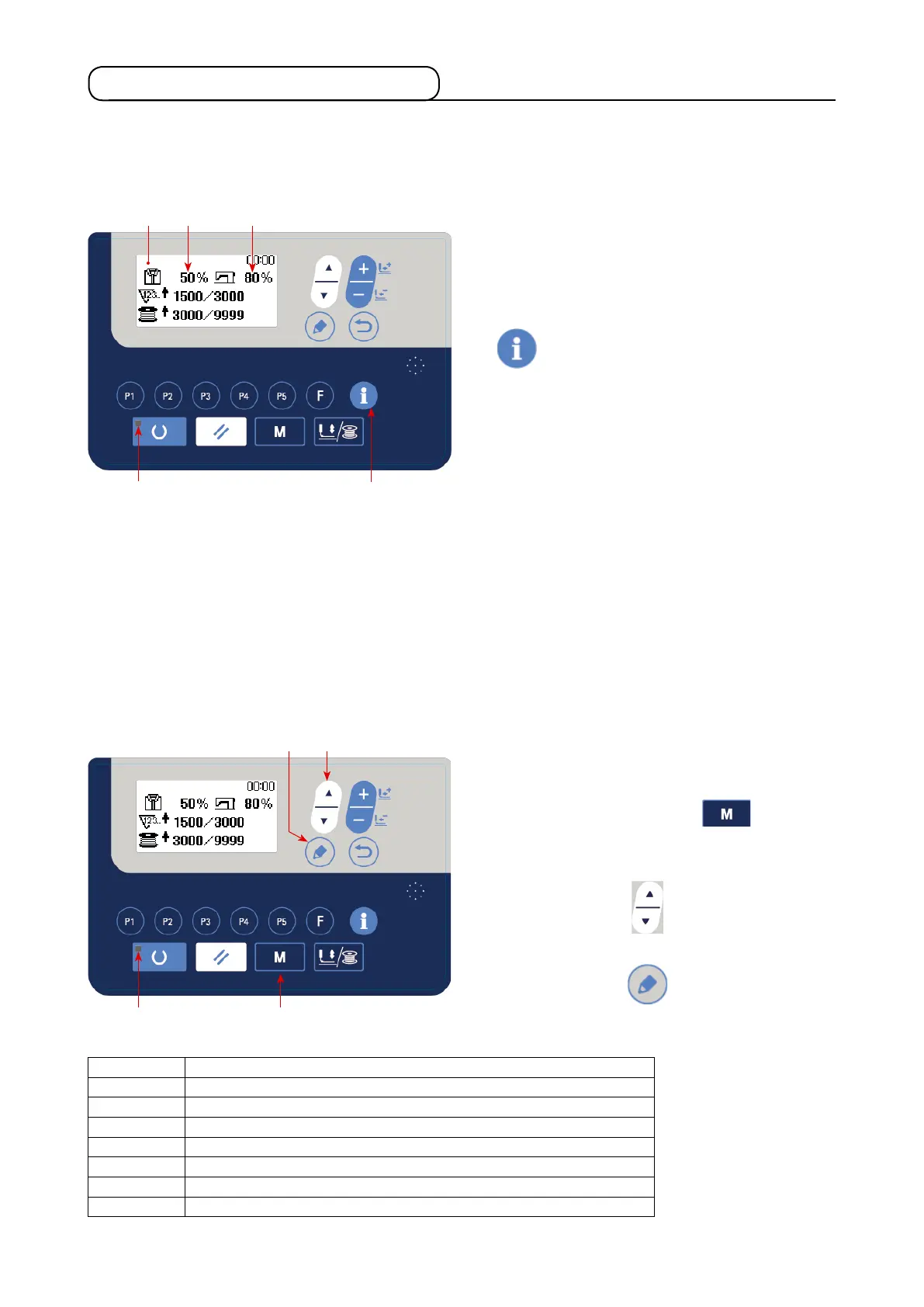
This function displays the number of pieces produced for the day, calculates the progress rate of sewing work
based on that number of pieces, and displays the result.
In addition, this function calculates the operation rate of the sewing machine based the operating hours of the
sewing machine, and displays the result.
1) How to display the production information
screen
Under the input mode where the SET READY
LED
goes out, press INFORMATION key
display the production counter screen
A
.
Set the production parameters in order to use the
progress rate display
B
and the operation rate
display
C
.
[Progress rate of sewing work]
Number of pieces to be produced per day / current target number of pieces × 100
* The current number of pieces produced is calculated from the current time, work hours (from the
start time to the end time of work hours) and work breaks.
[Operation of rate of the sewing machine]
Time during the sewing machine runs / Working hours for the day
* Daily working hours is calculated from the current time, work hours (from the starting time to the
closing time of work hours) and work breaks.
2) Displaying the production parameters
Under the input mode where SET READY LED
goes out, keep MODE key
held
pressed to display the mode screen.
Select "15. Production parameters" by pressing
ITEM SELECT key
.
Display the production parameter screen by
pressing EDIT key
.
B C
A
The menu shown in the following table is displayed on the production parameter setting screen.
No. Menu on the production parameter setting screen
1 Date and time setting
2 Number of times of thread trimming for counting one piece
3 Work hours setting
4 Work break 1
5 Work break 2
6 Work break 3
7 Display type of the target number of pieces



 To Next Page
 Loading...




