6
Never use under the wrong voltage and
phase.
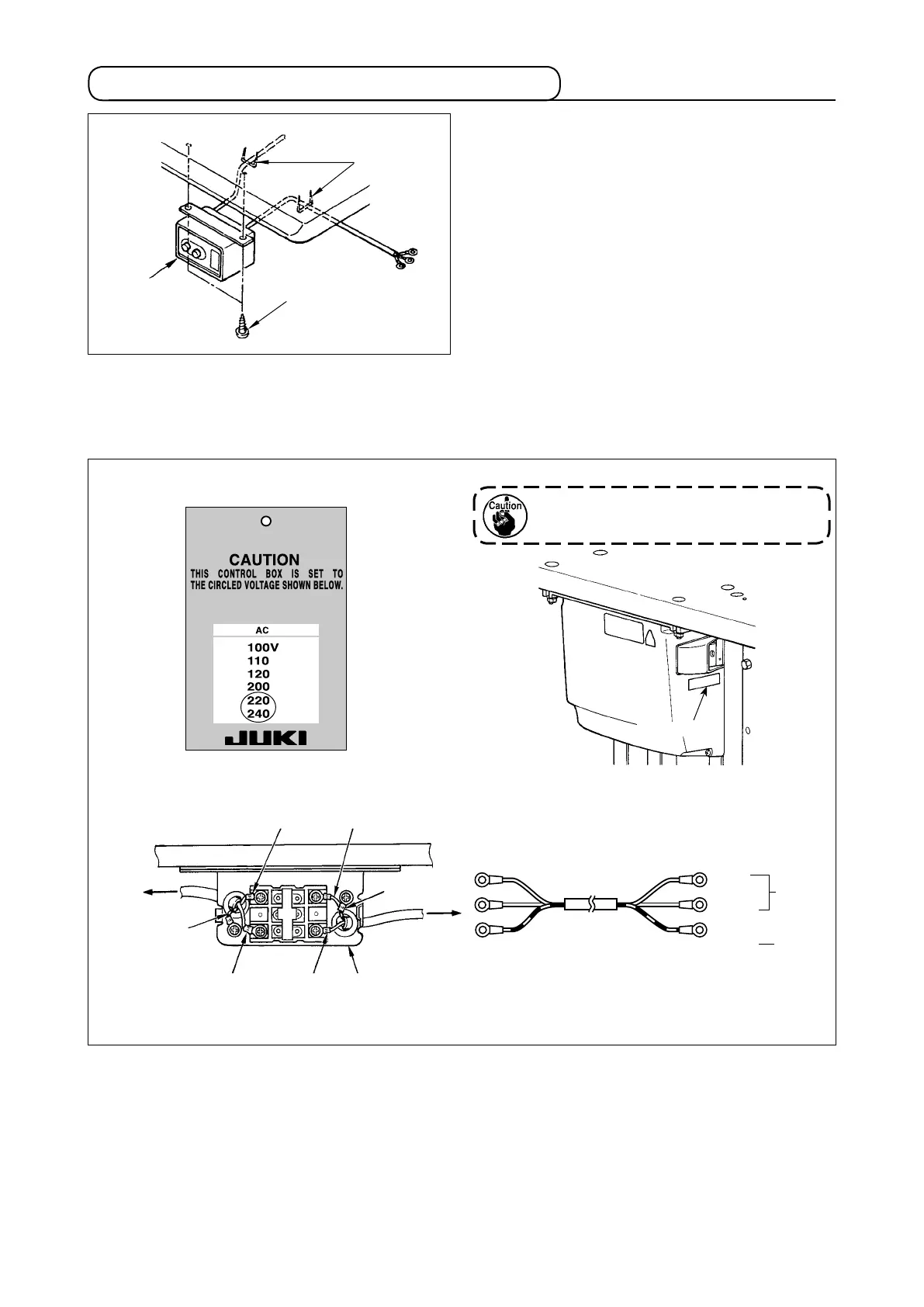
3-5. Installing and connecting the power switch
(2) Connecting the power source cord
Voltage specications at the time of delivery from the factry are indicated on the voltage indication seal. Con-
nect the cord in accordance with the specications.
Table
Brown
Brown
Light blue
Light blue
Light
blue
Green/Yellow
Green/
Yellow
Control box
Green/Yellow
Plug
Power source cord
Power switch
GND
AC
220 V
-240 V
• Connecting single phase 220V, 230V and 240V
Rating plate
Power indication tag
Brown
(1) Installing the power switch
Fix power switch
under the machine table with
wood screws
.
Fix the cable with staples
supplied with the ma-
chine as accessories in accordance with the forms of
use.



 To Next Page
 Loading...




