Operating procedures
24
6.4. Setting the temperatures
Factory setting: 25
°C
L Setting can be carried out in the start/stop condition.
1. Press one of the keys for a short moment. The
setpoint value instead of the actual value is indicated on
the display for about 8 seconds. The value can now be
changed.
2. Change value:
Press
to set a higher value.
Press
to set a lower value.
Keep the keys depressed for the value to change fast.
3. Press enter to store the value.
6.5. Excess temperature protection
This safety installation is independent of the control circuit.
When the temperature of the bath fluid has reached the
safety temperature, a complete shutdown of the heater and
pump is effected.
The alarm is indicated by optical and audible signals
(continuous tone) and on the LED-DISPLAY appears the
error message "Error 01".
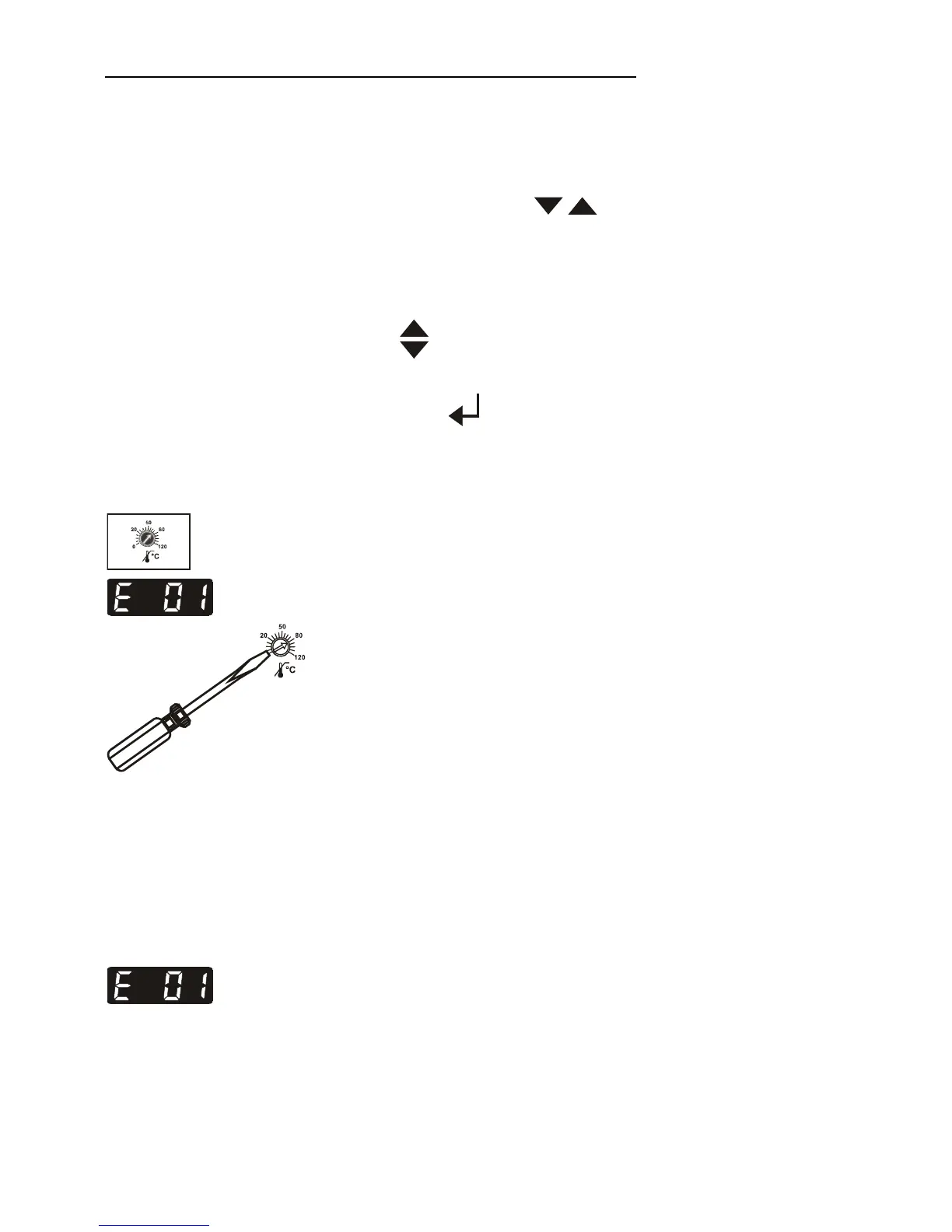
Setting range: 20 °C to 120 °C
• Using a screwdriver turn the setting screw to the desired
value.
Recommendation:
Set the excess temperature protector at 5 to 10 °C above the
working temperature setpoint.
6.6. Low liquid level protection
This safety installation is independent of the control circuit.
If the low liquid level protection device (according to IEC
61010-2-010) is triggered, a complete shutdown of the heater
and circulating pump is effected.
The alarm is indicated by optical and audible signals
(continuous tone) and on the LED-DISPLAY appears the
error message "Error 01".
L Turn off the unit with the mains switch, refill bath fluid and
turn the unit on again!



 To Next Page