■ With a system insert of the same type: full-surface operation of the left button
for more than 4 seconds. The parameter settings and app and network con-
nection are retained.
■ With a system insert of a different type: reset the cover to the default setting.
The parameter settings and app and network connections are retained.
7 Commissioning via app
Prerequisite: The JUNG HOME device does not yet belong to a Bluetooth Mesh net-
work. Otherwise reset the device to the default setting.
If a Bluetooth Mesh network (project) does not yet exist, a new project must first be
created for the first JUNG HOME device in the JUNG HOME app.
If a Bluetooth Mesh network already exists, the project file for this network must be
opened in order to pair the new device.
After switching on the mains voltage, the device is automatically in pairing
mode for two minutes.
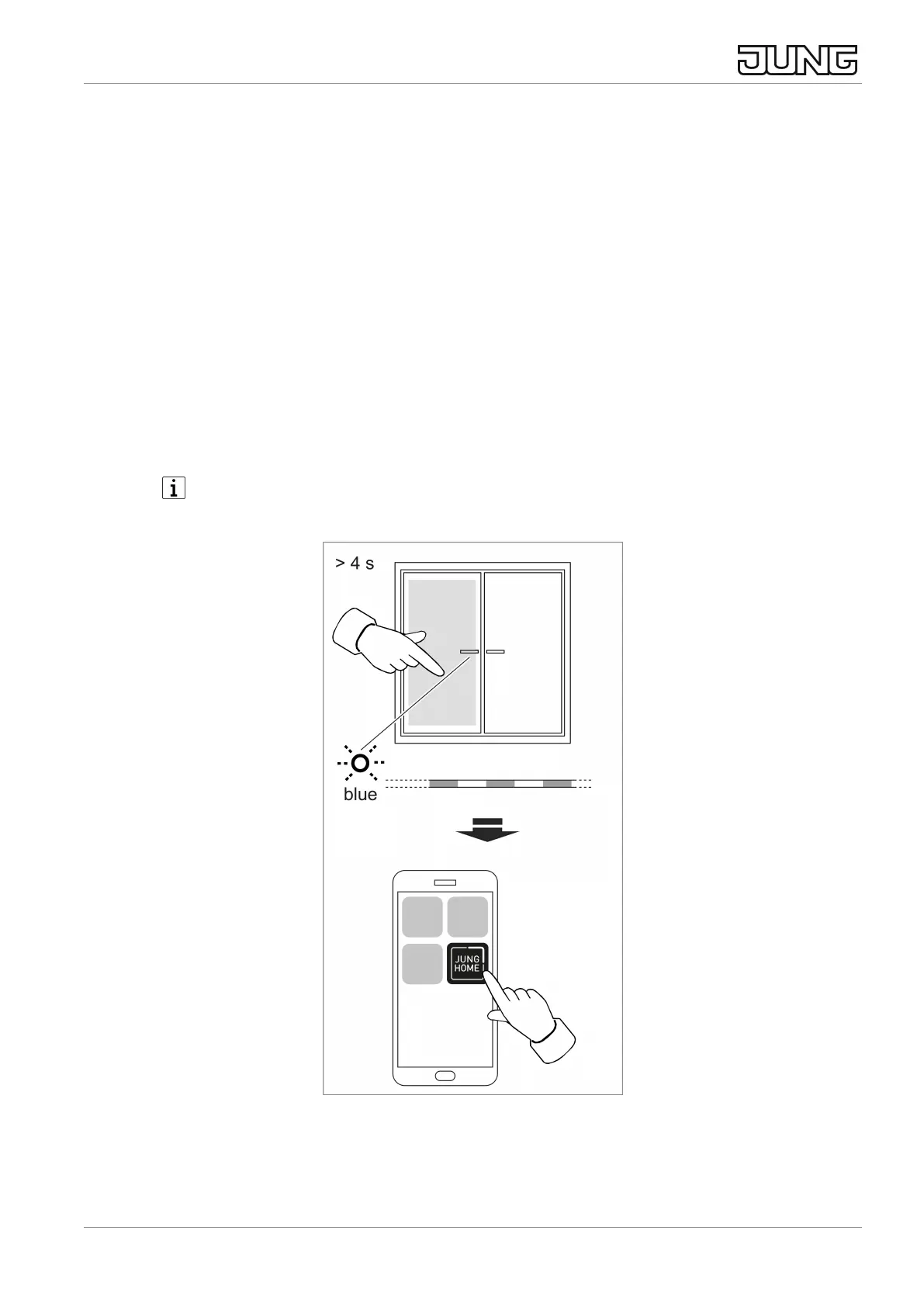
Image3: Commissioning
■ Activate pairing mode manually:
Press the left button over entire surface for longer than 4 seconds.
JUNG HOME push-button 1-gang, JUNG HOME push-button 2-gang
10 / 26
32405203 24.02.2023
J0082405203


 To Next Page
 Loading...