4342
The date and day of the week remain showing in the upper part of the LCD
display.The display can be shown in German, English or French. How to set the
relevant language is described in section 5.8.
The LCD display continues to show the selected mode until another mode is
selected via the ‘MODE’ button.
5. Description of watch functions and how to use them
5.1 – Chronograph stopwatch function with split times
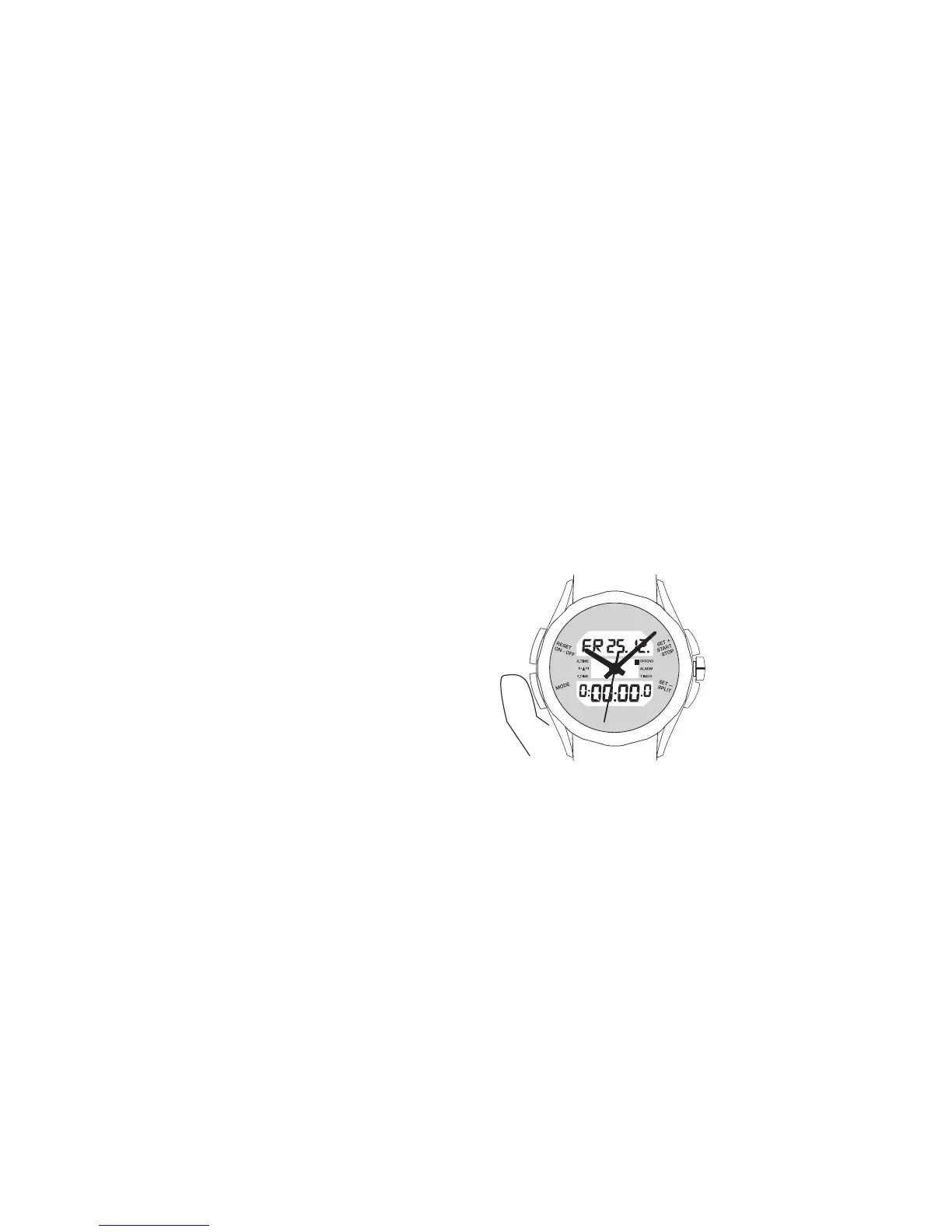
Press the ‘MODE’ button repeatedly
until you reach ‘CHRONO’ mode.
On the display you will see hour,
minute, second and tenths of a
second.
4.1 Base mode
In base mode the LCD display shows the date and day of the week in the top
section and the digital time in the bottom section. The latter is the 2
nd
time.
Depending on the setting in use, this thus either reproduces the analogue
time or displays another, user-defined time.
In this mode the watch can be adjusted via the following buttons:
x RESET
x SET+
x SET–
In order to avoid changing any settings accidentally, you can use the winder
lock. You will find a description of this function on the inside cover of your
watch instructions.
4.2 Other functions
The following functions can be accessed sequentially via the ‘MODE’button:
1 – 2
nd
time
2 – Reception indicator
3 – 1
st
time
4 – Chronograph stopwatch function with split times
5 – Alarm
6 – Count-down / count-up timer












 To Next Page