4544
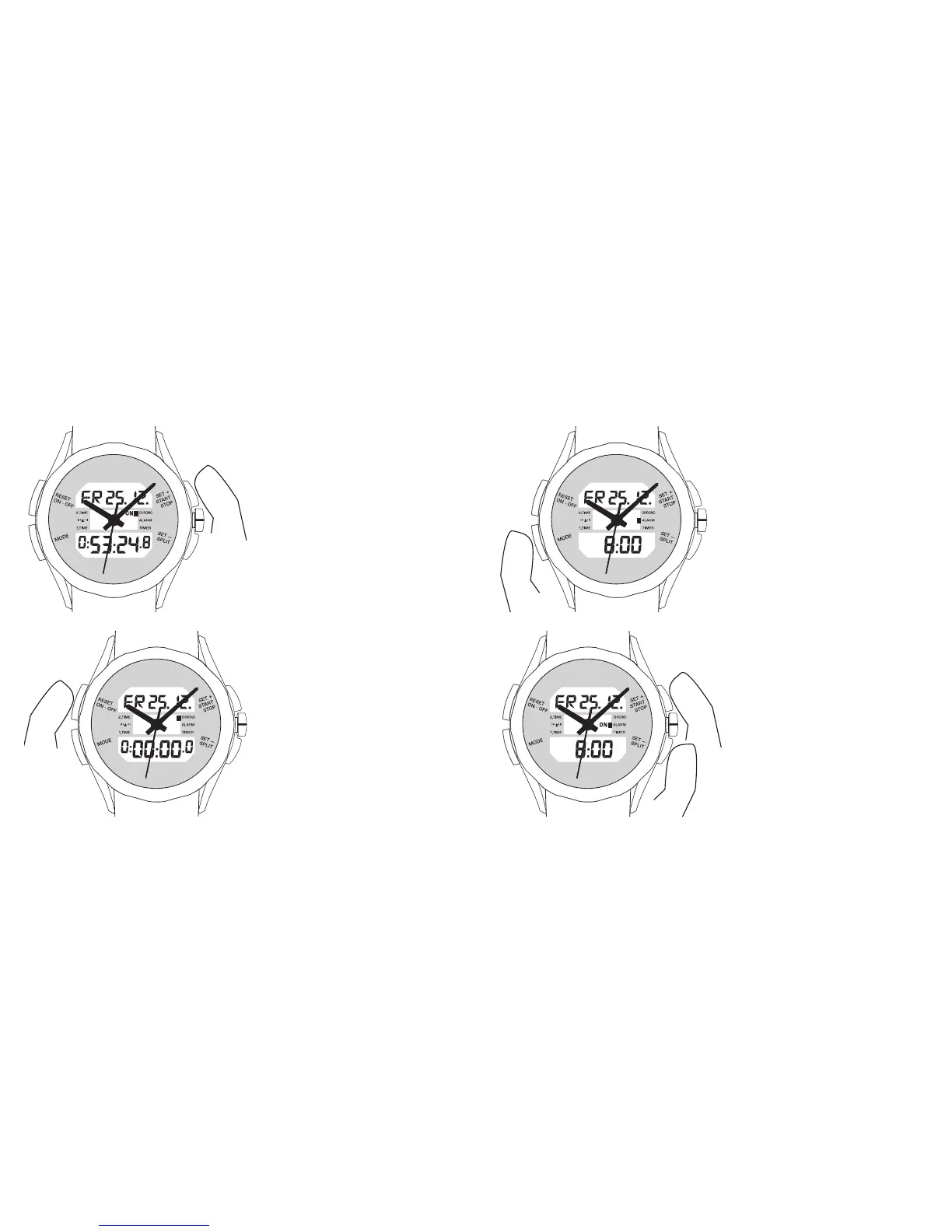
The chronograph is started and
stopped again using the ‘SET+’
button. When the chronograph is
running,‘ON’ is displayed in front of
the ‘CHRONO’ item on the menu.
Pressing the ‘RESET’ button resets
the counted time to ‘0:00:00.0’. The
reset function can only be used
once the chronograph has already
been stopped. When the chrono-
graph is running, the current split
time can be displayed by pressing
the ‘SET–/SPLIT’ button for about
5 seconds. The chronograph conti-
nues running in the background.
5.2 Alarm
Press the ‘MODE’ button repeatedly
until you reach ‘ALARM’ mode.
You set the alarm time by using the
‘SET+’ and ‘SET–’ buttons. You can
adjust the time by the minute by
pressing either button briefly or
adjust it in fast forward or fast
rewind mode by holding the rele-
vant button down for longer.












 To Next Page