4746
You use the ‘ON/OFF’button to turn
the alarm on or off. If the alarm is
active, the indicator ‘ON’ is shown in
front of the ‘ALARM’ menu item on
the LCD display. When the alarm
time is reached an acoustic signal
sounds.
Once the alarm has gone off,it is no
longer active. If you want to use the
alarm again, please set it and acti-
vate it as described above.
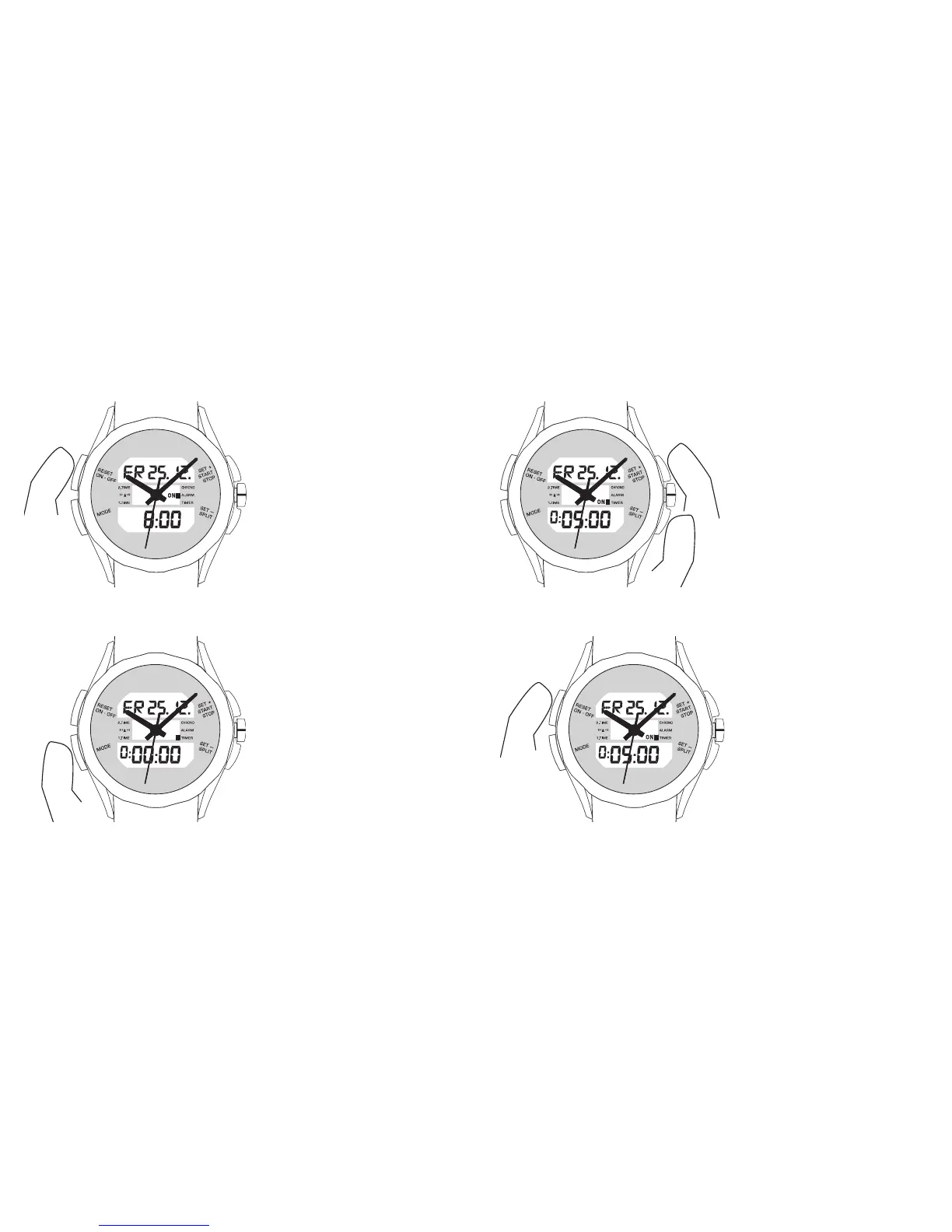
5.3 Count-down timer
Press the ‘MODE’ button repeatedly
until you reach ‘TIMER’mode.
You set the timer using the ‘SET+’
and ‘SET–’ buttons. If you press
briefly the display moves a second
at a time. If you press for longer, the
setting changes rapidly.
You use the ‘ON/OFF’button to turn
the timer on or off. If the timer is
active, the indicator ‘ON’ is shown in
front of the ‘TIMER’ menu item on
the LCD display.
When the timer gets to 0:00:00’, an
acoustic signal sounds.













 To Next Page