22
2.4 Using the Transponder Reader
NOTE
Do not damage the transponders. The module cannot be switched on with damaged
transponders.
2.4.1 Activating the Module with a Transponder
Procedure
• Release the emergency disconnect switch.
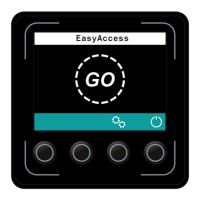
• Hold a transponder in front of thetransponder
read area (4).
A green tick appears and remains until the
transponder has been confirmed. If there is no
confirmation within 20 seconds, the access
prompt appears.
• Press the key below the "Confirm" symbol (9).
The module is enabled.
2.4.2 Blocking an Enabled Module
Procedure
• Press the key under the "Switch off" symbol (5) on
thedisplay unit.
• Press the emergency disconnect switch.
The module is blocked.
As an option, the customer service department can pre-set the module such that the
module is blocked automatically after a defined delay at a standstill. Automatic
blocking does not occur if the module has been enabled by the set-up code or the
set-up transponder.


 To Next Page
 Loading...