84 Archer 2 Rugged Handheld Owner’s Manual
The Data Format screen has the following function:
Select optional prex and sufxes from the Format
pull-down list to add to the scan data. If you use a
program like Excel, we recommend that you Select
<Data><Sufx1> with Sufx1 set to a carriage return
(<CR>). This puts each scan on a new line.
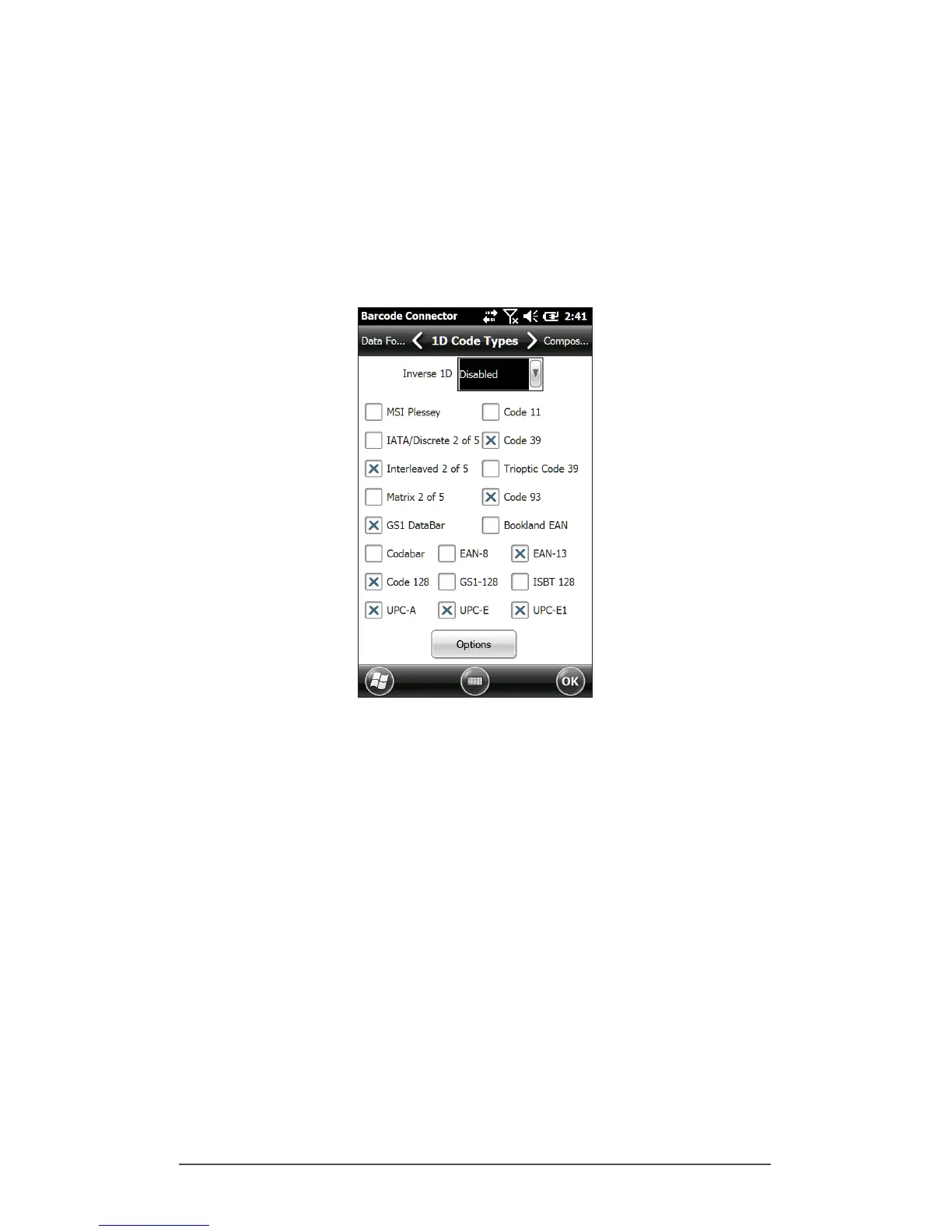
1D Code Types Screen
The 1D Code Types screen has the following functions:
Inverse 1D – Enable/disable inverse 1D bar codes or select
Auto Detect.
Enable/disable the 1D code types listed.
Tap Options to congure 1D code type specic settings.
A horizontal scrolling menu is shown near the top of the
screen with options for Code 39, Code 128/Code 93/
Discrete, UPC/EAN 1, UPC/EAN 2, Interleaved GS1
DataBar, MSI Plessey, Codabar/Code 11, and Matrix 2 of
5. Depending on which 1D barcodes you are going to
read, you should review the options and congure them
for your needs.



 To Next Page