English
Page 26
IMPORTANT:
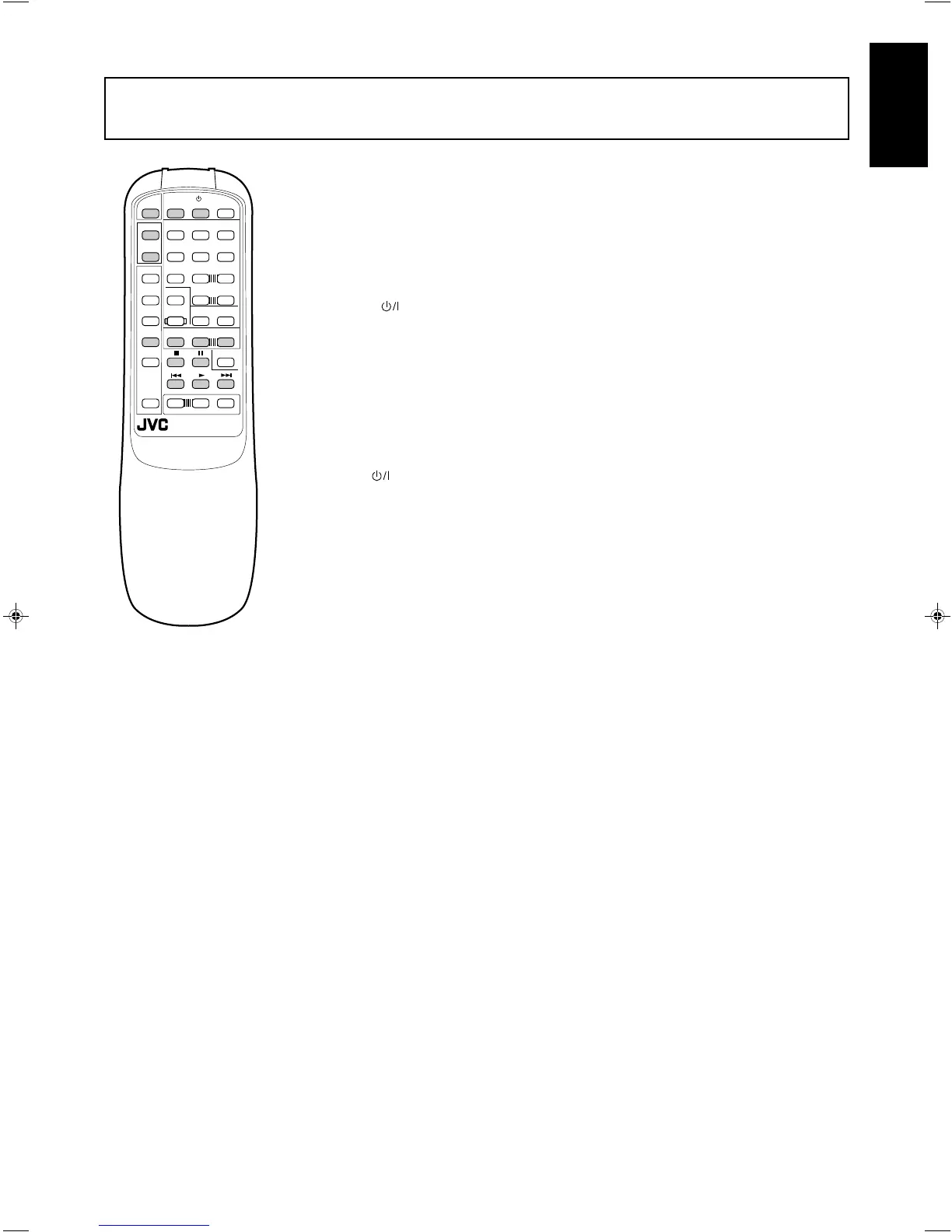
To operate JVC video components using this remote control:
• Aim the remote control directly at the remote sensor on the VCR or TV, not on the amplifier.
After pressing VCR, you can perform the following operations on a VCR:
3 Starts playback
4 Rewinds a video tape
¢ Fast winds a video tape
7 Stops operation
8 Pauses. To resume playing, press 3.
CH+/– Changes channels on a VCR
Without pressing VCR, you can always perform the following:
VCR (in the (Standby/On) section)
Turns on/off the VCR
After pressing TV (in the TV CONTROL section), you can perform the following operations on TV:
CH+/– Changes TV channels
Without pressing TV (in the TV CONTROL section), you can always perform the following :
TV/VIDEO Sets input mode (either to TV or to VIDEO)
VOLUME +/– (in the TV CONTROL section)
Adjusts the volume
TV (in the (Standby/On) section)
Turns on/off the TV
TV
/VIDEO
CH
+
CH
–
456
123
TV VCR AUDIO
TEST DELAY
PRESET
SEA MODE
SURR MODE
CD 7/P 8 9
10 +10
TAPE
TUNER
SEA
ON/OFF
SURROUND
ON/OFF
VCR TV
TV CONTROL
RM-SAV5RU REMOTE CONTROL
–+
VIDEO
ONE TOUCH
OPERATION
VOLUME
–+
CENTER
–+
REAR
CD-DISC
AUDIO
CONTROL
/I
VOLUME
PHONO
–+
MUTE
PTY SEARCH
DISPLAY
PTY SELECT
–+
AX-V5BK(EF)_0023-001A_En 97.4.24, 1:15 PM26



 To Next Page
 Loading...