EasyManua.ls Logo

JVC CA-DXT99 - User Manual

JVC CA-DXT99
50 pages
Print Icon
To Next Page IconTo Next Page
Loading...
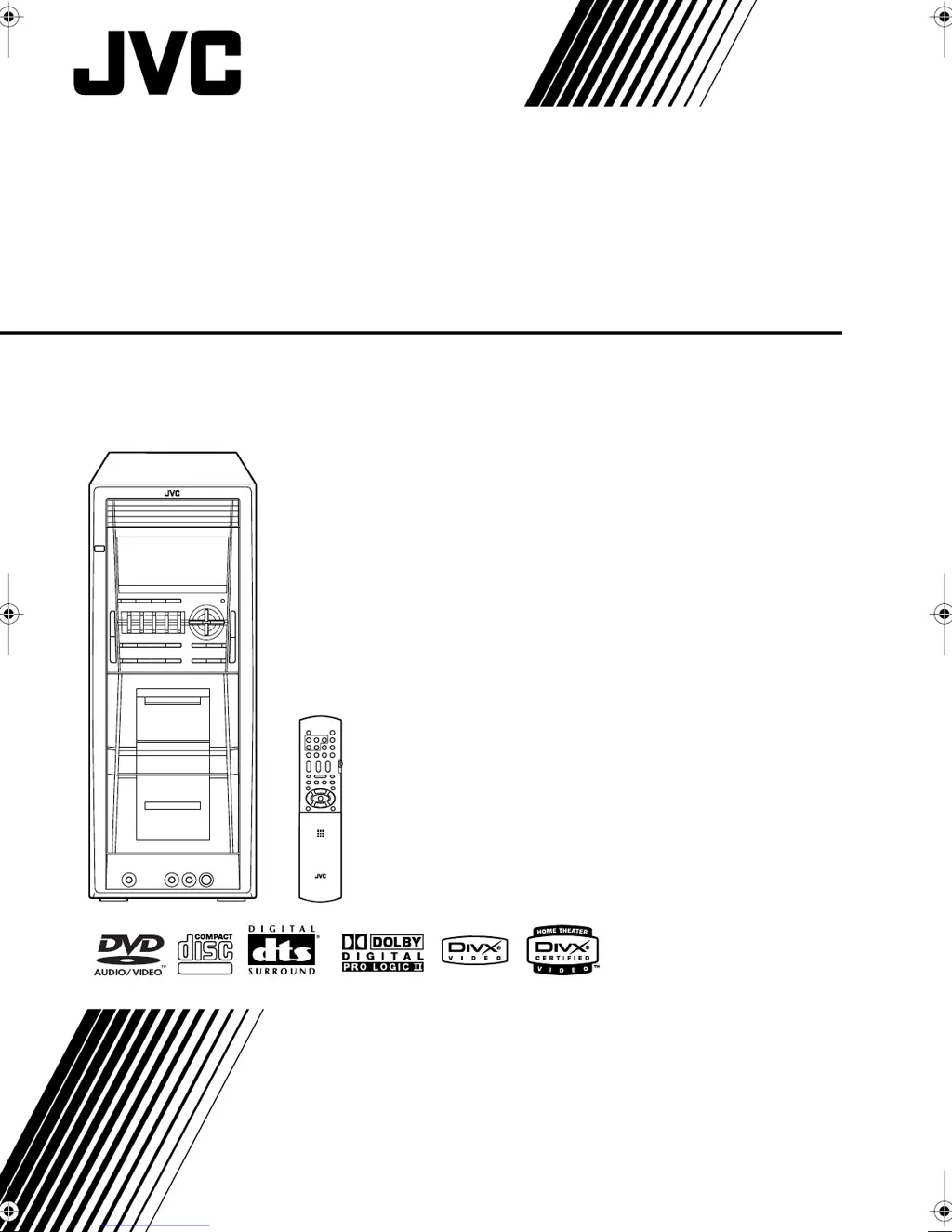
COMPACT COMPONENT SYSTEM
CA-DXT99
INSTRUCTIONS
GVT0166-005A
[A]
SUPER VIDEO
DXT99_Cover[A].fm Page 1 Friday, March 17, 2006 11:13 AM

Table of Contents

Other manuals for JVC CA-DXT99

Questions and Answers

  • H
    hailey08Aug 20, 2025
    Why is JVC Speaker System not responding to the remote control?
    • B
      Brian SandersAug 20, 2025
      There might be a couple of reasons why you can't operate your JVC Speaker System with the remote control. The path between the remote control and the remote sensor on the System might be blocked. Alternatively, the batteries in the remote control could be exhausted.
  • E
    ehendersonAug 22, 2025
    Why are the operations disabled on my JVC CA-DXT99?
    • S
      Scott JacksonAug 22, 2025
      If the JVC Speaker System's operations are disabled, it might be due to a malfunction of the built-in microprocessor caused by external electrical interference. To resolve this, unplug the AC power cord and then plug it back in.
  • S
    Scott BrownAug 25, 2025
    What to do if no sound is heard from JVC Speaker System?
    • L
      linda76Aug 25, 2025
      There are several reasons why no sound might be coming from your JVC Speaker System. Check if the speaker connections are incorrect or loose. Also, make sure headphones are not connected, as this will prevent sound from coming through the speakers.
  • J
    Jane BaileyAug 26, 2025
    Why is my JVC CA-DXT99 Speaker System not playing the disc?
    • C
      Christian AliAug 27, 2025
      If your JVC Speaker System isn't playing a disc, it could be for a couple of reasons. First, check the Region Code of the disc; it must be “4.” If “REGION ERR” appears on the display, this is the issue. Also, ensure the disc is placed correctly, with the label side up.
  • Z
    Zachary MayerAug 28, 2025
    What to do if JVC CA-DXT99 shows no picture on the screen?
    • S
      Susan OwensAug 28, 2025
      If no picture appears on the screen when using your JVC Speaker System, the video cord connections may be incorrect or loose. Check the connections to ensure they are properly connected.
  • D
    Deborah GentryAug 30, 2025
    How to fix noisy broadcasts on JVC CA-DXT99 Speaker System?
    • A
      Adrienne WhiteAug 30, 2025
      If you're having trouble hearing broadcasts clearly on your JVC Speaker System due to noise, check the following: * Ensure that the antenna connections are correct and not loose. * Make sure the AM loop antenna is not too close to the System. * Verify that the FM antenna is properly extended and positioned.
  • A
    Ashley WallaceSep 1, 2025
    What to do if the disc tray on my JVC CA-DXT99 won't open?
    • C
      Corey WilliamsSep 1, 2025
      If the disc tray on your JVC Speaker System isn't opening or closing, there are a few potential causes. First, check if the AC power cord is properly plugged in. Also, check if Child Lock is active; if “LOCKED” appears in the display window, this is the cause. Finally, see if Program Play is in use, and if so, cancel it.
  • M
    Melinda GonzalezSep 3, 2025
    Why are subtitles not showing on my JVC Speaker System?
    • N
      Nicole WillisSep 3, 2025
      If no subtitle appears on the display of your JVC Speaker System even after selecting the initial subtitle language, it may be because some DVDs are programmed to initially display no subtitle. If this occurs, press SUB TITLE after starting play.
  • N
    Nicholas WilliamsSep 5, 2025
    Why can't I record with my JVC Speaker System?
    • M
      Michael RobertsSep 5, 2025
      If you're unable to record with your JVC Speaker System, check if the small tabs on the back of the cassette are removed. If they are, cover the holes with adhesive tape. Also, make sure the Karaoke scoring function is not in use, as this can prevent recording.
  • F
    fraziervictoriaSep 7, 2025
    Why is the picture on my JVC Speaker System blurred or distorted?
    • L
      Lisa MclaughlinSep 7, 2025
      If no picture is displayed, the picture is blurred, or the picture is divided into two parts on your JVC Speaker System, it might be because the System is connected to a TV that does not support progressive video input. Another possible reason is that an incorrect color system is selected.

Summary

Safety and Warning Information

Laser Product Safety Guidelines

Information and cautions for operating a CLASS 1 LASER PRODUCT.

Proper Ventilation and Placement

System Precautions and Handling

Connecting Your System

Connecting Video and Audio Sources

Steps for linking video input devices and digital/analog audio components.

Speaker Setup and Voltage Selector

Instructions for connecting speakers and setting the correct voltage for operation.

Daily Operations: Basic Playback

Disc Playback Procedures

Navigating and Selecting Disc Content

Techniques for searching specific parts of a disc or selecting menu items.

Daily Operations: Sound and Picture Adjustments

Sound Mode and Bass Enhancement

Selecting preset sound modes or customizing your own sound profiles.

Adjusting DSP Effects and Picture Tone

Modifying digital sound effects and adjusting picture settings for clarity.

Advanced Disc Playback Features

Programming Playback Order (Program Play)

Arranging a custom sequence of tracks for playback.

Repeat Playback Modes

Repeating specific parts of a disc or the entire disc.

On-Screen Disc Operations

Controlling Playback via On-Screen Bar

Step-by-step guide to using the on-screen bar for playback control.

Time Search and Chapter;Track Search

Navigating to specific points on a disc by time or track number.

Recording Operations

Tape Recording and Dubbing Procedures

Guides for recording onto cassette tapes and copying between decks.

Enjoying Karaoke Features

Karaoke Singing and Sound Mixing

Connecting microphones, mixing audio, and adjusting levels for karaoke.

Timer Operations

System Setup Menu Operations

Troubleshooting Common Issues

General, Operation, and Display Problems

Solutions for issues related to system operation, display, and sound.

Disc, Radio, and Tape Playback Issues

Troubleshooting tips for problems encountered with discs, radio, and cassette tapes.

JVC CA-DXT99 Specifications

General IconGeneral
BrandJVC
ModelCA-DXT99
CategorySpeaker System
LanguageEnglish

Related product manuals