41
Enjoying karaoke
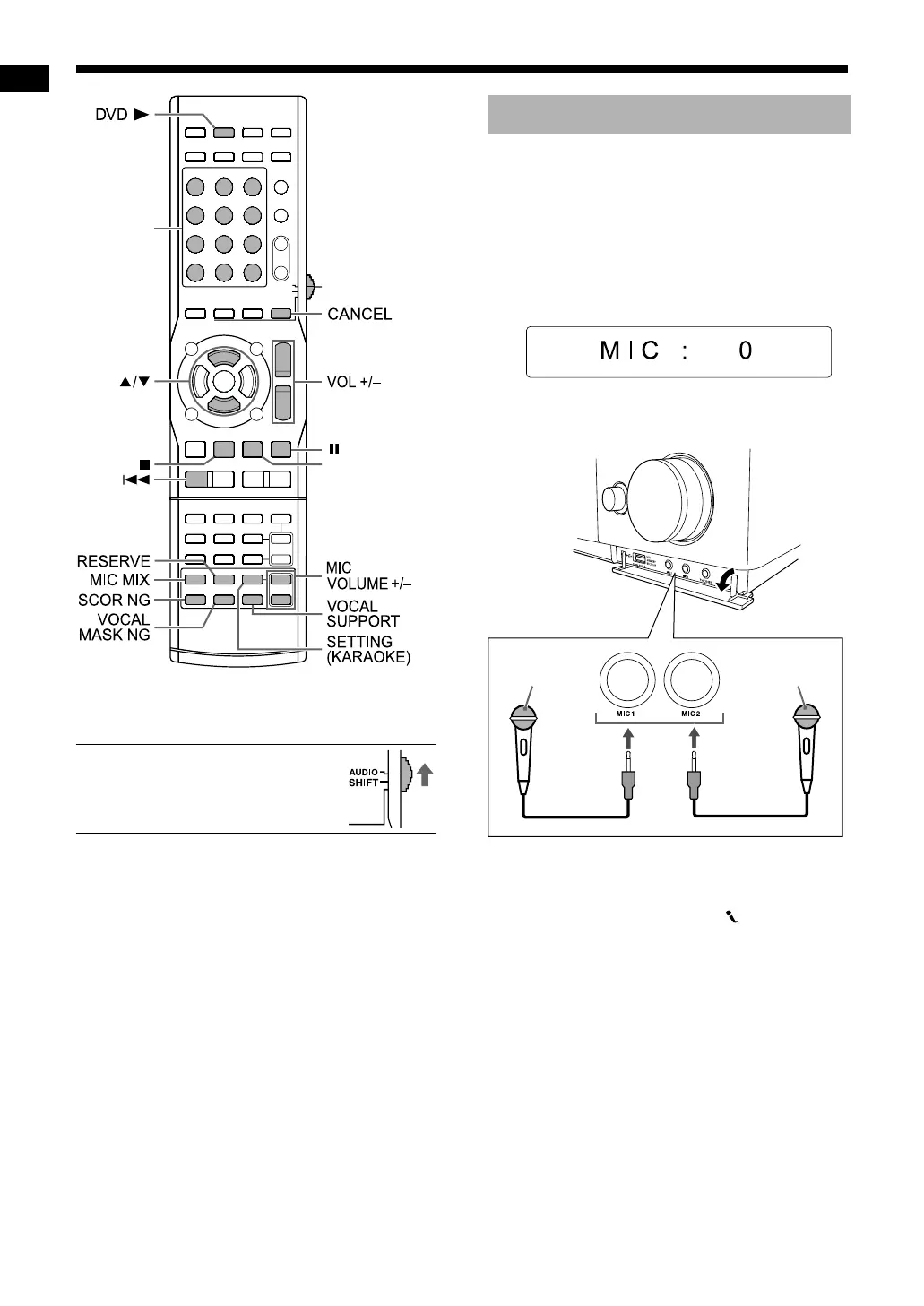
* For the number button usage, refer to “Using the
number buttons” on page 12.
■ IMPORTANT
• Slide the remote control mode
selector to [AUDIO].
1 Turn on the main unit.
• Refer to “Turning on/off the main unit” on
page 12.
2 Press [MIC VOLUME –] repeatedly
until “MIC: 0” appears in the
display window.
Display window
3 Connect the microphone.
• The [MIC 1] and [MIC 2] terminals are for
connecting microphones equipped with
monaural mini plugs (not supplied).
• “MIC IN” appears and the
“” and “ECHO”
indicators light up in the display window.
Number
buttons*
Remote control
mode selector
3
(playback)
Singing a song in karaoke
Main unit (front view)
Microphone
(not supplied)
Microphone
(not supplied)
Enjoying karaoke
NX-F30[U].book Page 41 Tuesday, April 21, 2009 6:23 PM


 To Next Page