Need help?
Do you have a question about the JVC CW-DRA8 and is the answer not in the manual?
Safety precautions to prevent fire, short circuits, and other hazards.
Precautions for installation, wiring, and general usage to prevent damage or hazards.
How to connect the subwoofer using speaker wires to audio components.
How to connect the subwoofer using RCA cables to audio components.
Securing the remote control and 10-pin connector cords during installation.
Mounting the subwoofer unit securely into the vehicle using provided fixtures.
Identifies the illumination, volume control, and frequency control knobs on the remote.
Instructions for adjusting cut-off frequency, phase, and volume levels.
 General
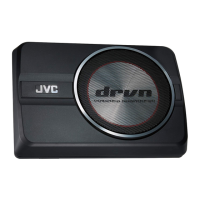
| Product type | Pre-loaded subwoofer |
|---|---|
| Subwoofer type | - |
| Number of drivers | 1 |
| Sound pressure level | 81 dB |
| Subwoofer peak power | 250 W |
| Subwoofer driver diameter | 200 mm |
| Subwoofer frequency range | 35 - 150 Hz |
| Subwoofer driver diameter (imperial) | 8 \ |
| Product color | Black |
| Remotely operated | Yes |
| Remote control type | Wired |
 Weight and Dimensions
| Depth | 240 mm |
|---|---|
| Width | 350 mm |
| Height | 75 mm |

 To Next Page