Maintaining the Cabinet and Remote Control
0
Gently wipe off dirt on the cabinet with a soft cloth.
0
If
it
is extremely dirty, wet a cloth in water, wring dry and use it to wipe off the dirt, followed by wiping again with a dry
cloth.
0
Pay attention to the following as the cabinet may deteriorate in condition or the paint may come off.
0
Do not wipe with thinner or benzine
0
Do not allow prolonged contact with rubber or plastic products
0
Do not spray volatile chemicals such as insecticide
Cleaning and Replacing the Filter
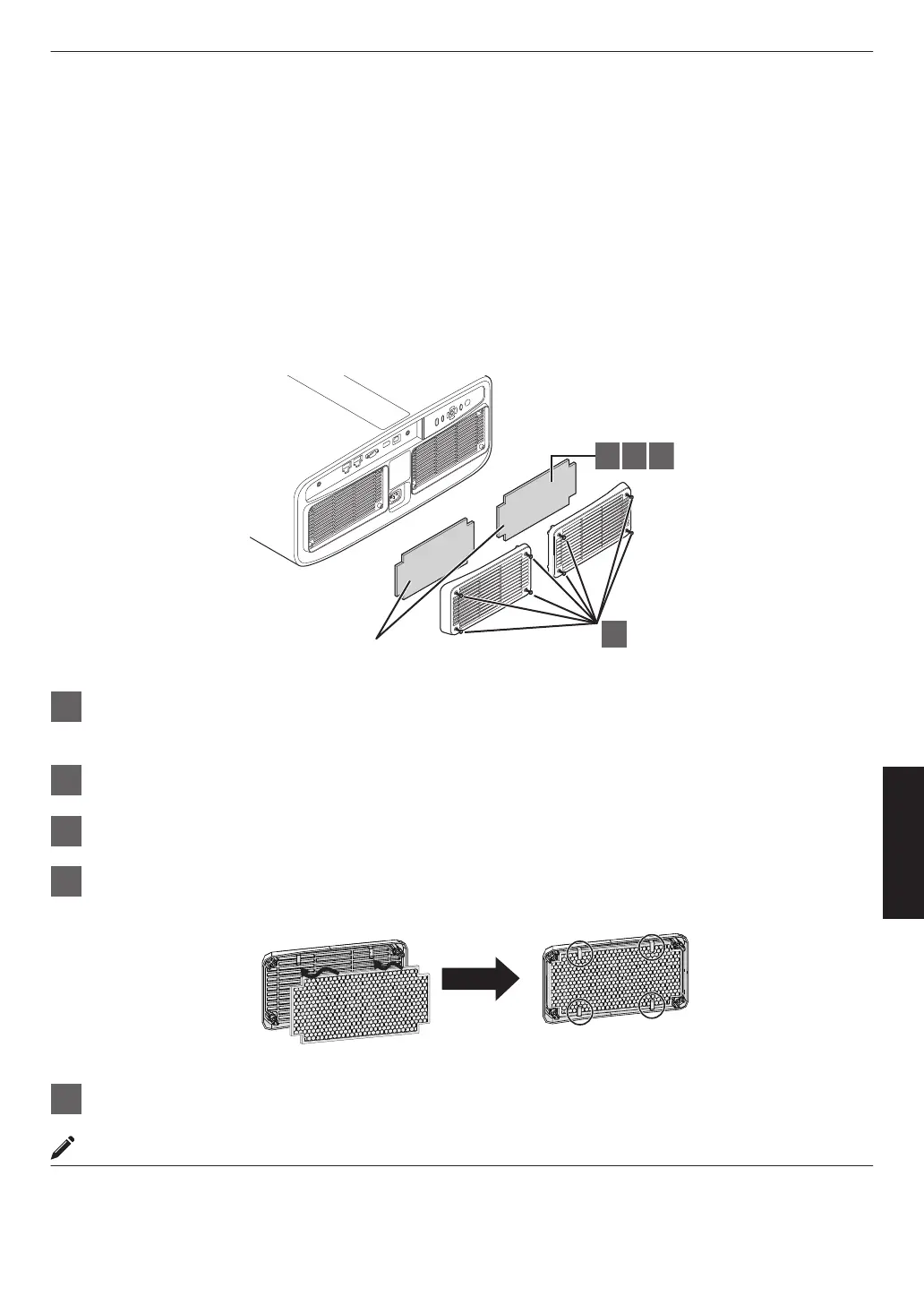
Clean the filter every 2000 hours (more often in dusty conditions). Using a filter without cleaning may reduce the
brightness of the image. Dirt that enters the unit may also appear as shadows on the image.
1
2 3 4
Sponge filter (gray)
1
Loosen the screws at the four corners and remove the cover
0
The screws cannot be removed from the cover. Do not try to remove the screws from the cover by force.
2
Remove the sponge filter
3
Use a vacuum cleaner to remove dirt from the sponge filter carefully
4
Restore the sponge filter to the original position
Place the sponge filter under the tabs
5
Restore the cover and fasten the screws at the four corners
MEMO
0
If
the
sponge filter is damaged and requires replacement, or if dirt gets into the unit, consult your authorized dealer
or nearby service center.
0
Sponge spacer
Product no.: J3K-0134-00
83
Maintenance



 To Next Page