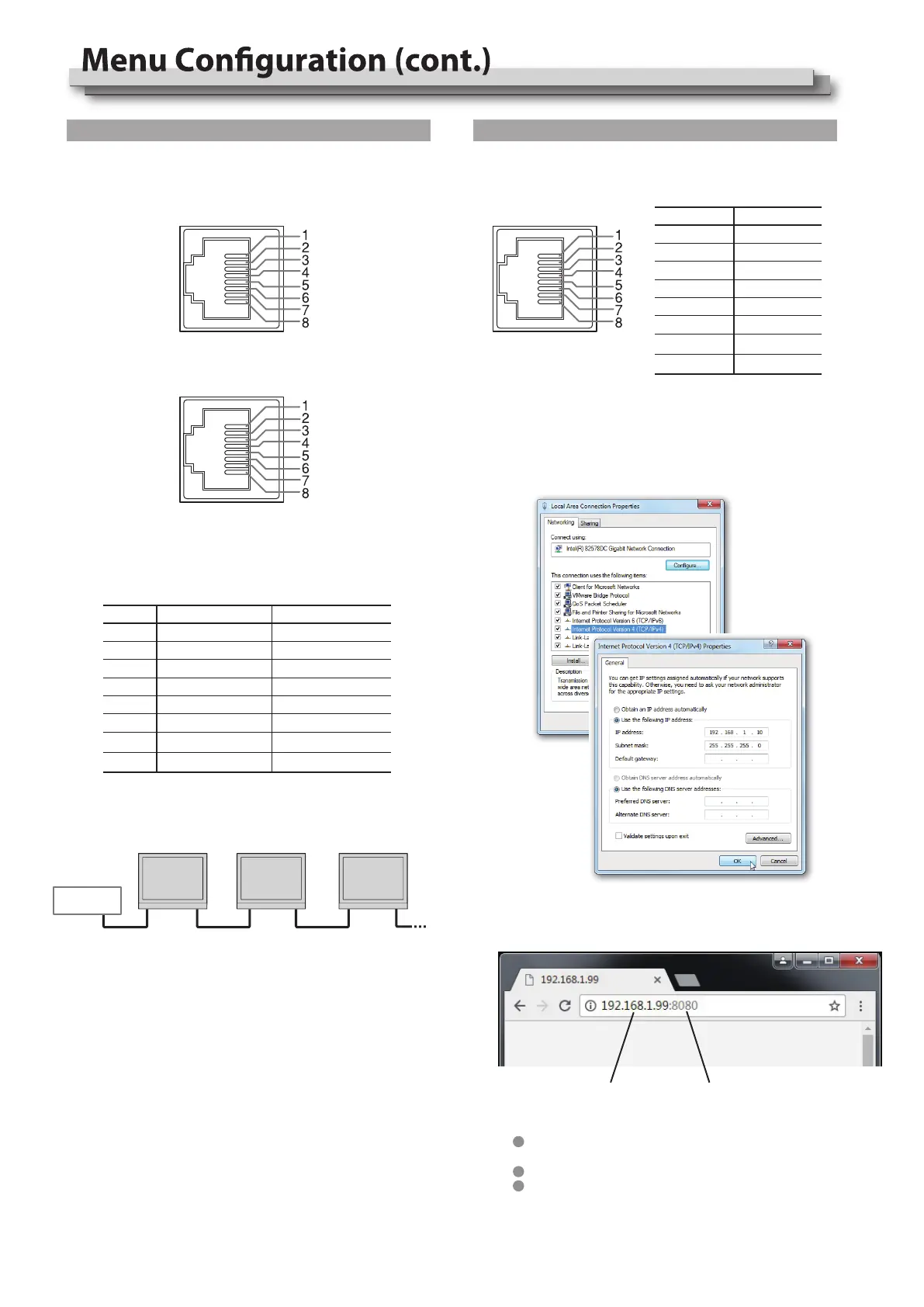
RS-485 IN RS-485
OUT
RS-485
IN
RS-485
OUT
RS-485
IN
RS-485
OUT
TallyMan
They are female terminals.
Serial connections:
RS485 IN
ETHERNET
RS485 OUT
Pin No Pin name
1 TX+
2 TX-
3 RX+
4
5
6 RX-
7
8
Pin No RS 485 IN
1 GPI 1
2 GPI 2
3 GPI 3
4 GPI 4
5 GPI 5
6 GPI 6
7 NC
8 GND
RS 485 OUT
GPI 1
GPI 2
GPI 3
GPI 4
GPI 5
GPI 6
NC
GND
Use crossed wired cable for computer-monitor directly
connection.
Use straight-through wired cable for Router connection.
Please seek help from your webmaster for any network
connections.
Monitor IP address Monitor port address
2) Launch any of a web browser on the computer, and enter URL:
Monitor IP + port (for example 192.168.1.99:8080). The webserver
control page will be displayed.
17
*2 UMD control
Select UMD mode to “External” will enable TSL UMD control.
TallyMan system connection:
*3 Webserver IP Control
Connect the monitor ETHERNET port into LAN, and the monitor can
be remote controlled by webpage.
Enter Menu- External Control - IP/Net Mask/Gateway/Port to
set the monitor addresses.
Set the computer Ethernet IP address at the same LAN
environment as the Monitor.


 To Next Page