MasterPage: Cover
GZ-MC200
LYT1332-001A
EN
ENGLISH
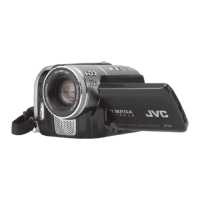
DIGITAL MEDIA CAMERA
GETTING STARTED
6
BASIC OPERATIONS
(RECORDING & PLAYBACK)
19
MENU SETTINGS
26
32
To deactivate the demonstration, set
“DEMO MODE” to “OFF”. (
墌 pg. 26)
For Customer Use:
Enter below the Model No. and Serial
No. which is located on the bottom of
the camera. Retain this information for
future reference.
Model No.
Serial No.
REFERENCES
INSTRUCTIONS
This instruction manual describes the basic operations of the camera.
For more information, read the advanced operation manual provided
as HTML format in the CD-ROM. See page 32 for details.
GZ-MC200US.book Page 1 Tuesday, September 7, 2004 9:56 PM

 Need help?






 To Next Page
 General